What should you look for when choosing?
First decide how many voices you want to record separately and which device you’ll use. Then check the microphone placement and make a test recording in the room where the conversation will take place.
| What to consider |
What should you check? |
Who is it for? |
| A clear voice in the room |
Check that you can attach the microphone securely and close to the speaker without it rubbing against their clothes. Listen back to a short recording in the room you’ll be using. |
If I’m recording a storyteller in a room without acoustic treatment, I want to capture their voice clearly and listen back to check for room noise; around 31% of consumers prioritise clear speech. |
| Connection to your device |
Check the exact connector type and whether you’ll need an adaptor. Test that the recording device is actually using the external microphone. |
If I want to use my own phone, camera or recorder, the connection needs to be compatible; around 25% of consumers prioritise compatibility. |
| Two people talking |
Check how many microphones or transmitters are included in the version you’ve chosen and whether they work with the receiver. Test both voices in a trial conversation. |
If I also want my questions to be clearly audible, I want each speaker to have their own microphone; around 25% of consumers prioritise recording two voices. |
| Keeping a long conversation |
Check the power supply and available storage. Make a test recording and listen back to it. If recording on the transmitter, check the settings and files afterwards too. |
For a long family story, or one that’s difficult to repeat, I want to know in advance that the recording will be saved and can be played back; around 19% of consumers make recording reliability their top priority. |
Joybuy products
This selection focuses on wireless sets with two microphones or transmitters for conversations with two speakers. For each version, check that the included receiver and connection are compatible with your phone or camera.
 No image available
RØDE Wireless Micro Camera Kit, 2 microphones, USB-C
May suit a conversation with two speakers, provided the included receiver connects to your recording device.
The product name lists two microphones, a camera receiver, a smartphone receiver, a charging case and USB-C.
View at Joybuy
 No image available
DJI Mic 3, 2 TX + 1 RX + Charging Case
The two transmitters suit a conversation where both speakers need their own microphone.
The product name lists 2 TX, 1 RX and a Charging Case; check that the receiver is compatible with your recording device.
View at Joybuy
 No image available
Verbex K31Pro-Black Dual Microphone
This dual-microphone version may suit conversations where both speakers need their own microphone.
The product name describes a magnetic clip-on design and compatibility with iOS and Type-C interfaces. Check your device’s connection.
View at Joybuy
 No image available
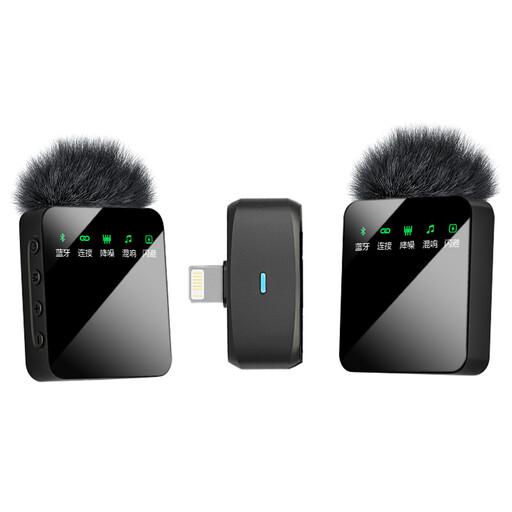
Verbex ST5 Dual-Mic, iOS Interface
This dual-microphone version may suit a conversation with two speakers, provided the iOS connection matches your device.
The product name describes a wireless button-style clip-on microphone with an iOS interface.
View at Joybuy
 No image available
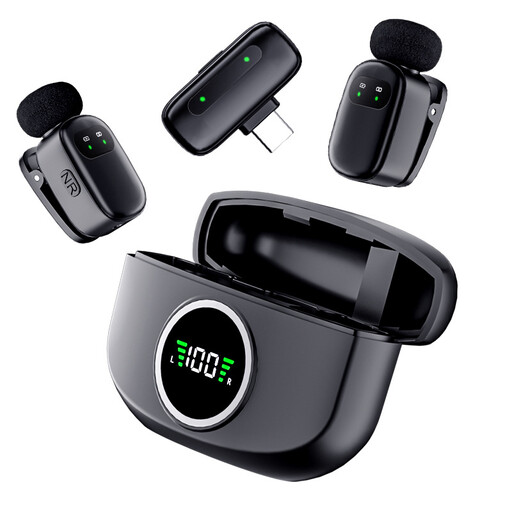
Verbex K21 Dual-Mic, Type-C Interface
This dual-microphone version may suit a conversation where both speakers need their own microphone and your device uses Type-C.
The product name describes a wireless button-style clip-on microphone with a Type-C interface. Check that the connection is compatible with your recording device.
View at Joybuy
Frequently asked questions
Is one microphone enough if I’m asking questions too?
If you need your questions to be clearly audible too, Speaking History recommends using two microphones. Check that your chosen set and recording device can capture both voices.
How can I check everything is working before the interview?
Make a short test recording and check that the external microphone is active, then listen back using headphones. For a longer conversation, also check the power supply and available storage space.
Can I connect a RØDE smartLav+ directly to a Wireless GO II transmitter?
No. RØDE describes the smartLav+ as TRRS and the Wireless GO II transmitter’s microphone input as TRS. According to RØDE, you’ll need a suitable TRRS-to-TRS adaptor to use them together.
What are my rights if the microphone doesn’t meet reasonable expectations?
According to the Netherlands Authority for Consumers and Markets’ ConsuWijzer, statutory warranty applies under normal use if a product doesn’t do what you could reasonably expect; the seller must resolve a valid issue. Online purchases generally also come with a 14-day cooling-off period after delivery, subject to exceptions.
Can I record and share family stories?
The Dutch Data Protection Authority says that processing data solely for personal or household use falls outside the GDPR. The regulator also recognises an exception for sharing privately with a limited group; different conditions apply to public sharing, and in most cases you need permission to publish other people’s personal data. Talk to the storyteller beforehand about what you’ll record and who you plan to share it with.


