What should you look for?
Start by deciding whether you’ll stay in one place or walk around the hall. Then check the connection, microphone placement and recording options for the set you choose.
| What to consider |
What should you check? |
Who is this important for? |
| Clear speech |
Check the clip, any wind shield and the microphone’s position. Listen to a test recording made in the actual speaking location. |
I want to be able to hear the speaker clearly in the recording and make sure the microphone doesn’t rub against clothing. Consumers who prioritise clear speech account for around 33% of consumers in this breakdown. |
| Freedom to move |
Plan where the speaker will walk and where the recording device will be. Check that the set includes a suitable receiver. |
If I’m walking around during the presentation, I don’t want a cable to tie me to one spot. Consumers who put freedom to move first account for around 27% of consumers in this breakdown. |
| Connection |
Compare the recording device’s microphone input with the exact microphone version and what’s included in the set. |
I want to record with the device I already use, without having to guess based on the shape of the plug. For consumers who prioritise a compatible connection, this is the most important buying consideration; they account for around 20%. |
| Recording continuity |
Compare the stated operating time with the length of the session. Charge the components and check that recording is in progress before the presentation. |
For a long session, I mainly want to be able to check that recording is continuing and that a separate file is available. Consumers who prioritise recording continuity account for around 20%. |
Wireless microphones for speakers on the move
These Joybuy products are wireless microphone sets for speakers who may move around during a presentation. Before buying, check that the receiver and connection are compatible with your phone, camera or other recording equipment.
 No image available
DJI Mic Mini 2S (2 TX + 1 RX + charging case)
This wireless set is worth considering if the speaker will be moving around the hall and you’d like an internal recording as an additional file.
The product description lists a USB-C phone adaptor and internal 32-bit float recording on the transmitter. Check the recording settings and available storage before use.
View at Joybuy
 No image available
SYNCO P2XT USB-C wireless microphone
This set may suit you if you want to record wirelessly during your presentation with a compatible USB-C device.
The description lists a Type-C receiver and up to 6 hours of use on a full charge. For Android devices with Type-C, the description says that OTG must be enabled.
View at Joybuy
 No image available
Moman MB1C clip-on microphone for iPhone 18/17/16, 1TX + 1RX, USB-C
The wireless transmitter and receiver are designed for hands-free recording. Check that the USB-C receiver works with your recording device.
The title lists a USB-C connection, and the description states up to 8 hours of use.
View at Joybuy
 No image available
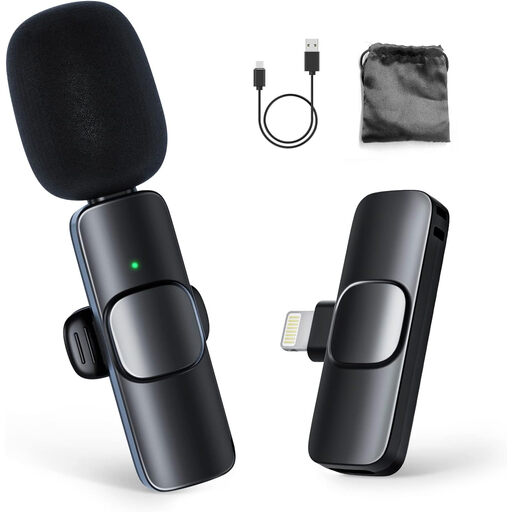
Moman CP1A wireless lavalier microphone (1TX + 1RX)
This wireless clip-on set is designed for mobile recording. Check that the receiver is compatible with your chosen recording equipment.
The product description lists an omnidirectional microphone and up to 8 hours of use.
View at Joybuy
 No image available
DJI Mic 3 (1 TX + 1 RX)
This wireless set may suit a mobile recording setup if you’d like to use an internal recording on the transmitter as an additional file.
The product description lists internal 32-bit float recording, a USB-C phone adaptor and up to 28 hours of use. Check which operating time and recording settings are right for your planned session.
View at Joybuy
Frequently asked questions
How can you prevent rustling during recording?
Secure the microphone and any cable so they don’t rub against clothing, then listen to a test recording while the speaker moves as they normally would. Shure identifies contact with clothing as a cause of handling noise. The recommended distance of 15–25 cm from the mouth applies specifically to the Shure MVL.
Can a TRRS lapel microphone connect directly to a wireless transmitter?
It depends on the connections on both devices. RØDE specifically states that the smartLav+ uses TRRS, while the Wireless ME transmitter requires TRS for an external lavalier. RØDE recommends a TRRS-to-TRS adaptor for this combination.
What should you check before a long presentation?
Check that the stated operating time is long enough for the session, what’s included in the set, and whether you can confirm that recording is in progress before you start. If you’re using an existing bodypack, the lavalier’s connection must also be compatible. A standalone component doesn’t automatically make a complete recording setup.
Can I use any frequency for a wireless microphone in the Netherlands without a licence?
No. Some frequency bands require a licence. According to the Dutch National Inspectorate for Digital Infrastructure, the available UHF frequency spectrum can also vary by location. Check the frequency band used by your chosen system and which frequencies are available at the venue.
Can an organisation publish recordings of people speaking at an event?
This can’t be determined by the microphone choice alone. According to the Dutch Data Protection Authority, an audio recording in which someone can be identified may count as personal data. Processing it requires a lawful basis under the GDPR, and people involved have the right to be informed. The applicable lawful basis and any further obligations depend on the recording and how it will be used.


