
Teacher with one pupil reading aloud
Wants to record the pupil clearly without having to keep the phone close by. Microphone placement and a compatible recording connection are important.


If the pupil will mostly stay in one place, a wired lapel microphone could be a good fit, provided its microphone input and any power requirements are compatible with the recording device. A wireless set gives you more freedom to move, but requires a compatible receiver and charged components. If two pupils will be reading at the same time, the set must also include two transmitters, and the recording device must support the channel configuration you want.
Wants to record the pupil clearly without having to keep the phone close by. Microphone placement and a compatible recording connection are important.
Wants to pass microphones between pupils quickly and is weighing up whether one clip-on microphone will do, or a set with two transmitters would be better for the lesson.
Wants to know in advance whether their phone and recording app will work with the microphone’s USB-C, Lightning or 3.5 mm connection.
Start with the recording device and the number of pupils reading aloud. Then choose between a fixed wired set-up and the freedom of movement offered by a wireless set.
For recording poetry in class, the main things to consider are clarity, connectivity, the number of speakers and uninterrupted use.
| What to consider | What should you check? | Who is this important for? |
|---|---|---|
| Clarity and clothing rustle | Attach the microphone so it doesn’t rub against clothing, and listen to a test recording with both quiet and loud lines. | When I record poetry, I want to hear quiet words clearly too, without any scratchy clothing noise. Around 36% of consumers say clarity is their top priority. |
| Connection to the recording device | Check the exact input, microphone version and recording app together; having the same type of plug doesn’t guarantee compatibility. | When I record with my existing phone, computer or recorder, I want to know in advance that the microphone will work. Around 29% of consumers put device connectivity first. |
| Pupils taking turns or reading at the same time | Check how many transmitters are included and test whether the recording device supports the mono or stereo mode you want. | When pupils are taking turns quickly or two are reading at once, I don’t want to keep passing the microphones back and forth. Around 21% of consumers say having multiple pupils reading aloud is their top priority. |
| Recording a full lesson | Compare the expected recording time with the power supply for the transmitter and receiver; charge wireless components beforehand. | When I want to record a longer lesson, I want to avoid interruptions caused by flat batteries. Around 14% of consumers say recording time is their main priority. |
A plug that fits doesn’t necessarily mean the recording device will accept the microphone. TRS and TRRS connections are different too.
Check the exact microphone version, input and recording app together, and make a test recording to save and play back.
Also check whether you’ll need a compatible adapter or receiver for the combination you choose.
A set with two transmitters may combine the voices or output them separately. According to BOYA, separate stereo output from the BOYA mini 2 requires support from the connected device.
Check what’s included in the set and test the recording mode you’ve chosen if you want to edit the voices separately later.
A charging case lets you recharge between uses, so the stated total use time isn’t the same as the uninterrupted use time of each component.
Compare the expected session length with the use time of the transmitter and receiver separately, and plan a charging break if needed.
BOYA distinguishes between the BY-M1, which uses an LR44 battery, and the battery-free BY-M1S.
Check the full model name and power requirements before choosing a microphone for a longer session.
With the BOYA BY-M1, remember that it needs an LR44 battery, and check whether you’ll need to replace it for your intended use.
The XS Lav USB-C is a wired clip-on microphone for compatible mobile devices and computers.
The BY-M1 is a wired option, while the mini 2 is a wireless choice for up to two paired transmitters.
The Wireless Micro is a wireless set with clip-on transmitters and a receiver available in USB-C or Lightning versions.
The Mic Mini is a wireless system whose receiver, according to DJI, can pair with two transmitters.
The wired MVL is a clip-on microphone with a 3.5 mm TRRS plug for a compatible portable recording device.
The Joybuy products below are wireless clip-on microphones for readings aloud. Check the receiver, connection and number of transmitters for each version before choosing.
 No image available
A wireless lapel microphone is an option if the reader needs room to move; check that the receiver is compatible with your recording device.
The product title lists 48 kHz/24-bit, a transmitter weight of 9 g and a stated range of 300 m. Connectivity in a classroom may vary depending on the conditions.
 No image available
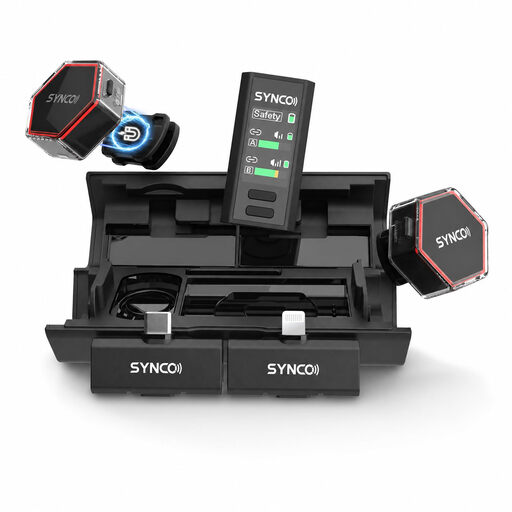
This set may suit you if you want to record two readers; check in advance that the receiver is compatible with your camera or phone.
The product title lists two microphones, a camera and smartphone receiver, a charging case and USB-C. Check the connection option you need for your device.
 No image available
A wireless microphone can be useful if a reader needs to move around; check which receiver is compatible with your recording device.
The product title lists iPhone 7–17, Android and camera. Check the exact connection and device compatibility before using the set.
 No image available
This set may suit two readers or quick handovers; check that your recording device supports the USB-C version listed.
The product title lists 2.4 GHz, two transmitters and one receiver (2TX&1RX), for USB-C Android phones.
 No image available
A set with one transmitter may suit one reader; check that the USB-C version is compatible with your recording device.
The product title lists one transmitter and one receiver (1TX+1RX), and mentions iPhone 18, 17 and 16.
As a general guideline, RØDE recommends attaching the microphone to the chest, around 20–30 cm from the mouth. Make sure clothing doesn’t rub against the microphone, and make a test recording wearing the clothes and speaking at the volume you expect to use in class.
No. The connection must match the input on the specific recording device. TRS and TRRS are wired differently, so check the microphone output and make a test recording before using the microphone in class.
Not necessarily; it depends on the set and the recording settings. According to BOYA, separate stereo output from the mini 2 requires support from the connected device. Check what’s included and test whether the channel configuration you want is available.
A school must have an appropriate legal basis under the GDPR for processing personal data, inform pupils and parents, and protect the data. According to the Dutch Data Protection Authority, consent is one possible legal basis, but it isn’t automatically the basis for every classroom recording. Before recording, and especially before sharing, discuss the purpose, access and retention period in line with school policy.
No, but the rules depend on the frequency used and the conditions that apply. The Dutch Authority for Digital Infrastructure publishes licence-exempt frequencies and conditions; some other frequency bands require a licence. Check the exact frequency and version of the system you choose.