What should you look for when choosing?
First decide whether one pupil or two will be speaking at the same time. Then choose based on the connection on your recording device and whether a cable will work in your classroom setup.
| What to consider |
What should you check? |
Who is this important for? |
| Clarity |
Microphone position and attachment; test quiet and normal speech with the intended settings in your own classroom. |
If I want to listen back to quiet sounds while the class carries on working, I want to check first that the voice remains clear. Around 29% of consumers put clarity first. |
| Connection |
Check the exact device, port, microphone input, receiver and any adapter; test the recording app you plan to use. |
I want to know before buying whether my phone, tablet or recorder will actually use the microphone. Around 29% of consumers prioritise a connection that is compatible with their device. |
| Two speakers |
Check that the complete package includes two transmitters, a compatible receiver and the connection you need. |
For a dialogue with two people speaking at the same time, I want to be able to give each pupil their own microphone. Around 24% of consumers make recording two speakers their top priority. |
| Recording management |
Decide which school-approved app and storage method will be used, and who will manage access and deletion. |
If pupils’ voices can be recognised, I want to know in advance why the recording is being made and how it will be managed. Around 18% of consumers prioritise manageable recording arrangements. |
Joybuy products
This selection focuses on wireless lapel microphones with two microphones for activities where two pupils speak at the same time. For each version, check that the receiver, connection and recording app are compatible with the school device.
 No image available
DJI Mic Mini 2S (2 TX + 1 RX + charging case)
This set is designed for recordings using two microphones; check that the receiver is compatible with your recording device.
The product name lists 2 TX, 1 RX and a charging case.
View at Joybuy
 No image available
SYNCO P2ST, USB-C, dual mic, 2.4GHz
The product name describes a wireless dual-mic set with USB-C; check that this connection is compatible with your recording device.
The product name lists 2.4GHz and a charging case.
View at Joybuy
 No image available
Moman MS1X(C), USB-C, 2.4 GHz (2TX & 1RX)
According to the product name, this set is designed for USB-C Android phones; check the connection and compatibility with your recording app.
The product name lists 2TX, 1RX and 2.4 GHz.
View at Joybuy
 No image available
Verbex ST5, dual mic, Type-C
The product name describes a dual-mic set with Type-C; check that the receiver and recording app are compatible with your specific device.
Type-C is the connection listed in the product name.
View at Joybuy
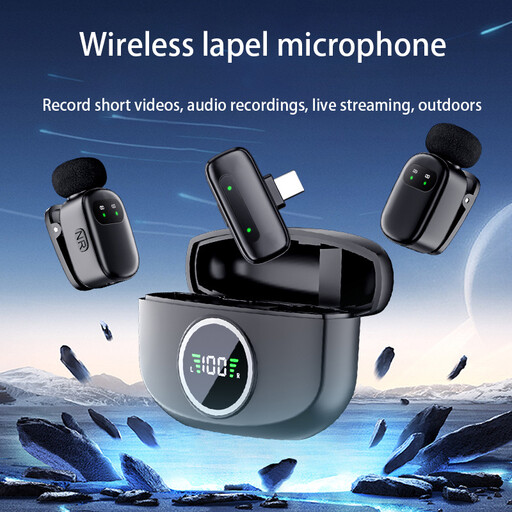 No image available
Verbex K21, dual mic, iOS interface
The product name describes a dual-mic set with an iOS interface; check that the interface is compatible with your recording device.
The product name describes this version as a wireless lapel microphone.
View at Joybuy
Frequently asked questions
Can one lapel microphone record a conversation between two pupils?
For an activity where both voices need to be clearly audible at the same time, a compatible set with two microphones is more suitable. Check the exact version: the RØDE Wireless Micro and DJI Mic Mini with 2 TX mentioned here have two transmitters, but other versions may not.
Why might your phone not recognise a wired microphone?
First check that the plug and port are compatible. The RØDE smartLav+ uses 3.5 mm TRRS; the Audio-Technica ATR3350xiS has a different 3.5 mm output and comes with a headset adapter for compatible devices. Then test the recording app to check that it is using the external microphone.
How can you check whether a microphone records clearly in a noisy classroom?
Before the language activity, make a short recording where the lesson will take place and listen back to check that both quiet and normal speech are clear. Position the microphone close to the speaker without covering it with clothing or hair; a noise-cancellation specification does not guarantee the results you’ll get in your classroom.
Can a school record identifiable voices of pupils?
An identifiable audio recording is personal data, so before processing it the school must establish an appropriate legal basis under the GDPR and arrange, among other things, how people are informed, security and the retention period. The Dutch Data Protection Authority emphasises that consent is one possible legal basis, but is not automatically the required basis for every educational recording. Whether a particular recording is permitted depends on its purpose and how it is made.
Do you need a licence to use a wireless lapel microphone in the Netherlands?
Equipment that meets the requirements of an applicable licence-exempt frequency band does not need a transmitting licence. Check the frequency and conditions for the specific equipment with the Dutch Authority for Digital Infrastructure; licence-exempt use does not mean interference can never occur.


