What should you look for?
First, decide what you’ll connect the microphone to and whether you’ll move around while recording. Then check that you can wear it securely without your clothing or cable rubbing against the clip.
| What to consider |
What should you check? |
Who is this important for? |
| Clear speech and room reverberation |
Check that you can wear the clip in a fixed position close to your voice, then listen back to a short test recording. |
If I’m recording solo in a reverberant room, I want to hear my voice clearly without clothing rustle. Around 36% of consumers say clear speech is their top priority. |
| Connection to your device |
Make a note of your device model and check its microphone input, plug and any adapter you may need. |
If you mainly want to avoid buying a microphone that won’t fit your phone, laptop or recorder, check the connection first; around 29% of consumers put this first. |
| Freedom of movement |
Check that the exact wireless kit is compatible with your device and that it includes the parts you need. Also check that the transmitter is charged. |
If I’m moving around while recording, I don’t want to be restricted by a cable. Around 21% of consumers choose freedom of movement as their main consideration. |
| A repeatable set-up |
Check the power requirements of the exact model and test whether clothing or cable movement is audible when you record as usual. |
If you want to get started without lots of repeated steps, look for a simple set-up and manageable cable or clothing noise; around 14% of consumers put this first. |
Joybuy products
This selection features wireless Verbex clip-on microphones for anyone who wants freedom of movement while recording. For each model, check that the connection listed is compatible with your recording device and that the kit includes the parts you need.
 No image available
Verbex K31Pro-Black Dual Microphone Wireless Lavalier
A wireless clip-on option if you want to move around while recording.
The product name lists two microphones and iOS and Type-C interfaces. Check which connection is compatible with your recording device and what’s included in the chosen kit.
View on Joybuy
 No image available
Verbex K9-Black Wireless Mini Microphone, Type-C
A wireless lavalier option if you don’t want to be tethered to a microphone cable while recording.
The product name lists a Type-C interface. Check that this connection is compatible with your device and which parts are included in the kit.
View on Joybuy
 No image available
Verbex K9-Black Single-Mic, iOS Interface
A wireless clip-on option if freedom of movement matters while you’re recording.
The product name lists one microphone and an iOS interface. Check that the connection and kit contents are suitable for your recording device.
View on Joybuy
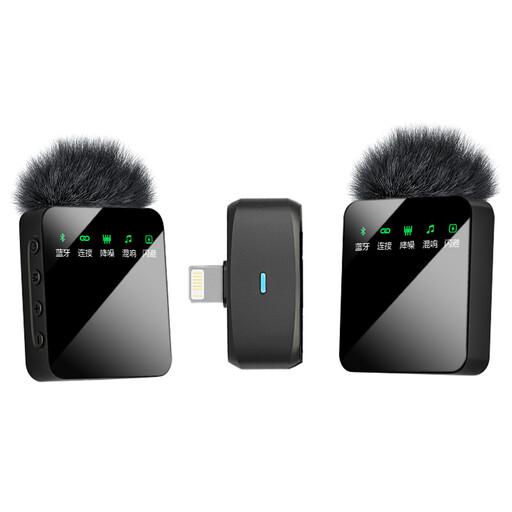 No image available
Verbex ST5 Dual-Mic, iOS Interface
A wireless lapel microphone option if you want to move around while recording.
The product name lists two microphones and an iOS interface. Check compatibility with your device and what’s included in the chosen kit.
View on Joybuy
 No image available
Verbex ST5 Single-Mic, Universal Interface
A wireless clip-on option if you want freedom of movement while recording an audio diary.
The product name lists one microphone and a universal interface. Check which devices it’s compatible with and what’s included in the kit.
View on Joybuy
Frequently asked questions
Will a lapel microphone remove all the reverberation from my untreated room?
No. Recording close to your mouth can improve the balance between direct speech and room sound, but Shure explains that a microphone can’t improve the room’s acoustics. Make a test recording where you plan to record your audio diary.
Where should I clip the microphone to reduce rustling?
Secure the microphone to your clothing close to your voice, then listen to a short recording as you move normally. If you can hear the cable moving, RØDE recommends making a small loop beneath the clip to act as strain relief.
Can I connect a TRRS lapel microphone directly to any wireless transmitter?
No, it depends on the transmitter’s connection. RØDE says the TRRS smartLav+ needs a TRRS-to-TRS adapter for the TRS input on a Wireless GO II transmitter. Check the requirements for your exact device.
What power requirements, adapters and warranty should I check?
Check the power requirements of the exact model and whether you need an adapter for your device. According to BOYA, the BY-M1 uses one LR44 battery. For consumer purchases in the Netherlands, the seller is responsible for the statutory guarantee if a product is faulty. ACM ConsuWijzer explains that this doesn’t have a fixed term of exactly two years.


