
For recording with a phone
You’re recording your script in one place and want a microphone that works with your phone and recording app. RØDE distinguishes between a TRRS connection for compatible phones and other connection options.


Start with your recording device: a TRRS microphone for a compatible phone socket won’t automatically work with a recorder or transmitter’s TRS input. If you’re staying in one place, a wired microphone may be enough. Choose wireless or a separate recorder if your setup calls for it, and make a test recording first to check for clothing noise and room acoustics.
You’re recording your script in one place and want a microphone that works with your phone and recording app. RØDE distinguishes between a TRRS connection for compatible phones and other connection options.
You want a clear voice recording and need to consider microphone placement, clothing noise and the acoustics of a small room. Shure suggests starting with the microphone at chest-pocket height.
You need room to move or want to record without a connected phone. A wireless kit and a separate recorder offer different recording setups; Zoom describes the F2 as a recorder supplied with a lapel microphone.
First, check how your recording device connects to an external microphone. Then choose based on how much you’ll move while recording and how you want to listen back to and process your recording.
| What to consider | What should you check? | Who is this important for? |
|---|---|---|
| Connection and recording setup | Check whether the TRRS or TRS connection matches the input on your phone, camera, recorder or transmitter. Also check that your recording app uses the external microphone. | If I want to use my phone or existing recorder, I’ll first check that the microphone can actually record with it. Around 36% of consumers put connection compatibility first. |
| Clarity in the booth | Test the placement with your own clothing and script, then listen back for clothing noise and room acoustics. | If the small room or my clothing could affect the voice recording, I want to assess the placement and recording first. Around 29% of consumers prioritise clarity in the booth. |
| Freedom to move | Decide whether you’ll actually move away from the recording device while speaking, and check which components are included in the wireless kit. | If I want to move around without a cable running to the recording device, I’ll check the transmitter, receiver and power supply. Around 21% of consumers prioritise freedom to move. |
| Recording independently and managing files | Check the included microphone, storage and power supply, and how files are transferred to your editing device. | If I don’t want to rely on my phone, I want to know how the recorder stores files and how I’ll transfer them afterwards. Around 14% of consumers give recording independently and managing files top priority. |
TRRS and TRS aren’t automatically interchangeable. So a plug with the right diameter doesn’t guarantee that your recording device will receive the microphone signal.
Check the plug type against your device’s input and find out whether you need an adapter. RØDE lists different connections for the smartLav+ and a Wireless GO II transmitter.
If the connection isn’t compatible, you may need a suitable adapter or a different microphone.
A standalone lavalier microphone can’t record by itself; a recorder supplied with a microphone is a different setup.
Check the entire signal path and what’s included with the specific version, such as a recorder, transmitter or receiver.
With a standalone microphone, you’ll also need a compatible recording device.
Microphone placement and room acoustics can be noticeable. Clothing or jewellery touching the microphone can also cause noise.
Record a short test of your script in the booth and listen back before recording the whole thing. Shure suggests starting with the microphone at chest-pocket height.
RØDE describes the smartLav+ as a TRRS microphone for compatible phone setups, and the Lavalier GO as a standalone TRS microphone for compatible inputs.
BOYA describes the BY-M1 as a wired, omnidirectional lapel microphone for use with smartphones, cameras and recorders, among other devices.
Zoom describes the F2 as a recorder supplied with a lapel microphone, for recording without a connected phone.
The DJI Mic Mini is a wireless clip-on option for anyone who wants to move around while recording.
Sennheiser describes the ME 2 as a microphone for speech that can be attached to clothing.
These product picks focus on wireless lapel microphones; check that the receiver for each model works with your recording device.
 No image available
For recording wirelessly with a USB-C recording device; the product name specifies a USB-C receiver.
Check that the USB-C connection works with your recording device.
 No image available
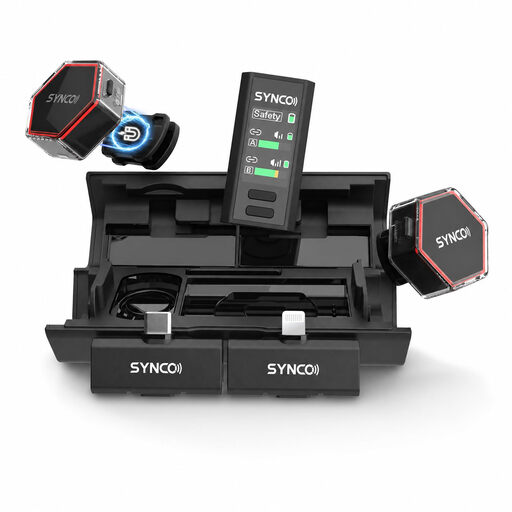
A wireless clip-on option if you don’t want to connect the microphone to your recording device with a cable.
The product description lists USB-C and Lightning receivers, as well as a 3.5mm receiver for cameras. Check which receiver comes with the version you choose and whether it works with your device.
 No image available
A wired option if you’re looking for a lapel microphone for one of the listed recording devices.
The product description specifies a 3.5mm connection. Check that it matches your device’s input.
 No image available
For a wireless USB-C setup; the product name specifies two transmitters and one receiver.
Check that USB-C works with your recording device and that the kit configuration suits your recording needs.
 No image available
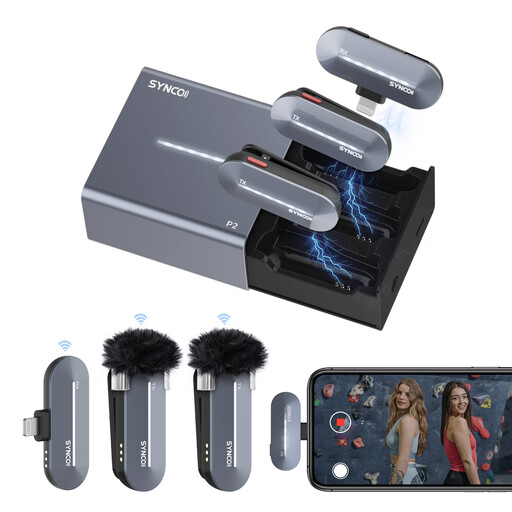
For anyone looking for a wireless lapel microphone for an iPhone setup; the product description lists two transmitters and one receiver.
The product description specifies a Lightning receiver. Check that it works with the device you use.
No. RØDE says the smartLav+ has a TRRS connection, while the Wireless GO II transmitter requires TRS. RØDE recommends a suitable TRRS-to-TRS adapter, such as the SC3.
Shure suggests chest-pocket height as a starting point for a lavalier microphone. Then record a section of your own script in the booth, listen back for clothing noise and room acoustics, and adjust the position if needed.
No. Zoom describes the F2 as a recorder supplied with a lavalier microphone. You can transfer files to a computer via USB; before buying, check what storage and power supply are included with the version you’re considering.
For many distance purchases from a business, consumers have a 14-day cooling-off period under Dutch government guidance, although there are exceptions. Check the seller’s information for your order.
First, consider which privacy rules apply to the recording and how it will be used. The Dutch Data Protection Authority considers recognisable audio recordings to be personal data and says that processing them requires a legal basis under the GDPR. Consent is one possible legal basis, but it isn’t automatically the only one. This does not mean there is a general requirement to obtain consent from others when recording only your own voice.