Joybuy products for wireless recording
These product options are wireless lavalier setups for recordings where freedom of movement matters. Before buying, check the connection and compatibility with the equipment you use in the classroom.
 Image unavailable
Lark M2 wireless USB-C microphone
The described setup is designed for wireless video recording and may suit you if the performer moves around.
The product description lists two transmitters, a USB-C receiver and a charging case.
View on Joybuy
 Image unavailable
Moman MB1C, 1TX+1RX, USB-C
This kit may suit recording with one of the iPhone models listed, provided the connection matches your recording device.
The title lists iPhone 18/17/16, one transmitter and one USB-C receiver; the description mentions automatic pairing.
View on Joybuy
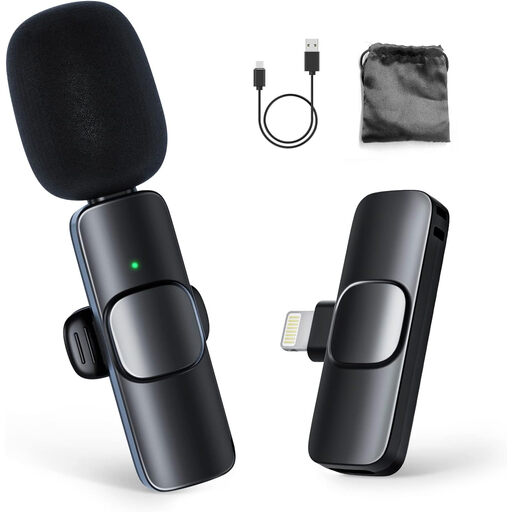 Image unavailable
Moman CP1A, 1TX+1RX
The stated compatibility with iPhone and iPad may be relevant if you record with one of these devices.
The title lists one transmitter and one receiver; the product description mentions automatic pairing.
View on Joybuy
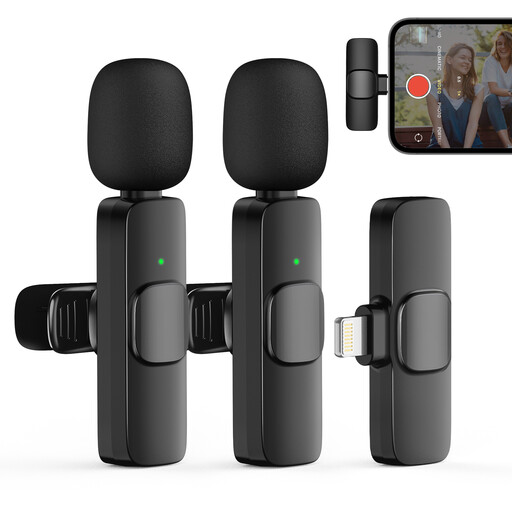 Image unavailable
Moman CP1XA, 2TX+1RX
This version may suit recordings with the listed iPhones and iPads; check compatibility with your exact device.
The title lists two transmitters and one receiver; the product description mentions clip-on microphones that attach to clothing and connect automatically.
View on Joybuy
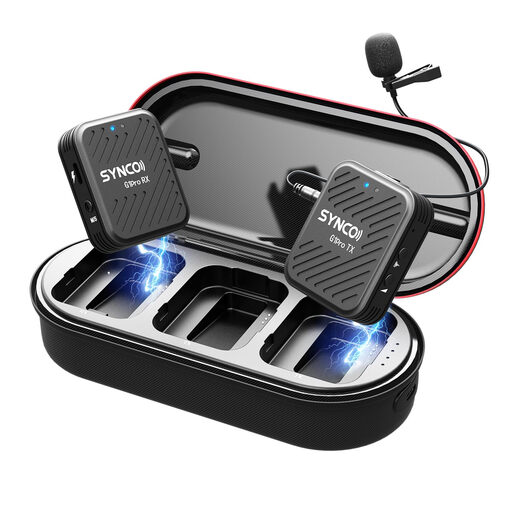 Image unavailable
SYNCO G1(A1) Pro, 2.4 GHz
According to the product title, this system is designed for SLR cameras; the description mentions audio monitoring while recording.
The description lists three output modes: stereo, mono and Safety Channel, plus a mute function.
View on Joybuy
Frequently asked questions
Where should you attach a mic for a theatre monologue?
Try a position on the upper chest that works with the costume, then listen back to a test scene. In its theatre advice, Shure warns that placing a mic close to the throat can sound unnatural because the chin blocks the sound; the best position also depends on movement and clothing.
What should you check between takes?
Check the recording status, power and available storage, then listen back to a short section. According to Zoom, the F2 has a HOLD switch; with a wireless kit, also check the transmitter and receiver.
Do you need privacy arrangements when recording pupils?
If a school processes pupils' personal data, the Dutch Data Protection Authority says it must meet requirements including providing information and keeping the data secure. For recognisable images, the regulator sets out specific consent rules; these should not automatically be applied to every audio recording used only internally. Decide in advance what the recording is for, who is involved, how it will be stored and whether it will be published.
Can you use any wireless microphone in the Netherlands without a licence?
No. It depends on the frequency used and the applicable conditions. The Dutch Authority for Digital Infrastructure publishes the frequencies and power limits for licence-exempt use, and notes that some other bands require a licence. Check the specific version before use.
Who is responsible if a microphone turns out to be faulty?
For a consumer purchase in the Netherlands, the Netherlands Authority for Consumers and Markets says the seller is responsible for the statutory guarantee and an appropriate remedy if the product does not conform, such as repair or replacement. A manufacturer's guarantee does not replace this right. If you are buying for a school, also check whether you are buying as a consumer or on behalf of an organisation.


