
Active speaker at the desk
You practise speaking aloud and want to be able to position or mute the microphone easily without interrupting your lesson. Logitech and Trust describe models with microphone controls.


If you stay at your desk during your language lesson, a wired headset is practical as long as the connection is compatible and the cable reaches comfortably when your desk is at its highest. If you regularly move away from your laptop, a wireless headset gives you more freedom, but you’ll need to check the connection, model and charging requirements. Whichever type you choose, test the microphone in your lesson app and keep the listening volume at a sensible level.
You practise speaking aloud and want to be able to position or mute the microphone easily without interrupting your lesson. Logitech and Trust describe models with microphone controls.
You stand up, change position or move away from your laptop during speaking exercises. In that case, cable reach or wireless connectivity are important factors in your choice.
You listen and speak throughout a lesson, so consider the fit, background noise and a comfortable volume. Poly describes different wearing options in the Blackwire 3200 series; the World Health Organization highlights the importance of both listening volume and listening time.
Choose this option: if you stay in one place and the cable reaches your computer without pulling when your desk is at its highest.
Bear in mind: the cable limits how freely you can move; a stated microphone feature doesn’t guarantee how your voice will sound in your room.
Choose this option: if you regularly move away from your desk during lessons.
Bear in mind: you’ll need to charge it and check the connection, adapter and exact model.
Choose this option: if you also want to be able to hear someone else in the room during your lesson. Poly lists mono and stereo wearing options in the Blackwire 3200 series.
Bear in mind: leaving one ear uncovered lets in more background noise, which may make it harder to concentrate on pronunciation.
When taking an online language lesson at a sit-stand desk, your choice mainly depends on how much you move, the connection and what you want to hear during the lesson.
| Concern | What to check before buying | Who is this important to? |
|---|---|---|
| Speaking clearly and muting | Check the microphone boom and mute function, then do a short test in your lesson app. Zoom settings are only relevant if you take lessons using Zoom. | When I practise speaking aloud, I want to be able to adjust or mute the microphone easily; around 33% of consumers prioritise clear speech. |
| Freedom to move | Think about how far you move from your computer during lessons. For a wireless model, check that the chosen adapter and connection are compatible with your computer. | When I move away from my desk for speaking exercises, I don’t want a cable to restrict me; around 25% of consumers give freedom of movement top priority. |
| Connection and cable routing | Check which USB port your computer has and measure the cable route to your head with the desk at its highest. | When I raise my desk, I want the cable to reach my computer without pulling and fit the right port; around 25% of consumers focus mainly on connection and cable reach. |
| Fit and listening | Compare mono and stereo against your need to hear background noise, and assess the fit during a lesson. Start at a low volume. | During a long lesson, I want to listen and speak comfortably without constantly turning up the volume; around 17% of consumers prioritise wearing and listening comfort. |
The cable also needs to reach when the desktop is raised; a taut cable can restrict your movement.
Measure the route with the desk at its highest and allow some slack for head movement.
Microphone processing affects what other people hear; passive isolation and active noise cancellation are designed to affect the sound you hear. Zoom describes these features separately.
First work out whether background noise is mainly disrupting what you hear or the voice you’re sending to your teacher.
Connections, wearing styles and included accessories can vary between models. For example, Jabra states that a wireless charging pad is included with the Evolve2 65 Flex depending on the SKU.
Compare the full model number, connection and box contents for the version you’re considering.
In the Netherlands, statutory guarantees and any commercial warranties apply alongside one another. According to ACM ConsuWijzer, the seller remains responsible if a product doesn’t deliver what you could reasonably expect when used normally.
Keep your proof of purchase and contact the seller to claim under your statutory guarantee.
The H390 is a wired computer headset to consider if you stay close to your desk.
The Ayda USB PC Headset 25088 is a wired option for joining lessons from a computer.
The Evolve2 65 Flex is a wireless headset for anyone who moves further away from their desk during lessons.
The Blackwire 3200 series includes wired business headsets that let you compare mono and stereo wearing options.
This selection includes wired USB headsets and wireless headphones for online calls. For each version, check that the connection and microphone are suitable for your lesson computer and app.
 Image unavailable
This wireless over-ear version may suit you if you want to move around during lessons without an audio cable; check that the microphone is suitable for your lesson app.
The product name lists Noise Cancelling and 4 microphones.
 Image unavailable
This compact True Wireless in-ear version may suit you if you want to move around during lessons without a cable; check that the microphone and controls are suitable for calls in your lesson app.
The product name lists Active Noise Cancelling.
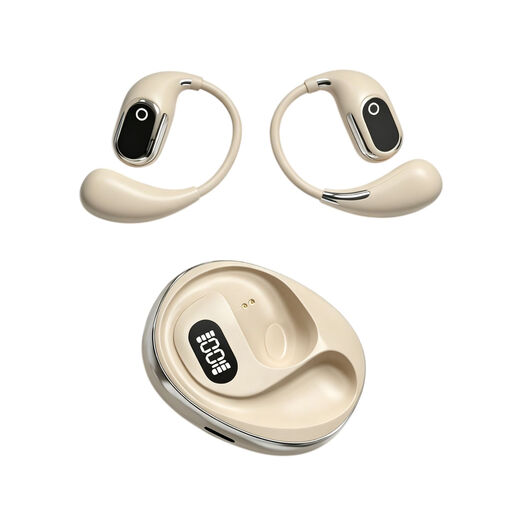 Image unavailable
The on-ear design and built-in condenser microphone are suited to speaking from a computer; check this version’s connection and voice controls for your lesson.
 Image unavailable
The wired USB-A version is suitable if your computer has that connection; if you only have USB-C, check that you have a suitable adapter.
The product information lists in-line controls, including mute. Check the connection and cable length with your desk at its highest.
 Image unavailable
This wired USB headset may suit you if you stay at your computer during lessons; compare the cable route with the distance to your head when your desk is at its highest.
The product information lists a cardioid microphone. Check that the connection is suitable for your lesson computer.
Choose a connection that’s available on your lesson computer and check the exact version. Logitech lists USB-A and USB-C options for the H390; for the Ayda USB PC Headset 25088, Trust lists a USB-C-to-A adapter.
Connect or pair your headset, select the intended microphone and speaker in your lesson app, then do a quick voice test. If you use Zoom and a speaking exercise sounds unnatural, check the audio settings: Zoom warns that its default filters aren’t suitable for every recording situation.
Start at a low volume and take listening breaks. The World Health Organization links hearing risks to both sound level and exposure time, and advises setting your device volume no higher than 60% of the maximum. This is health advice, not a Dutch legal volume limit for buyers.
For online consumer purchases, you generally have a 14-day cooling-off period after delivery, subject to statutory exceptions. The seller is also responsible under the statutory guarantee if the product doesn’t deliver what you could reasonably expect when used normally; ACM ConsuWijzer states that there is no standard, general two-year guarantee period in the Netherlands.
Applicable EU product requirements apply to electrical and electronic equipment, including requirements relating to CE marking and an EU declaration of conformity; rules for radio equipment are also relevant to Bluetooth devices. For a specific purchase, check that the product identity and documentation match the version you’ve chosen. A reference to a product family doesn’t automatically confirm the version offered by a retailer.