
Maker with lots of storage boxes
Wants to find material names on shelves and boxes quickly, so a suitable, easy-to-read label size is a priority. Brother Netherlands and DYMO describe models that support different label widths and tapes.


First, choose a label width that fits your shelf edge or storage box. Then decide whether you want to type without a phone or would rather use an app. A model with a keyboard is handy for entering short names on the spot; app-controlled models offer a different way to design labels, but require a compatible connected device. Before buying, also check which tape or roll is compatible, what’s included in the pack and how the printer is powered.
Wants to find material names on shelves and boxes quickly, so a suitable, easy-to-read label size is a priority. Brother Netherlands and DYMO describe models that support different label widths and tapes.
Wants to enter short names while tidying up, without using a phone, so looks for a built-in keyboard and checks the power requirements. Brother Netherlands describes the PT-H110 as having a keyboard; the DYMO LetraTag 200B works via an app.
Wants to design labels with features such as borders or symbols, and compares on-device controls with designing in an app. Brother Netherlands and Phomemo describe models that work with a connected device.
Best for: entering short shelf names without using a phone.
Bear in mind: the maximum tape height and whether you need batteries or an adapter.
Best for: designing labels on a phone or tablet.
Bear in mind: you’ll need a suitable app and a compatible connected device.
Best for: shelf headers where you want a label up to 24 mm wide.
Bear in mind: the available space and the right cassette.
Best for: anyone who wants to use small, individual labels on storage boxes.
Bear in mind: the fixed size of the roll you choose.
Measure the shelf edge or storage box before choosing a printer. The label width, how you enter text and the compatible refill all help determine whether the system is right for your workspace.
| What to consider | What should you check? | Who is this most relevant to? |
|---|---|---|
| A suitable label size | Measure the available height and compare it with the printer’s supported width and the available cassette or roll. | Anyone wanting to put material names on narrow box edges or wider shelf fronts will benefit from choosing the right size. Around 40% of consumers prioritise size and readability. |
| How it works | Check whether the model has a keyboard or requires an app and connected device. | If you want to enter short names while tidying up without using a phone, on-device controls are especially worth considering. Around 30% of consumers who prioritise ease of use put this first. |
| Tape and surface | Check that the cassette is compatible with your exact model and intended surface, and check the material information. | If you’re labelling boxes or shelves that are handled often, it’s important to know which tape material suits the surface. Around 20% of consumers give material and adhesion top priority. |
| Refills and power | Compare compatible refills, check what’s included and find out whether you need batteries or an adapter. | If you use a printer regularly, it’s worth checking in advance which refills and power supply you’ll need. Around 10% of consumers compare these ongoing requirements first. |
A printer that suits your workspace won’t necessarily use the tape or roll you’re looking for. Width, material and finish vary between systems.
Check what’s included in the pack, then look up the cassette or roll that’s compatible with the exact model.
You may need to buy an extra cassette or roll.
The Brother PT-H110 has a keyboard; with the DYMO LetraTag 200B, you design labels using LetraTag Connect.
Choose a model with a keyboard if you want to type without a phone. For an app-controlled printer, check that the app works with your device.
Epson lists the LW-C410 as discontinued in the Netherlands. Information about compatible tape or support doesn’t mean the printer is available new.
Check that the printer itself is available before choosing a model based on its accessories.
Finding a suitable printer and tape may take extra time.
The P-touch range offers options if you’re deciding between typing directly on the printer and designing labels on a connected device.
The LetraTag 200B is a compact option if you want to design labels on a phone or tablet using LT cassettes.
The D30 is one example of a model for designing small, individual thermal labels in an app.
LabelWorks tapes are an example of decorative tapes for crafts, but Epson says the LW-C410 has been discontinued in the Netherlands.
This Joybuy selection features app-controlled label and sticker printers for labelling shelves and storage boxes.
 No image available
An app-controlled option if you want to design labels on a connected device.
Works with the Print Master app and Bluetooth. The product name mentions printing on label and gift ribbon, and includes one label refill.
 No image available
An app-controlled option if you want to design labels for shelves or stock using Bluetooth.
The product information lists label widths from 20 to 50 mm, the Print Master app and a built-in rechargeable battery. Check that the roll you choose is suitable for the size you want.
 No image available
Suitable if you want to design small, individual labels on a mobile device.
The product title lists a label width of 0.59 inch. Phomemo lists compatible 15 × 50 mm labels; designing and printing on a mobile device requires the app and Bluetooth.
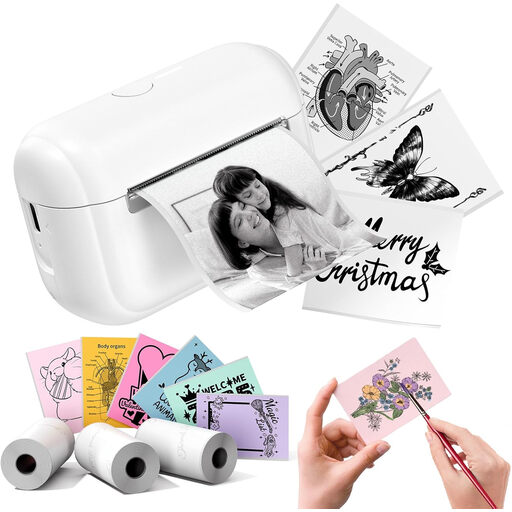 No image available
A compact option if you want to design labels or stickers for craft supplies in an app.
The product information lists thermal printing, Bluetooth and the Memo Label app. Check that the material and size you choose are suitable for the labels you need.
 No image available
Suitable if you want to design labels for boxes or shelves on a phone or tablet.
Uses LetraTag tape up to 12 mm wide and the LetraTag Connect app. The user manual specifies four AA batteries; the product information says batteries are not included. Joybuy’s product information lists one roll of white paper labels.
First, measure the available height on the shelf edge or box and compare it with the tape or roll. The Brother PT-H110 prints up to 12 mm wide, the PT-P710BT up to 24 mm, and the DYMO LetraTag 200B uses 12 mm LetraTag cassettes. Also check the width of the specific refill you want to use.
Turn on the printer, check Bluetooth and try printing from LetraTag Connect. If needed, DYMO recommends checking the Bluetooth and location services permissions; according to DYMO, you don’t need to pair the 200B first through your usual Bluetooth settings.
Contact the seller. According to the Dutch government, you’re entitled to a product that works properly, and the Netherlands has no fixed statutory guarantee period; what you can expect depends, among other things, on the product and the information provided. A manufacturer’s guarantee does not replace your statutory rights.
Radio equipment is covered by European Directive 2014/53/EU. In its user manual, DYMO says the LetraTag 200B complies with this directive; that statement alone doesn’t say anything about other models.
Take it to a designated collection point for electrical equipment. The Dutch government provides information about the collection and recycling of discarded electrical equipment.