
Hobbyist with thin charging cables
Wants to make small cables easy to identify and is looking for a clear flag or a wrap made from suitable material. Brother Netherlands and Brady describe cable-specific tapes and labels for these uses.


Start with the cable and the label: for thin charging cables, a well-fitting flexible wrap or an easy-to-read flag matters more than extra printer features. Then choose between operating the printer from your phone or entering text on the device itself. Specialist self-laminating materials are most relevant if you handle or label your cables frequently. Before buying, check the exact tape compatibility and the CE marking for the specific version.
Wants to make small cables easy to identify and is looking for a clear flag or a wrap made from suitable material. Brother Netherlands and Brady describe cable-specific tapes and labels for these uses.
Wants to use one printer for cables and other items in the hobby room. The way the printer works and the available tape types are both worth considering. For example, Brother lists mobile operation and flexible ID tape for the PT-P300BT.
Labels cables regularly and wants to know whether cable templates or protected wrap labels will work with the printer and cable. Brother Netherlands, Brady and DYMO describe a range of cable-specific materials and features.
A good fit if: you want to label charging cables and other items in your hobby room from time to time. Brother lists the PT-P300BT as a Bluetooth model that uses flexible ID tape.
Keep in mind: you’ll need a compatible mobile device and the right flexible tape cassette.
A good fit if: you want to enter names or numbers on cables without using a phone. Brother lists a cable flag function for the PT-E110VP.
Keep in mind: check which cassette is compatible and how the specific version is powered. According to Brother, the PT-E110VP runs on AAA batteries, which are not included.
A good fit if: you’re specifically looking for self-laminating wraps or other specialist cable materials. Brady lists compatible self-laminating labels for the M210, while DYMO documents cable wraps and flags for the Rhino 4200.
Keep in mind: check the material code and cable size. The DYMO kit description we reviewed does not necessarily apply to a version sold in the Netherlands.
| Factor to consider | What should you check? | Who is this most relevant to? |
|---|---|---|
| Shape and fit | Check the cable diameter, label shape, tape width and cassette compatibility with the printer. | When I label thin charging cables, I want a flag or wrap that fits the cable properly. Around 42% of consumers say fit is their top priority. |
| Operation | Decide whether you want to print without a phone, and check which connection and app will work with your device. | For occasional labelling, I want to use whichever method suits me best: my phone or the keys on the device. Easy operation comes first for around 25% of consumers. |
| Consumables | Check which cassette is included, which replacement tape is compatible and whether batteries or an adapter are supplied. | I want to know in advance which cassette or power supply I’ll need. Consumables are the top buying priority for around 17% of consumers. |
| Protecting the text | Check the material code, printer compatibility and stated cable diameter range. | For cables I handle frequently, I want the print to stay protected. This is the top priority for around 16% of consumers. |
A general-purpose cassette is not necessarily designed for the same cable applications as flexible ID tape. As a result, the label shape you choose may not suit the way you want to mark the cable.
Check the tape number and printer compatibility before buying. Decide whether you want a flag or a wrap.
Pack contents can vary between versions. For example, Brother says that an adapter is not included with the PT-P300BT.
Before deciding, check the exact model code and what’s included in the package, including tape and power supply.
A self-laminating wrap needs to fit both the printer and the cable diameter. Brady specifies which printers and sizes its labels are compatible with.
Compare the material code and stated cable diameter range with the cable you want to label.
Brother offers both the mobile PT-P300BT and the handheld PT-E110VP, which has a cable flag function.
The Brady M210 is a portable printer for cable identification.
For the Rhino 4200, DYMO describes an industrial labelling system that uses specific cable materials.
This selection focuses mainly on label makers for mobile use or the home. Check whether the tape you want is suitable for cables for each model. Brother Netherlands lists TZe-FX211 flexible ID tape for the PT-P300BT. According to the Dutch government, electrical appliances placed on the market in the EU must carry a CE marking. Check this for the specific version.
 Image unavailable
Worth considering for product and logo labels. Check whether suitable tape is available for your charging cable and this printer.
 Image unavailable
A mobile option for labelling cables with a phone or tablet. Check that the tape you want is suitable for your cable.
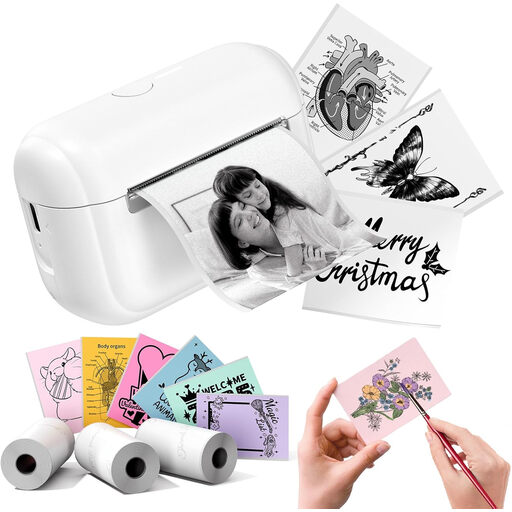 Image unavailable
For creative sticker and label projects. Check that the material you choose is suitable for the charging cables you want to mark.
The product name describes an ink-free design.
 Image unavailable
For organising things at home and labelling hobby supplies using a smartphone or tablet. Check whether the available LetraTag labels are suitable for your cables.
The product name specifies one roll of white paper labels.
 Image unavailable
A mobile option for home use. Brother Netherlands lists flexible TZe-FX211 ID tape for this model. Check the exact tape number before choosing a cassette.
The product name specifies direct thermal printing, 180 x 180 DPI, 20 mm/sec and TZe.
With Brother flexible ID tape, place the cable across the middle of the label to make a flag, then stick the two halves together. To make a wrap, wind the label around the cable several times. First, check that the cassette works with your printer.
No. Don’t assume every cassette is designed for the same cable applications. Brother Netherlands lists flexible TZe-FX211 ID tape for the PT-P300BT. For other printers, check the tape number and compatibility.
According to the Dutch government, electrical appliances placed on the market in the EU must carry a CE marking. Check this for the specific version before buying.
No, this varies by model and version. Brother says the PT-P300BT is supplied without an adapter, while the PT-E110VP runs on AAA batteries that are not included. Check the contents of the package you’re considering.
No. The Dutch government says there is no fixed statutory warranty period in the Netherlands; what you can expect from a product depends on the circumstances. If a product is faulty, contact the seller.