For a few address labels, you can use sheets of labels in a printer you already own. A separate label printer is most useful if you regularly print individual labels. First, choose a printer and label roll that support the size you need, then check the connection and which rolls the model accepts. PostNL says its A4 labels can be printed using a standard printer; Brother describes separate desktop printers for address and shipping labels.
Who is a label printer for?
Regular letter sender
If you regularly print individual address labels at home, a label printer can be handy when you don’t want to use a whole sheet of labels each time. Brother describes its QL desktop printers as suitable for address and shipping labels.
Mobile label maker
If you want to design addresses on a phone or tablet, check that the specific model is wireless and supports your device. Brother lists mobile connectivity for certain QL models.
Sender of letters and parcels
If you print parcel labels as well as addresses for envelopes, the label width you need may affect your choice. Zebra describes the ZD220 range as suitable for uses including shipping and labelling.
What should you look for when choosing one?
Start by deciding whether sheets of labels in your existing printer will do the job or whether you regularly print individual labels. Then check the label and parcel sizes, the connection you need and which rolls are compatible with your chosen model.
| What to consider |
What should you check? |
Who is this important for? |
| Size for envelope addresses |
Compare your label dimensions with the maximum label width and the rolls available for the exact model. Brother says the QL-800 has a maximum label width of 62 mm. |
If I print individual labels for envelopes, I want the label to suit my address layout. Around 40% of consumers say finding the right envelope size is their main buying concern. |
| Connection to a phone or computer |
Check the connection and whether the software or app works with your device. Brother lists USB for the QL-800 and Wi-Fi and mobile printing for the QL-810W; Brother says the QL-810W has been discontinued. |
If I want to create addresses on my phone or tablet, wireless printing and support for my device are important. Mobile printing is the top priority for around 30% of consumers. |
| Use and rolls |
Compare sheets of labels for your existing printer with a separate printer and the rolls it uses. DYMO says the LabelWriter 5 series only works with compatible DYMO labels. |
If I only print an address now and then, I want to know whether I’ll need an extra device and rolls for it. Occasional use is the main buying concern for around 20% of consumers. |
| Suitable for parcel labels too |
Check the carrier’s label dimensions and the print width of the exact printer model. PostNL warns that labels generated by its Labelling API should not be resized. |
If I print parcel labels too, the original label size must fit the printer. Around 10% of consumers give wide parcel labels top priority. |
Common buying mistakes
-
Choosing a narrow address label printer for wide parcel labels
A printer suitable for envelope labels won’t necessarily work with a wider shipping label. Brother says the QL-800 has a maximum label width of 62 mm; Zebra describes the ZD220 as a 4-inch printer range.
Before buying, compare a label you actually receive with the specifications for the exact printer model. Don’t simply resize a parcel label generated by PostNL.
-
Assuming all thermal rolls are interchangeable
According to DYMO, the LabelWriter 5 series only works with compatible DYMO labels. So a roll that fits another model won’t necessarily work with this one.
Check the exact model, roll type and size before choosing a printer.
Bear in mind that you’ll need compatible DYMO rolls for this series.
-
Assuming every model with label software also works with mobile devices
Brother says the QL-800 has USB connectivity; Wi-Fi and mobile printing are listed for the QL-810W. Brother says the QL-810W has been discontinued.
Check the connection, the status of the specific model and whether it supports your device.
Brands to compare
Brother
The QL desktop range is designed for individual address and office labels. Features vary by model.
- Brother lists USB connectivity and a maximum label width of 62 mm for the QL-800.
- According to Brother, the QL-810W has Wi-Fi and AirPrint, but Brother lists it as discontinued. These features aren’t automatically available on other QL models.
DYMO
The LabelWriter range is designed for address and shipping labels.
- DYMO lists automatic label recognition for the LabelWriter 550.
- According to DYMO, the LabelWriter 5 series only works with compatible DYMO labels.
Zebra
The ZD220 range is designed for uses including labelling and shipping, including when you need wider parcel labels.
- Zebra describes the ZD220 as a 4-inch printer range.
- Zebra offers direct thermal and thermal transfer models; check which model and media are right for your needs.
Label printers at Joybuy
These Joybuy products are mainly designed for creating and printing labels wirelessly. For address labels, check that the label type and size supported by the specific model are suitable for your envelope.
 No image available
Phomemo P15 Ribbon Label Printer
An option for designing labels from a mobile device; check that the label type and size are suitable for your address labels.
The product information lists Bluetooth, the Print Master app and a label refill included.
View at Joybuy
 No image available
Phomemo M110
The product information lists address labels and printing from mobile devices among its possible uses.
Bluetooth; supported label width 20–50 mm; rechargeable battery; the description lists iOS and Android support through the Print Master app.
View at Joybuy
 No image available
Phomemo D30
A portable option for labels at home or in the office; check that the stated size is suitable for your address labels.
The product information lists Bluetooth, a rechargeable battery and a label width of 0.59 inch.
View at Joybuy
 No image available
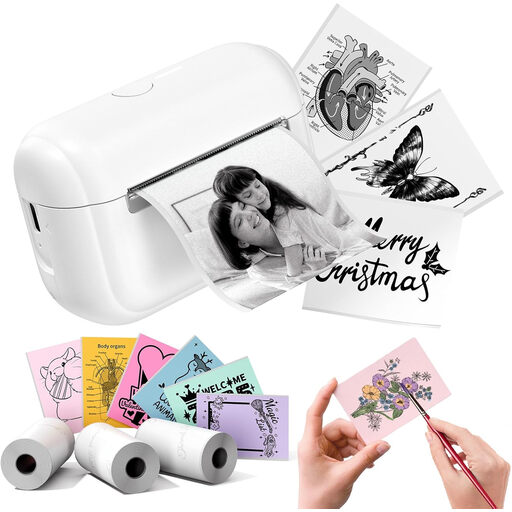
Phomemo Q02E Pocket, white
For printing labels and stickers on the go; check beforehand that the type and size are suitable for address labels.
The product information lists Bluetooth, the Memo Label app and ink-free thermal printing.
View at Joybuy
 No image available
DYMO LetraTag 200B
A Bluetooth label maker for mobile use at home or in the office; check that the maximum width of 1,2 cm suits your address layout.
The product information lists connectivity with iOS and Android and one roll of white paper labels. The description says it works with original DYMO LetraTag labels.
View at Joybuy
Frequently asked questions
Do I need a separate printer for a few address labels each month?
Not necessarily: according to PostNL, A4 labels can be printed using a standard printer. Check that the label sheet and layout suit your printer and envelope.
Can every address label printer also print a parcel label?
Don’t assume so. Compare the label size provided with the maximum print width of the exact model; PostNL warns that labels generated by its Labelling API should not be resized.
What should I do if the barcode on a parcel label is difficult to read?
PostNL recommends printing clearly, applying the label to a flat surface and making sure only one barcode is visible on the parcel. This is the carrier’s advice on attaching shipping labels.
Can I return a label printer bought online, and who should I contact if it’s faulty?
For consumer purchases made online, the Dutch government says you generally have a 14-day cooling-off period; check the applicable terms and exceptions. If a product is faulty, the seller must provide a solution. The Dutch government also states that the Netherlands does not have a fixed statutory two-year guarantee for every product.


