
Vandaag of morgen in huis

Kwaliteit gegarandeerd

Welkomstaanbiedingen ontgrendelen: GRATIS bezorging | Tot 80% korting | Gratis 30 dagen JoyPlus-proefperiode
Download de app
A wired headset might seem simple: plug it in and listen. Yet many disappointing purchases come down to the wrong connection, an uncomfortable fit or a microphone that sounds less clear in practice than the product name suggests. Terms such as “surround”, “noise cancelling” and “hi-fi” don’t always tell you whether a headset suits the way you’ll use it.
Use these checks to choose the right USB headset, 3.5 mm headset, gaming headset or wired headphones with a microphone for working from home, studying, gaming and everyday listening.
A USB headset connects directly to a computer, but usually won’t work with a standard 3.5 mm socket. Conversely, a 3.5 mm headset may need separate microphone and audio connections. Before you buy, check:
A PC headset with USB is often plug-and-play. For a PS4 and PS5 headset, you’ll also need to check the platform information. For example, the Trust GXT 490 Fayzo lists support for PC, PS4 and PS5 via USB. According to the product information, the Edifier G2II works with PC, PS4, Mac and laptops, but not Xbox.
Passive noise isolation comes from the ear cushions or the shape of the earbuds. Active noise cancellation, often called ANC, uses electronics to reduce background noise. A “noise-cancelling microphone” usually means that background noise is filtered out for the person you’re speaking to; it doesn’t automatically mean you won’t hear any noise yourself.
For an online meeting headset, the microphone is just as important as the speakers. Look for an adjustable microphone, a mute function and controls on the cable or earcup.
A lightweight over-ear headset can be comfortable during long work sessions, but a tight headband or warm ear cushions can still become bothersome. An in-ear headset is compact and light, but the fit varies more from person to person.
Check the weight, adjustability, type of ear cushion and cable length. A cable of around 1.8 to 2 metres often gives you more room to move at a desktop than a shorter one.
USB headsets process the audio signal digitally. With an analogue 3.5 mm headset, the sound card in the connected device plays a bigger part. If your smartphone doesn’t have a 3.5 mm socket, USB-C earbuds are a direct option, such as the Sony IER-EX15C or Samsung EO-IC100.
These features are useful for calls, meetings and gaming:
A product description may mention clear communication or noise cancellation. Treat this as information from the brand, and check the actual design and connections. For example, the Logitech H340 has an adjustable microphone and a USB connection. The Trust Ayda lists USB-A with a USB-C adapter cable, a flip-to-mute microphone and controls on the earcup.
A driver diameter, such as 40 or 50 mm, gives you a technical indication, but it doesn’t tell you everything about how the headset will sound. The housing, tuning and fit also have an impact. Virtual 7.1 sound often works through software and may depend on the platform.
For music and conversations, stereo is usually enough. Virtual surround features can be useful for gaming, but check that the software works on your system. Also look out for the difference between a stereo headset and marketing terms that don’t specify the speakers separately.
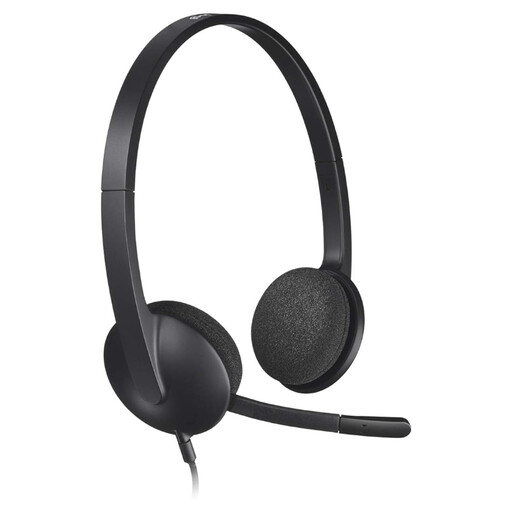
Why it suits this profile: The USB connection and lightweight design make it a good fit for working from home, online lessons and everyday calls from a computer.
The product information lists plug-and-play USB connectivity and an adjustable microphone. So you won’t need a 3.5 mm splitter when using a computer with a USB port.
On-ear design, stereo sound, a 1.8-metre cable and a weight of 120 grams, according to the product specifications.

Why it suits this profile: A good fit for gamers who value an over-ear headset, software settings and a detachable microphone.
The product details specifically list compatibility with PC, PS4, Mac and laptops, and note that Xbox isn’t supported.
50 mm drivers, virtual 7.1 via software, over-ear cushions and a detachable microphone, according to the product description.
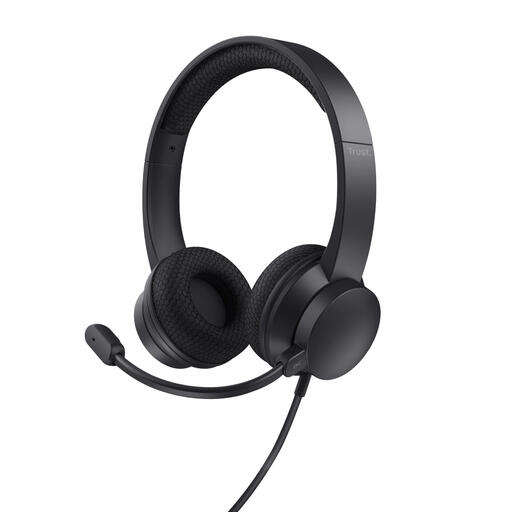
Why it suits this profile: A practical choice for frequent meetings, customer service and working in a shared space.
It comes with a USB-A connection and a USB-C adapter cable. The flip-to-mute microphone also means you don’t have to search for a mute button during a call.
40 mm speakers, active noise cancellation according to the product specifications, a 1.8-metre cable and a weight of 141 grams.
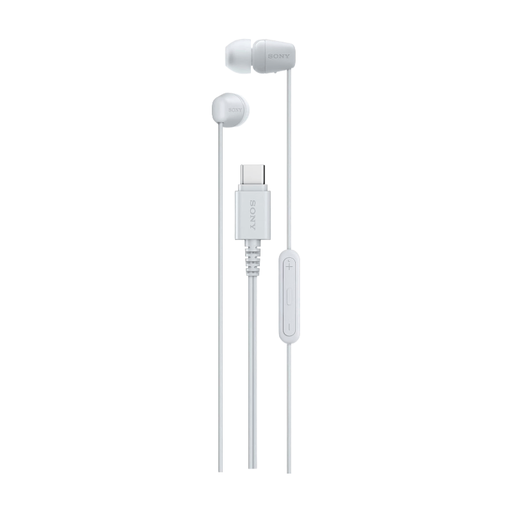
Why it suits this profile: A compact option for smartphones, tablets and laptops with USB-C, for music, calls and everyday use.
The USB-C connection means you won’t need a separate 3.5 mm adapter with compatible devices. Check first that your USB-C port supports audio.
In-ear design, built-in microphone, remote control, stereo sound and a 1.2-metre cable, according to the product specifications.
We’ve put together a complete, up-to-date list of products that meet these strict selection criteria and current European safety regulations.
Not necessarily. A USB headset is handy for computers and often has built-in volume controls or microphone processing. A 3.5 mm headset is more flexible with devices that have an audio socket and with controllers. Choose based on the ports available and the device you’ll use with the headset.
Its lifespan depends mainly on strain on the cable, connectors, hinges and everyday use. Always pull on the plug rather than the cable, keep the cable away from your desk chair and store the headset without sharply bending it. With normal use, a wired headset can last for several years, although the ear cushions or cable may wear out sooner.
A wired headset doesn’t have its own battery. A USB model draws a small amount of power from the USB port; a 3.5 mm model gets its audio signal from the connected device. So you don’t need to charge the headset separately. RGB lighting and extra software features may use additional USB power on some gaming headsets.
