What should you look for?
Start with the layout and whether you need a number pad. Then assess shortcuts for compatibility, and arrange file recovery separately from your keyboard.
| What to consider |
What to look for |
Who should pay particular attention? |
| Efficient index entry |
Compare the physical layout, number pad and navigation keys; if possible, try out the tasks you perform in your own index. |
When entering recurring titles, stitches and keywords, I want quick access to the right characters and navigation keys. Around 36% of consumers prioritise fast, accurate index entry. |
| Restorable files |
Check separately which pattern folders your backup covers and whether you can restore files. |
I want to be able to retrieve patterns that have been changed or deleted, without relying on keyboard features. Around 29% of consumers prioritise locally stored files that can be restored. |
| Hand position during long sessions |
Consider the position of your keyboard and mouse. If you choose a split model, check whether you can position the two halves to suit you. |
During longer typing sessions, I want to be able to adjust my hand and keyboard position to suit my workspace. Around 21% of consumers prioritise hand position. |
| Space and connection |
Measure the space available for your keyboard and mouse, and check that the connection is compatible with your computer. |
At a small desk, I want a compact set-up and a connection that works with my computer. Around 14% of consumers choose mainly for desk space and an easy connection. |
Keyboards on Joybuy
These Joybuy options are relevant to pattern indexing and include models with a number pad, a more compact layout or customisable keys.
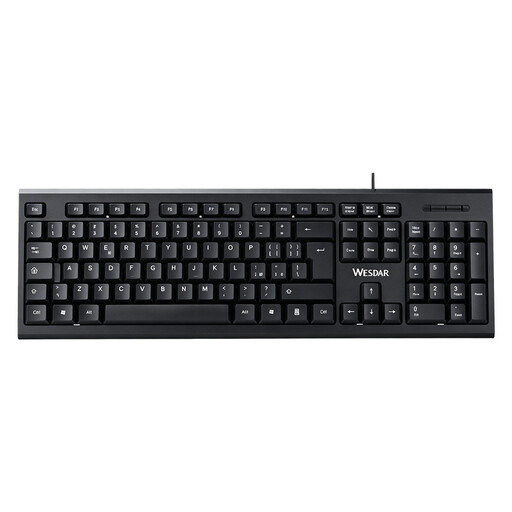 Image unavailable
Wired QWERTY keyboard with number pad
Suited to indexing knitting patterns if you often enter numbers and want a wired connection.
Full-size QWERTY layout with number pad and navigation keys; the description mentions a wired plug-and-play connection.
Joybuy
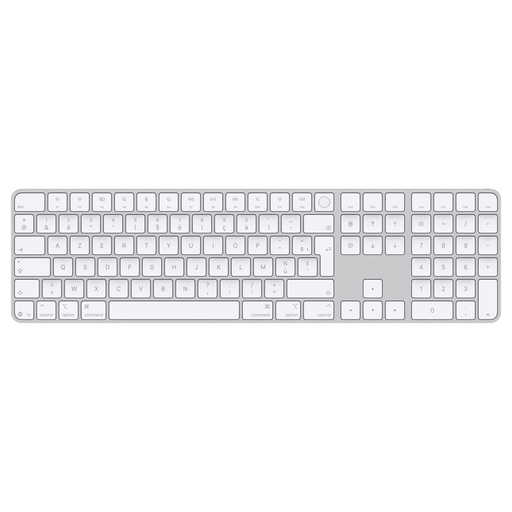 Image unavailable
Apple Magic Keyboard with Touch ID and number pad
An option if you enter numbers and document references and are looking for a keyboard for Mac.
Number pad, full-size arrow keys and Bluetooth connection, according to the product description.
Joybuy
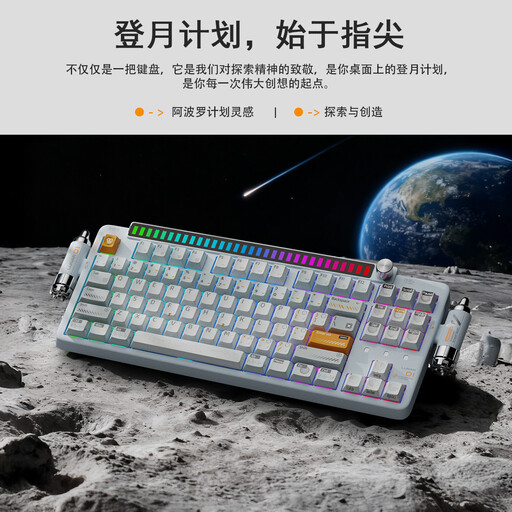 Image unavailable
KEYSME Lunar 01 80% mechanical keyboard, US QWERTY
Suited to anyone who wants a more compact layout and a programmable control key.
80% layout, US QWERTY, programmable knob and hot-swappable switches, according to the product description.
Joybuy
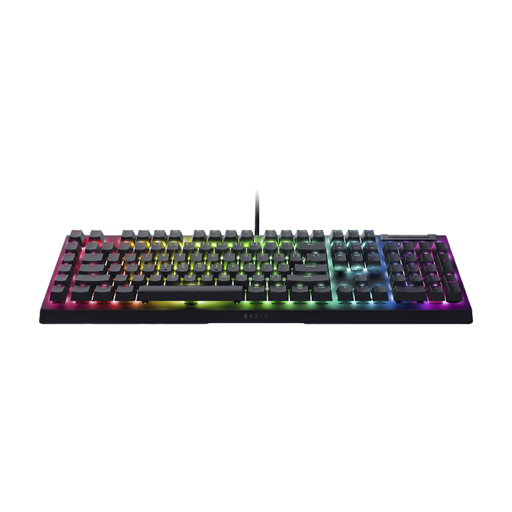 Image unavailable
Razer BlackWidow V4 X, Yellow Switch, US QWERTY
An option if you want to set up recurring input tasks and need a full-size keyboard with a number pad.
Full-size layout with number pad and six programmable macro keys, according to the product description; configured via Razer Synapse.
Joybuy
 Image unavailable
Razer DeathStalker V2 Pro Tenkeyless, US layout
Suited to anyone who wants programmable keys and does not need a separate number pad.
Tenkeyless layout without a number pad; the product description mentions programmable keys, macro recording and a wireless connection.
Joybuy
Frequently asked questions
Can a programmable key automatically back up my knitting patterns?
No, not on its own. Check whether your indexing software supports the command you want, and set up your file backup separately. Also test whether you can restore a pattern file. The National Cyber Security Centre distinguishes between a copy of files and a copy of applications or systems.
How do you make a local backup on Windows or Mac?
Microsoft Support describes File History for supported Windows folders and how to restore earlier versions. Apple describes Time Machine using an external drive or other external storage device. In both cases, check that the folder containing your patterns is actually included.
Should an employee in the Netherlands use a separate keyboard for extended laptop work?
According to Arboportaal, the screen and keyboard must not be attached to each other if an employee works at a screen for more than 2 hours a day; a laptop must therefore be used with a separate screen or keyboard. This workplace rule applies to employees, so discuss your work set-up with your employer.
What are your rights when you buy a keyboard online?
For distance purchases, you are often entitled to a 14-day cooling-off period, according to the Dutch government. The Netherlands does not have a fixed statutory warranty period. If a product is faulty, your rights depend in part on what you could reasonably expect from it; normal wear and tear or damage caused by your own use is not automatically covered.


