If you want to follow a recipe while cooking, choose a stand that keeps your compatible phone visible. If you mainly want somewhere to put your phone down for a quick charge, a flat charging pad may be enough. A built-in charger is best if you want a permanent charging spot and your worktop is suitable. Check that your phone supports wireless charging, whether your case affects it, and which cable and adapter are included. Keep the charging area dry and clear.
Which type of charger is right for you?
Recipe follower at the kitchen worktop
You want to be able to see your phone screen while it charges. A suitable stand is a better fit than a flat charging surface. Belkin describes portrait and landscape viewing modes for the WIB007vfBK reviewed here; Zens also offers a built-in charging option.
Looking for a permanent charging spot
You want to keep your worktop tidy and are weighing up a separate charging pad against a charger built into the surface. IKEA describes the LIVBOJ as a separate charging pad, while Zens offers a built-in option for a suitable worktop.
Checking device compatibility
You want to find out first whether your phone and case will work with your chosen charging technology. The Wireless Power Consortium describes Qi2 as using magnetic alignment; also check the requirements for your specific phone and charger.
What should you consider when choosing?
If you’re looking for a phone charger for your kitchen worktop, the main things to consider are screen visibility, where the charger will go, device compatibility and which parts are included.
| What to consider |
What to look for when buying |
Who should give this more thought? |
| Being able to see the screen |
Check that the stand offers the viewing angle you want and that your phone can attach magnetically. |
If you want to follow a recipe on your phone screen while cooking, visibility matters. Around 40% of consumers say this is their main need. |
| Finding the right spot |
Choose between a separate charger and a built-in option. For built-in chargers, check that the surface is suitable and follow the instructions for the exact model. |
If you want a permanent charging spot that suits your worktop, focus on positioning and installation. Around 30% of consumers prioritise this. |
| Phone and case |
Check that your exact phone model supports wireless charging and that your case works with the magnetic attachment you’ve chosen. |
If you want to make sure your phone and case will work with the charger, compatibility is key. Around 20% of consumers say this is their main need. |
| Cable and adapter |
Check which parts are included and whether you already have a suitable cable and adapter. |
If you’d rather not buy extra parts, compare what comes with the charger with what you already have. Around 10% of consumers put this first. |
Things to watch out for when buying
-
Assuming a 15 W rating means the same charging speed for every phone
The charging power you can achieve depends on your phone and how it works with the charger. For example, Samsung states that the EP-P2400TBEGEU reviewed here delivers up to 7,5 W for compatible Apple devices.
Check the specifications for both your exact phone and the charger you’ve chosen.
-
Comparing only the charging pad
For the IKEA LIVBOJ reviewed here, the USB cable and power adapter are sold separately. Without suitable parts, your charging setup may not be complete.
Check what you already have and what else you’ll need for the model you’ve chosen.
You may need to buy a suitable USB cable and power adapter separately.
-
Assuming a worktop charger is water-resistant
The Dutch Fire Service warns about moisture, damaged charging equipment and insufficient heat dissipation.
Choose a dry spot, keep the charger clear and don’t use a damaged cable or charger.
-
Drilling based on a general product name
The Zens product page reviewed here describes several models with different drilling diameters. The wrong cut-out could mean modifying or repairing your worktop.
Identify the exact model first and follow its installation instructions before drilling.
Brands to consider
Belkin
The BoostCharge WIB007vfBK reviewed here is a foldable magnetic Qi2 stand for anyone who wants to view their phone while it charges.
- Belkin says this model supports portrait and landscape viewing modes and up to 15 W with compatible devices; an adapter is included.
- For the Samsung S25 series mentioned by Belkin, a suitable magnetic case is required. The stated power output doesn’t guarantee the same charging speed for every phone.
IKEA
The LIVBOJ reviewed here is a flat, standalone wireless charging pad.
- IKEA states that it delivers up to 5 W and recommends placing your phone in the middle of the charging area.
- This model isn’t MagSafe-compatible; the USB cable and power adapter are sold separately.
Zens
The PuK and Play reviewed here is a built-in option for a permanent charging spot on a suitable worktop.
- Zens offers models with 10 W and 15 W power outputs.
- The product page describes several models and drilling diameters. Check the instructions for the exact version before drilling into your worktop.
Samsung
The Wireless Mono Pad EP-P2400TBEGEU reviewed here is a flat charging option that Samsung describes primarily for Galaxy users.
- Samsung states that it supports up to 15 W and has a fan.
- Samsung says charging speeds vary by device; compatible Apple devices charge at up to 7,5 W with this pad.
Joybuy products for wireless charging
Joybuy product options for wirelessly charging your phone on the kitchen worktop. Check each model’s compatibility with your phone and case, and find out which adapter you’ll need.
 No image available
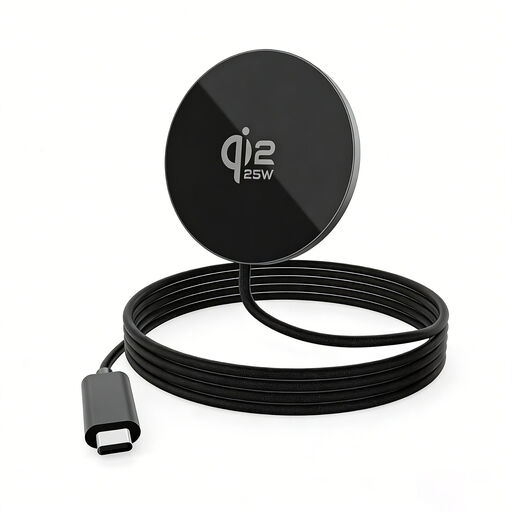
25 W magnetic wireless charging pad for iPhone 16 and 17 and Samsung
A flat charging spot for anyone who wants to put their phone down on the worktop between tasks. The product name states that it offers Qi-certified inductive charging. According to the product information, a 30 W USB-C adapter is required for optimum 25 W performance, but it isn’t included.
View at Joybuy
 No image available
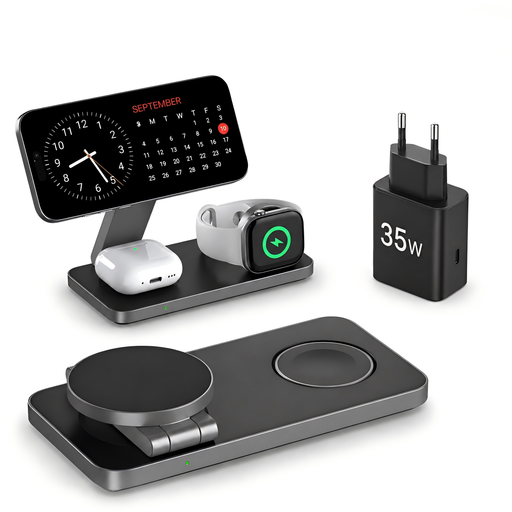
Foldable Qi2 25 W 3-in-1 charging station
A foldable charging station for anyone who wants to charge a phone and other devices in one place. The product name states that it supports Qi2, 25 W, smartphones, Apple Watch and AirPods, and that a 35 W USB-C adapter is included. Check that your devices are compatible with this model.
View at Joybuy
 No image available
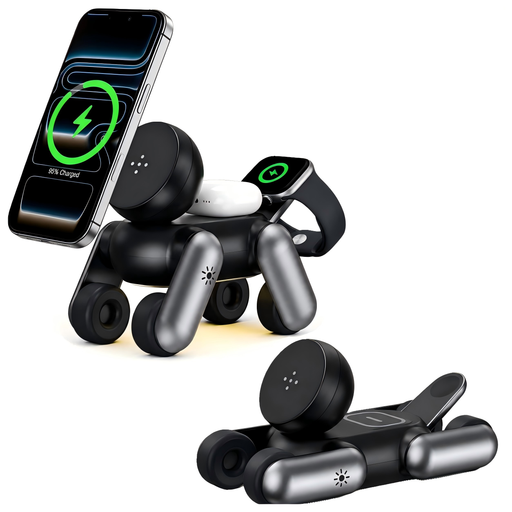
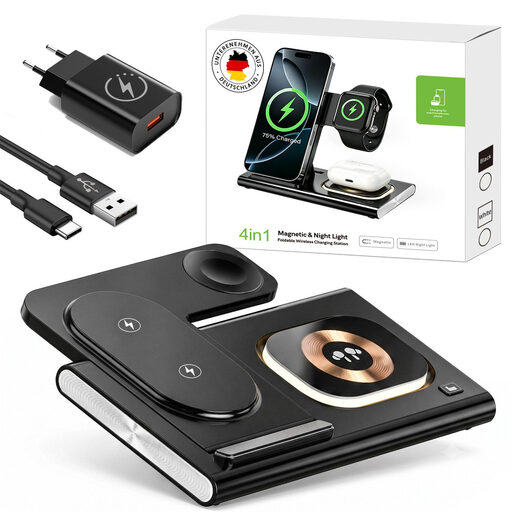
Foldable Qi2.2 25 W 4-in-1 charging station with night light
For anyone who wants to charge several devices in one place and fold the station away when it’s not in use. The product name lists Qi2.2, 25 W, charging spots for iPhone, Apple Watch and AirPods, and a night light. Check that your own devices are compatible.
View at Joybuy
 No image available
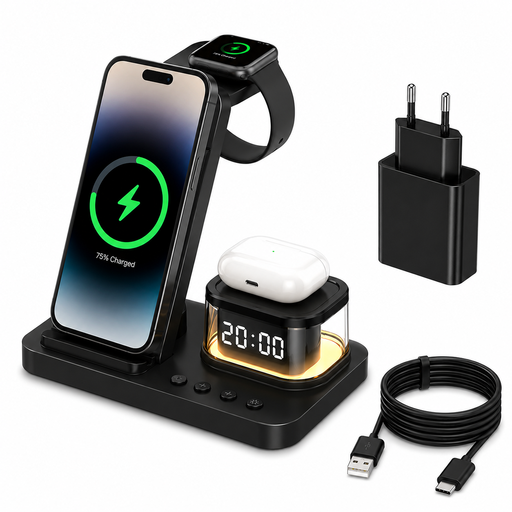
Foldable 5-in-1 wireless charger, 15 W
An option for anyone who wants to charge several devices in one place. The product name lists a foldable design, LED clock, night light, USB-C and a 20 W adapter. Its charging spots are designed for a smartphone, smartwatch and headphones.
View at Joybuy
 No image available
Foldable 4-in-1 charging station, Qi 2.0, 25 W
For anyone looking for a foldable charging spot for several devices. The product name lists Qi 2.0, 25 W and charging options for iPhone 8–17, Apple Watch, AirPods and Samsung. Check which exact models work with this version.
View at Joybuy
Frequently asked questions
Can any phone be used with a Qi2 stand?
No. First check that your exact phone model supports wireless charging and is suitable for magnetic attachment. For its WIB007vfBK, Belkin says the Samsung S25 series needs a suitable magnetic case. The 15 W rating doesn’t automatically apply to every device.
Can I put a wireless charger next to the sink?
Choose a spot where your phone, charger, cable and plug will stay dry and the charger can dissipate heat. The Dutch Fire Service warns about moisture, damage and insufficient heat dissipation. Don’t assume a charger is splashproof unless its specifications say so.
What should I check before installing a charger in my worktop?
Check that the surface is suitable and refer to the installation instructions for the exact model. The Zens product page reviewed here describes several models and drilling diameters, so don’t drill based on the general product name alone.
Do I need to buy a separate adapter or cable?
It depends on the model and which suitable parts you already have. IKEA sells the USB cable and power adapter for the LIVBOJ reviewed here separately; Belkin says both are included with the WIB007vfBK reviewed here.


