
Listener with one kitchen with weak Wi-Fi
Your music player or phone works near the router, but the connection drops out in the kitchen. The Consumentenbond describes placing a Wi-Fi booster where you need coverage.


If Wi-Fi is weak in a single kitchen, a wireless repeater may be suitable if there’s a spot between the router and the kitchen where the signal is still usable. The Consumentenbond recommends placing the extra access point where you need coverage. If you can run a network cable to the kitchen, an access point provides a wired backhaul, as devolo explains when comparing the two setups. For several rooms with weak coverage, a compatible mesh system may be suitable. Check that your router and the extra access points support the same mesh feature. Also check separately whether your music player can access the shared music library, as extending Wi-Fi coverage doesn’t share files.
Your music player or phone works near the router, but the connection drops out in the kitchen. The Consumentenbond describes placing a Wi-Fi booster where you need coverage.
You have Wi-Fi in the kitchen, but your player can’t access the library on your computer or NAS. For Sonos, the music folder must be shared on the local network with the correct permissions.
You want to reach other rooms as well as the kitchen, and are comparing a wired access point with a mesh setup that works with your router. The Consumentenbond and devolo explain where to place an extra Wi-Fi point and the different ways it can connect.
Choose this if: the kitchen is the main problem area and there’s a spot in between where the signal is still usable.
Bear in mind: the connection back to the router is still wireless and depends on the signal at that spot.
Choose this if: you can run an Ethernet cable to a suitable spot near the kitchen.
Bear in mind: you’ll need to run the cable, and the device you choose must support access point mode.
Choose this if: several rooms, as well as the kitchen, need extra coverage and your equipment supports the mesh feature you want to use.
Bear in mind: you may need several points, and features such as OneMesh, FRITZ! Mesh and AiMesh aren’t automatically compatible with one another.
| What to consider | What should you check? | Who is this important to? |
|---|---|---|
| Coverage in the kitchen | Check whether there’s a suitable spot between the router and the kitchen where a repeater can still receive the existing signal. | If my player works near the router but drops out in the kitchen, I want to know where an extra point can still get a signal. Around 33% of consumers prioritise coverage in one kitchen. |
| Access to the music folder | Test whether the player can open the library somewhere with good Wi-Fi. For Sonos, also check that the folder is shared and has the correct permissions. | If my player can’t find the files even though Wi-Fi is working, I want to sort out access to the library first. Around 27% of consumers give this the highest priority. |
| Wired backhaul | Check whether you can run a cable and whether the exact model supports access point mode. Sonos advises against using an extender port for a wired Sonos setup if the extender itself is connected wirelessly. | If I can run a cable to the extra point, I want to rely less on the wireless connection between that point and the router. Around 20% of consumers prioritise a wired connection. |
| More rooms and mesh compatibility | Decide which rooms need coverage and check which mesh feature the exact device supports with your router. | If I want to reach other rooms as well as the kitchen, I look for expandability and compatibility with my router. Around 20% of consumers prioritise coverage in several rooms. |
The signal where you place a wireless repeater and its connection back to the router also matter.
Check where you can place the device and which connections it offers before comparing maximum speeds. After installation, test whether your music plays where you intend to listen.
Extra Wi-Fi coverage won’t change your file-sharing settings. For Sonos, music files must be shared on the local network with the correct permissions.
First, check whether the player can open the library somewhere with a good Wi-Fi connection.
A device may extend your Wi-Fi without supporting all the features of a brand-specific mesh system.
Check your router’s mesh family and the exact repeater model. Alternatively, compare standalone repeater or access point mode.
The RE705X is an example of a Wi-Fi 6 repeater that can also work as a wired access point.
The FRITZ!Repeater 1200 AX is worth comparing if you already have a FRITZ!Box or want to use a LAN connection.
The RP-AX58 is a useful comparison for owners of an AiMesh-compatible router and for a wired access point setup.
The WiFi 6 Repeater 3000 is worth considering for a room with weak coverage or a wired access point setup.
This selection of Joybuy products includes mesh systems, wireless repeaters and wired access points for extending Wi-Fi around your home. Before buying, check that the exact version carries the required CE marking. The Rijksinspectie Digitale Infrastructuur states that radio equipment must meet the applicable requirements.
 No image available
A mesh system to consider if you want to reach several rooms as well as the kitchen.
 No image available
A wireless repeater to consider if the connection is weak in one particular spot, such as the kitchen.
 No image available
A repeater option to consider if you have a spot where the existing network is still reachable.
 No image available
An option to compare if you’re choosing between wireless extension and a wired access point setup.
The product name lists N up to 300 Mbps, 2 antennas, WPS and Passive PoE.
 No image available
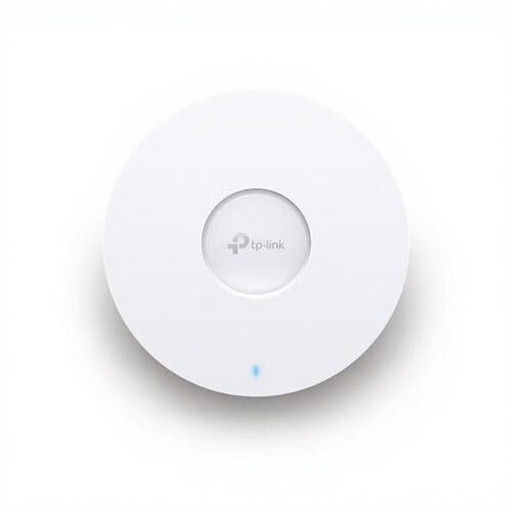
A wired access point to consider if you can run an Ethernet cable to a fixed spot where you need extra coverage.
The product name lists 5400 Mbit/s and Power over Ethernet (PoE).
Not if the only problem is access to the files. First, test the library somewhere with good Wi-Fi. If you use Sonos, share the folder on your computer or NAS with the correct local network access and permissions.
Choose a spot where the existing Wi-Fi signal is still usable, then check playback in the kitchen. The Consumentenbond describes placing it where you want to boost the signal. If the repeater itself gets a weak signal, its wireless connection back to the router will also be weak.
Sonos advises against this for a wired Sonos setup unless the access point or extender itself is connected to the network via Ethernet. This guidance applies to Sonos and not automatically to other music players.
Under the applicable conditions, the seller must put a fault right free of charge. ACM ConsuWijzer lists repair, replacement or a refund as possible solutions; there isn’t one fixed statutory warranty period for every product.
The Rijksinspectie Digitale Infrastructuur states that radio equipment must meet the applicable requirements and can only be sold in Europe with a CE marking. Check the marking on the exact version; a shop listing on its own isn’t an assessment of conformity.