
Daylight viewers
You watch with daylight falling on or opposite the screen and want to assess reflections as well as brightness. Consumentenbond treats brightness and reflections as separate factors to consider.


Start by choosing a screen size to suit your seating, then compare reflections, viewing angles and motion handling in the light conditions of your kitchen-diner. An LCD model, perhaps with Mini LED, is worth comparing if there’s a lot of daylight. OLED may be appealing if people often watch from an angle or dark parts of the picture matter to you. Neither technology will automatically make a distracting reflection from a window disappear, so also check your TV source, the apps you need and the connections available.
You watch with daylight falling on or opposite the screen and want to assess reflections as well as brightness. Consumentenbond treats brightness and reflections as separate factors to consider.
You watch with several people from different seats, so viewing angle and distance from the screen both matter. Consumentenbond discusses both factors when choosing a TV.
You want to follow the dancers and camera movements clearly, so assess motion handling using the kind of broadcast you actually watch. Consumentenbond explains how the TV signal and image processing play a part.
First, measure the distance from the kitchen and dining table. Consumentenbond suggests around 2.4 times the screen’s diagonal as a comfortable viewing distance. Use this as a starting point, and check the TV’s dimensions too.
| Factor to consider | What should you check? | Who is this most relevant to? |
|---|---|---|
| Daylight and reflections | Compare reflections and brightness on the specific model from your seats and in similar lighting conditions. | If daylight falls on the screen during the day, I want to judge whether reflections interfere with the broadcast. Around 29% of consumers prioritise daylight and reflections. |
| Viewing angle | Compare the picture from seats at an angle and see whether your planned screen position will work. | When people are watching from different places at the table, I want the picture to remain watchable from those angles. Around 24% of consumers prioritise viewing angle. |
| Dance movements | Check the panel’s native refresh rate and compare motion handling using similar programme content. | For fast dance steps and camera movements, I want to judge the picture itself rather than just compare a high Hz figure. Around 18% of consumers prioritise motion handling. |
| Screen size | Measure the distance from both viewing positions and check the TV’s overall dimensions, including the stand. | If the kitchen seat is close to the screen but the table is further away, I want to find a size that suits the main viewing distance and the space available. Around 17% of consumers start with screen size. |
| Reception and use | Check the app or connection you need, the energy label and whether any installation service you want is included. | I want to watch the broadcast using my chosen app, receiver or external player, and know in advance what I’ll need for my setup. Around 12% of consumers prioritise access to the broadcast and practical costs. |
Brightness and reflections are different characteristics, and viewing angles also vary from one TV to another. A bright screen doesn’t automatically tell you what you’ll see when there’s a window nearby.
Compare reflections and viewing angles on the specific model from the seats you plan to use and in similar lighting conditions.
The panel’s refresh rate alone doesn’t tell you how image processing handles a TV broadcast. Consumentenbond notes that a TV signal is usually 50 Hz.
Check the native refresh rate and assess motion handling using similar programme content.
Choosing the right screen size doesn’t tell you whether the TV will fit in your chosen spot, whether your preferred TV source will work or whether installation is included. A Joybuy listing for a TCL TV offered stand and wall mounting as separate options.
Measure the space available and, before ordering, check that the connection, app and installation you need will work with your setup.
The QE43QN90FATXXN is a 43-inch Neo QLED Mini LED model to compare if you’re looking for a more compact screen.
The OLED55B68LA is a 55-inch OLED model to compare with other screen technologies.
The BRAVIA 5 K-55XR5 is a 55-inch Mini LED LCD model to compare for screen size and connections.
The 55MLED910/12 is a 55-inch QD Mini LED model with Ambilight.
The 50C6K is a 50-inch QD-Mini LED model to compare if that size suits your viewing distances.
This selection at Joybuy features LG TVs in 43, 50 and 55-inch sizes, including OLED and Mini LED models. Measure your viewing distances before choosing a size.
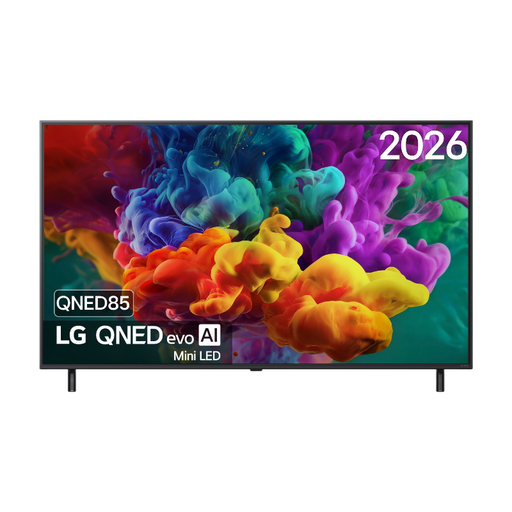 No image available
The 55-inch size is an option if it suits the viewing distance from your dining table.
The product description lists a native refresh rate of 120 Hz and VRR up to 144 Hz. These specifications aren’t an independent assessment of dance footage.
 No image available
This 55-inch OLED model is worth comparing if viewers often sit at an angle or dark parts of the picture matter to you.
The product description lists a native refresh rate of 120 Hz and VRR up to 165 Hz. Also assess the picture using the broadcast you watch.
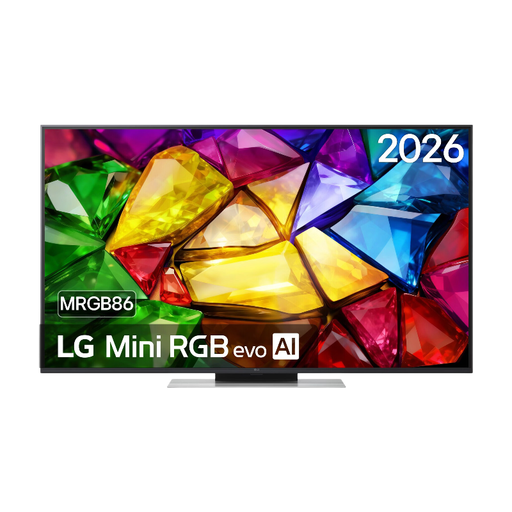 No image available
The 50-inch size is worth comparing if it fits the space available and your main viewing distance.
The product description lists a native refresh rate of 120 Hz. On its own, this doesn’t determine how a TV broadcast with fast movements will look.
 No image available
The 43-inch size is an option if your main viewing position is close to the screen and the TV fits the space available.
The product description lists a native refresh rate of 60 Hz. Also check that your preferred app or external TV source will work.
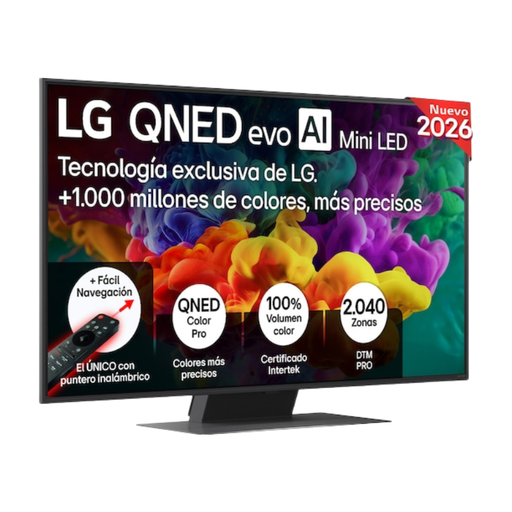 No image available
The 50-inch size is worth comparing if it suits your measurements for the kitchen and dining table.
The product description lists VRR up to 144 Hz. Also check motion handling using TV content; this specification isn’t an independent assessment of it.
Measure both distances and decide which seat will be your main viewing position. Consumentenbond uses around 2.4 times the screen’s diagonal as a starting point for a comfortable viewing distance. Compare nearby sizes too, and check the TV’s overall dimensions.
No, a higher Hz figure alone doesn’t guarantee it. According to Consumentenbond, a TV signal is usually 50 Hz, and generating extra frames doesn’t always work equally well. So compare broadcasts and settings on the specific model.
No, the range of apps varies between smart platforms. Check whether the app is available on the exact model and, if necessary, whether you can connect an external player via HDMI.
In the Netherlands, your legal guarantee depends on what you could reasonably expect from the TV. If the TV breaks sooner than you could reasonably expect during normal use, ACM ConsuWijzer says the seller must offer an appropriate solution at no extra cost.
According to the Dutch government, you can return an old appliance to the shop or online service where you buy a new, similar appliance, or take it to your local recycling centre. If it’s being delivered, arrange the practical details of handing it over in advance.