What should you look for?
The Consumers’ Association suggests starting with a viewing distance of around 2.4 times the screen diagonal; also measure the space and distance from your main seats. The percentages below show which purchase priority comes first for consumers in this viewing scenario.
LCD and QLED
A good fit if: you want to compare an LCD model for a bright room and the exact TV performs well in your lighting conditions.
The trade-off: QLED is a type of LCD; the name alone doesn’t tell you how the TV handles blacks, side viewing or reflections.
Mini-LED LCD
A good fit if: you often watch during the day and want to consider a bright LCD screen with locally controlled backlighting.
The trade-off: viewing angle and reflections still depend on the exact model; also compare screen sizes to find one that suits your room.
OLED
A good fit if: you mostly watch in the evening, care about dark scenes or often watch from an angle.
The trade-off: in a bright kitchen-diner, check how the exact OLED model handles reflections; some LCD TVs can be brighter.
| What to consider |
What should you check? |
Who is this most relevant for? |
| Daylight and reflections |
Compare the brightness and reflections of the exact model. Check where windows and lights appear on the screen from your usual viewing spot. |
When I watch during the day, I want to follow dark scenes without a window dominating the picture. Around 25% of consumers prioritise visibility in daylight and reflections. |
| Dark film scenes |
Compare the model’s black levels and check that both the TV and film source support the HDR information you want. Assess a scene you know well. |
When watching films in the evening, I want to see shadow detail rather than relying on an HDR logo alone. Around 25% of consumers make contrast and dark scenes their top priority. |
| Screen size and viewing distance |
Measure the distance from the table and sofa, as well as the available space, including the stand. Use around 2.4 times the screen diagonal as a starting point at most; the Consumers’ Association gives this as a guide. |
I switch between the table and sofa and want to enjoy the screen from both spots without it overwhelming the room. Around 20% of consumers prioritise screen size, viewing distance and side viewing. |
| Dialogue clarity and sound |
Compare listening reviews for voices and film sound. Check the connections you’ll need if you want to use an existing soundbar. |
When watching adventure films, I want to hear dialogue clearly and enjoy the effects without automatically needing extra equipment. Around 15% of consumers make sound their top priority. |
| Apps and running costs |
Check the apps and connections you need on the exact model. Compare the energy label and product information sheet; the apps available may change. |
I want to use my film apps and know in advance which connections and energy information apply to my choice. Around 15% of consumers prioritise practical use and overall costs. |
Joybuy products
This selection from Joybuy includes OLED and Mini-LED TVs for film nights, plus a more compact LCD model and a TV-and-soundbar bundle to compare.
 Image unavailable
LG OLED55C68LA 55-inch OLED evo C6 4K Smart TV
A 55-inch OLED option to compare if dark film scenes are important to you.
4K, Dolby Vision, Dolby Atmos and webOS 26. The title lists a native refresh rate of 120 Hz and VRR up to 165 Hz.
View at Joybuy
 Image unavailable
Philips 43PUS8001/12 43-inch 4K TV
A more compact size to compare if available space or viewing distance is a factor.
43 inches and 4K, as stated in the product name.
View at Joybuy
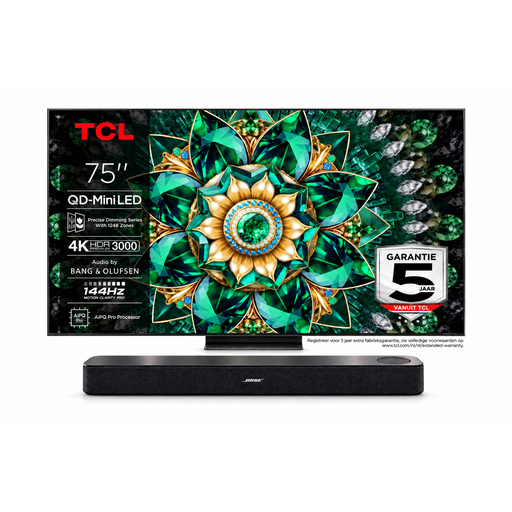 Image unavailable
Bose Lifestyle Ultra Soundbar + TCL 75Q7C 75-inch 4K Mini-LED TV
A bundle to compare if you’re looking at a large TV screen and soundbar together.
The product name lists a 75-inch 4K Mini-LED TV with 144 Hz and a Bose Lifestyle Ultra Soundbar. According to the bundle description, 144 Hz requires a compatible source and settings; Dolby Atmos requires compatible content and a suitable connection.
View at Joybuy
 Image unavailable
METZ 55MNE8000Z 55-inch QD-Mini LED Google TV
A 55-inch Mini-LED option to compare with OLED and other LCD models for films.
The product name lists 4K, 144 Hz, HDR10+, Dolby Vision, Dolby Atmos and a 2.1.2 sound system.
View at Joybuy
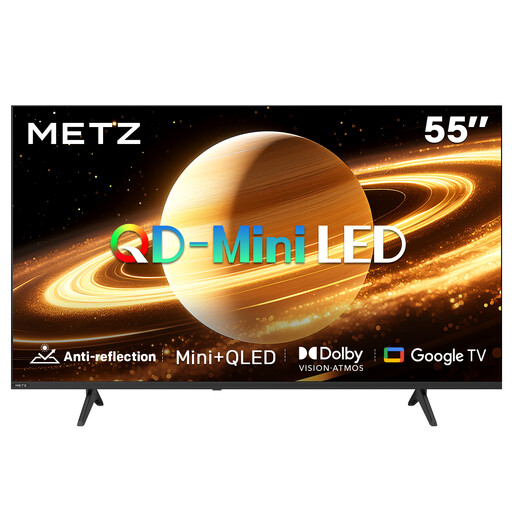 Image unavailable
METZ 55MNH7000Z 55-inch QD-MiniLED TV
A second 55-inch Mini-LED model to compare, with a matte screen finish as stated in the product name.
The product name lists 60 Hz, Dolby Vision, Dolby Atmos, HDMI 2.1 and Google TV.
View at Joybuy
Frequently asked questions
How do I choose a size if I watch from both the table and the sofa?
Measure the distance from both viewing positions and start with the one where you watch films most often. The Consumers’ Association suggests around 2.4 times the screen diagonal as a starting point for a comfortable viewing distance; also try nearby sizes and check the external dimensions, including the stand.
What can I do if dark scenes are hard to see after installation?
First check whether a lamp or window is reflected in the screen. Then try the picture settings with a familiar scene that has both light and dark areas; the Consumers’ Association describes this as a practical way to assess the picture.
Will my film apps remain available for as long as I use the TV?
Don’t assume every app will always be available. Before buying, check that the services you use are available on the TV platform; according to the Consumers’ Association, the apps on offer may change over time.
Is an energy label compulsory for a new TV in the Netherlands?
Yes. The Dutch Government lists TVs among the appliances that must have an energy label. Use the label and product information sheet for the exact model to compare energy consumption.
Am I automatically entitled to just two years’ warranty on a television in the Netherlands?
No. According to ACM ConsuWijzer, the legal guarantee applies for as long as the product lasts, based on what you could reasonably expect with normal use; the retailer is responsible for this. A manufacturer’s warranty period does not automatically limit that legal right.


