
Owner of a stereo system
You want to play soul albums through an existing amplifier or active speakers. Above all, check that the network streamer’s outputs match the inputs on your equipment.


If you already have an amplifier or active speakers, start by looking at a standalone network streamer. If you have passive speakers without a suitable amplifier, a streaming amplifier is a better fit. With no existing setup, an all-in-one Wi-Fi speaker is the simpler option. Before choosing, check that you can play your favourite albums through your preferred service or from files, and that the connections, controls and placement work for your kitchen-diner.
You want to play soul albums through an existing amplifier or active speakers. Above all, check that the network streamer’s outputs match the inputs on your equipment.
You already have speakers but no suitable amplifier. Compare a streaming amplifier with a standalone network streamer paired with a separate amplifier.
You want to play music without putting together a separate hi-fi system. Think about power, Wi-Fi, controls and a spot where the speaker won’t be exposed to splashes.
Start with the albums and streaming service you use, then decide which equipment you want to keep or still need.
| What to consider | What to look for | Who is this most important for? |
|---|---|---|
| Albums and playback method | Check that your music service, app or music library works with the exact model. Support for a service doesn’t automatically mean your album is available on it. | If I want to play certain soul albums through my usual service or from files, I want to check the playback options in advance. Around 31% of consumers prioritise access to albums. |
| Connecting to existing equipment | Check whether your speakers are active or passive and which inputs your amplifier has. A standalone network streamer cannot power passive speakers by itself. | If you want to keep your existing amplifier or speakers, you’ll mainly be looking for connections that work with them. Around 25% of consumers prioritise keeping their existing equipment. |
| Controls and placement | Check how you pause playback and adjust the volume, whether Wi-Fi works where you plan to put the speaker, and whether it can be kept out of reach of splashes. | When I’m cooking, I want to control the music easily and choose a spot that works with the connection and kitchen layout. Around 19% of consumers prioritise controls and placement. |
| Expanding to other rooms | Check which specific devices can work together within the same system. A stereo pair requires compatible speakers. | If I want to listen in other rooms later, I want to know which devices work with the platform I choose. Around 13% of consumers are mainly thinking about expanding their setup. |
| Components you’ll need | Make a list of what you already have and what else you’ll need for your chosen setup, such as an amplifier, a second speaker or an adapter. | If you want to put together a complete working setup, consider all the components you’ll need, not just the main device. Around 12% of consumers prioritise having a complete setup. |
A standalone streamer such as the WiiM Pro Plus can’t power passive speakers directly. You’ll need a suitable amplifier.
First, check whether your speakers are active or passive, and note which connections your amplifier has.
Depending on your setup, you may need a second compatible speaker or a line-in adapter.
WiiM offers a standalone network streamer for existing equipment and a streaming amplifier for passive speakers.
The Era 100 is an all-in-one speaker for a permanent spot and can be used as a stereo pair with a compatible model.
The Home 150 is an all-in-one speaker in the HEOS range; the Home 150 NV is a version without built-in microphones.
The NODE is a standalone network streamer for an existing stereo system or active speakers.
This selection focuses on all-in-one Wi-Fi speakers for a permanent listening spot, without a separate stereo system.
 No image available
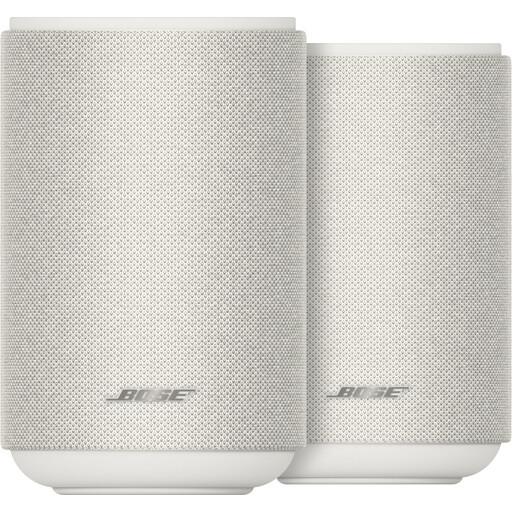
A pair of speakers for anyone looking for a complete setup and a stereo pair.
The product description lists Wi-Fi, AirPlay 2, Spotify Connect and Google Cast. According to the product specifications, an app or service is required for use.
 No image available
An all-in-one wireless speaker for anyone who wants to play music in a permanent spot and is also considering multi-room listening.
The product information lists Wi-Fi, AirPlay 2, Bluetooth 5.3, USB and AUX inputs, and multi-room listening; the product title specifies 60 W.
No, you’ll need a suitable amplifier. WiiM says passive speakers require an amplifier when used with the Pro and Pro Plus; the WiiM Amp is designed for passive speakers.
Not until you’ve completed the initial setup. Sonos says the Era 100 must first be set up over Wi-Fi; after that, you can use Bluetooth.
Check that the manufacturer says the speakers can be paired with each other and that you have room for two speakers. Sonos allows stereo pairs of the same model and also lists pairing a microphone version with its corresponding SL version. This doesn’t mean that speakers from any brands can form a stereo pair.
Radio equipment sold in the Netherlands must meet the relevant European requirements and carry a CE marking. The Dutch Authority for Digital Infrastructure specifically lists wireless speakers; check the marking on the specific device and follow the user manual.
The seller must offer a solution if the product doesn’t meet what you could reasonably expect from it. The Dutch government says the Netherlands has no fixed statutory two-year guarantee period; what you can expect from the product is what matters.