
Vandaag of morgen in huis

Kwaliteit gegarandeerd

Welkomstaanbiedingen ontgrendelen: GRATIS bezorging | Tot 80% korting | Gratis 30 dagen JoyPlus-proefperiode
Download de app
Buying a microSD card may seem straightforward: choose a storage capacity, compare the price and insert the card into your smartphone, drone or camera. In practice, problems often arise from small details. For example, a card may offer 256 GB of storage but not be suitable for 4K video. A high read speed is not automatically the same as a high write speed.
As a Joybuy Product Recommendation Officer, I filter product information based on verifiable specifications. This helps you see which version of the Kingston Canvas Go Plus microSDXC card suits your needs and what to look out for before buying.
A Kingston microSD card 256GB offers more space than a microSD card 128GB or microSD card 64GB. This is useful for lots of photos, videos, apps and games. However, capacity says nothing about the card’s speed or suitability for your device.
Always check:
A 64 GB card may be sufficient for everyday smartphone use. For extended 4K recordings, large game libraries or drone flights, 128 GB or 256 GB is more practical.
Product packaging often displays a speed such as 200 MB/s. This is usually the maximum read speed under certain conditions. For video recording, the write speed is particularly important.
The following values are listed for the Kingston Canvas Go Plus Gen4 versions:
Actual speeds may be lower due to the device, card reader, file size and software being used. A 200 MB/s microSD card is therefore only beneficial if your smartphone, camera or card reader supports these performance levels.
Each classification has its own meaning:
According to the product specifications, the Kingston Canvas Go Plus combines U3, V30 and A2. On paper, this makes the range suitable for 4K UHD memory card use, mobile apps, games and devices that require consistent write speeds.
For a microSD card for drones or a microSD card for action cameras, U3 and V30 are important points to check. When recording at a high bitrate, a card that is too slow can cause stuttering, interrupted recordings or error messages. Also check that your drone or action camera supports the capacity you have chosen.
The term 4K UHD does not mean that every card is automatically suitable for every 4K setting. Also check the camera’s maximum bitrate and the manufacturer’s recommendations.
An A2 microSD card may be useful if you want to install Android apps or mobile games on the card. The operating system and device must support this functionality. Some smartphones only allow apps to be installed on internal storage.
For a microSD card for smartphones or a microSD card for gaming, these points are particularly relevant:
A microSDXC with adapter can also be used in devices with a standard SD slot. The Kingston Canvas Go Plus variants in this selection are supplied with an SD adapter. This makes them more practical for use with, for example, a laptop, digital camera or card reader. The adapter does not change the microSD card’s performance and does not replace a suitable UHS-I card reader.
The selection below is based on the stated capacity, read and write speeds, classifications and included adapter. Always check compatibility with your device before buying.
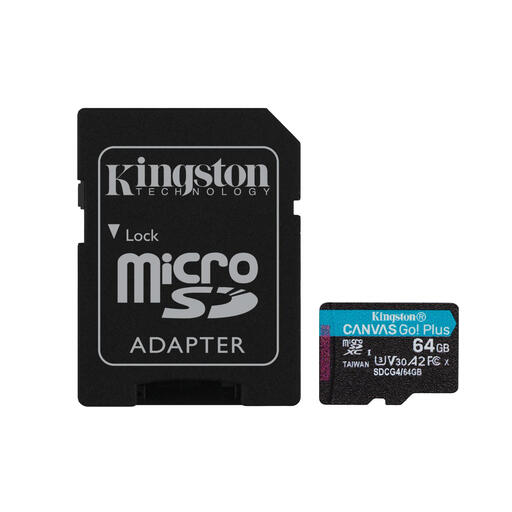
Why it suits this profile: 64 GB provides an entry-level capacity for smartphone photos, Full HD video, mobile games and shorter action camera recordings.
The choice is not based on capacity alone: U3, V30 and the stated write speed of up to 100 MB/s provide more useful information for video recording.
A2 classification, read speeds of up to 200 MB/s and an included SD adapter.
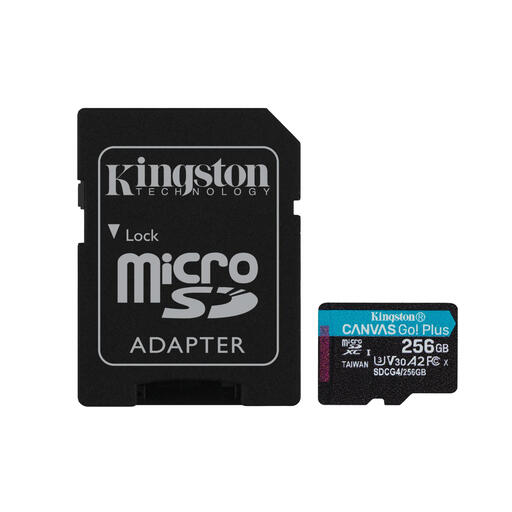
Why it suits this profile: The 256GB version provides space for large files, longer 4K recordings and multiple games without having to swap cards frequently.
The stated write speed of up to 160 MB/s means you do not have to rely solely on the marketing value of 200 MB/s read speed.
256 GB, A2, U3, V30 and an SD adapter for devices with a full-size SD slot.
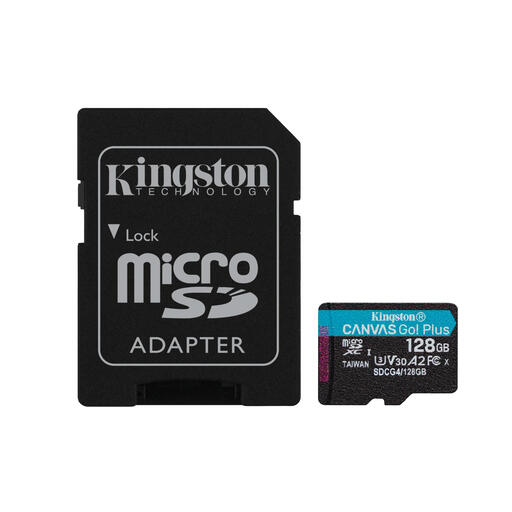
Why it suits this profile: 128 GB is a practical middle ground for drone pilots, action camera users and smartphone users who regularly store large files.
The card lists not only speed, but also V30 and U3 for video applications. According to the product information, the card has been tested for water and temperature resistance; always check your device’s protection as well.
Read speeds of up to 200 MB/s, write speeds of up to 100 MB/s, A2 classification and included SD adapter.
We have put together a complete, up-to-date list of products that fully meet these strict selection criteria and the applicable European safety regulations.
A memory card is not a backup. Water resistance or temperature resistance according to Kingston’s own product information does not automatically protect your device or stored files in every situation.
According to the stated product specifications, the cards have U3 and V30 classifications, features suited to video applications with a continuous write speed. Whether 4K recording actually works also depends on the camera, bitrate, firmware and maximum card capacity supported by the device.
Choose 64 GB for basic use and shorter recordings. 128 GB is suitable if you regularly store videos, photos and apps. 256 GB is a better choice for long 4K UHD recordings, large games or travelling when you cannot transfer files frequently.
No. Check whether the device supports microSDXC, which maximum capacity is permitted and whether the manufacturer recommends UHS-I, U3 or V30. An included adapter only helps with devices that have a standard SD slot; it cannot make an incompatible device suitable.
