What should you look for?
Start with whatever interrupts your writing most often, then consider the keyboard layout and editor shortcuts together.
| What to consider |
What to check |
Who it matters to |
| Typing posture |
Compare a fixed split keyboard with one that has separately positionable halves. Consider the setup alongside your screen, chair and mouse. |
If I write long passages, I want the position of my hands to suit my workspace. Around 33% of consumers prioritise typing posture. |
| Editor shortcuts |
Make a note of the shortcuts you use and check that they are accessible with the exact layout and your operating system. |
If I often switch between treatment text and references, I want to use my editor shortcuts without awkward workarounds. Around 27% of consumers prioritise navigation and shortcuts. |
| Desk space |
Check the actual layout and dimensions; do not rely on terms such as compact or 75% alone. |
If I need room for a mouse or documents beside my keyboard, I want to know which keys the compact layout retains. Around 20% of consumers consider desk space their main concern. |
| Keyboard noise |
Check the exact version and, where possible, assess the sound and feel of the keys for yourself. Do not assume a keyboard is quiet based on an ergonomic description. |
If I write in a shared space, I want to take the sound of my typing into account. Around 20% of consumers prioritise keyboard noise. |
Keyboards at Joybuy
These keyboards offer a range of layouts and features for writing, navigating and customising keys.
 No image available
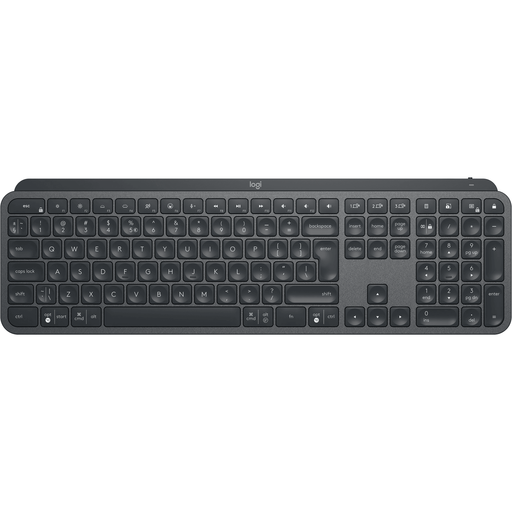
Logitech MX Keys for Business (US QWERTY)
A full-size keyboard to consider if you want a spacious layout and assignable keys.
The product description lists Bluetooth, Logi Bolt, key customisation through Logi Options+ and Easy-Switch for up to three devices.
View at Joybuy
 No image available
AJAZZ AK820 MAX 75% (US QWERTY)
A compact layout to consider if you want to save desk space and customise keys.
The description lists arrow keys, a function row, and Bluetooth, 2.4G and USB-C connections. It also mentions customisable keys and macros that can be stored on the keyboard.
View at Joybuy
 No image available
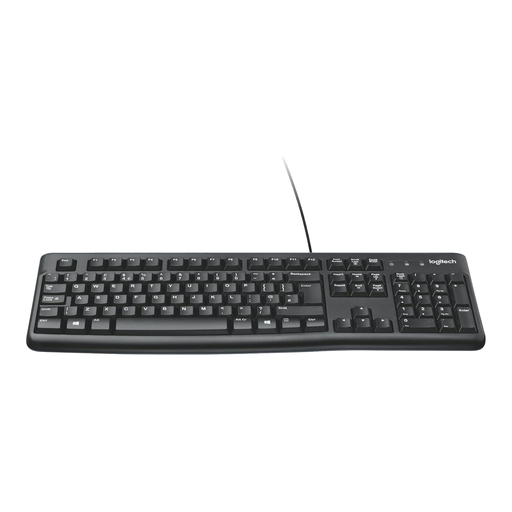
Logitech K120 (wired, black)
A full-size, wired layout to consider if you want to keep a numeric keypad.
The product description lists a USB connection, adjustable feet, quiet keys and a Dutch layout.
View at Joybuy
 No image available
Ajazz AK820 Pro 75% (US QWERTY, Flying Fish)
A compact version to consider if you want to customise keys and save desk space.
The description lists an 82-key layout, arrow and function keys, remapping, macros and a TFT screen. According to the description, it can be connected by cable, Bluetooth or 2.4G; compatibility with Windows and macOS is also listed.
View at Joybuy
 No image available
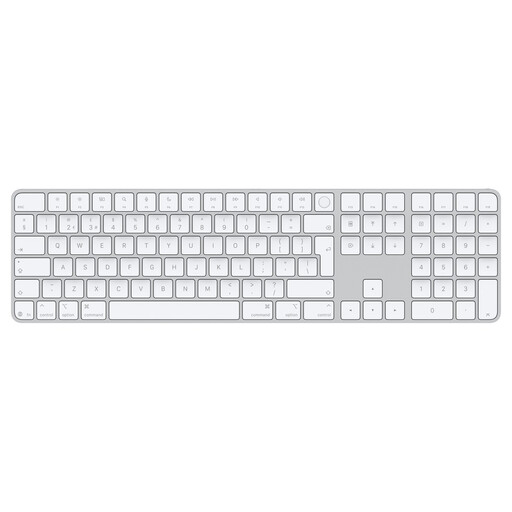
Apple Magic Keyboard with Touch ID and numeric keypad (Dutch layout)
A wireless version to consider if you want a numeric keypad and document navigation keys.
The product name specifies a Dutch layout and white keys. The product description lists Bluetooth and a rechargeable battery. According to the product name, this version is designed for Mac models with Apple Silicon.
View at Joybuy
Frequently asked questions
Do I need a split keyboard because my editor has two panes?
No, not for that reason alone. A split design affects how you position your hands; check separately that the keys and shortcuts work with your editor. A compact keyboard with customisable keys is another option.
What should I check when connecting and setting it up?
Check the exact version, key layout, available connection and support for your operating system. For the wired R-Go Split Break, the manual describes connecting via USB-C with a USB-A converter; the wireless version has separate Bluetooth instructions.
Can an ergonomic keyboard replace breaks?
No. Arboportaal recommends varying your activities and taking microbreaks when working at a screen. A break indicator can serve as a reminder, but a description of this feature does not prove that it prevents discomfort.
What can I do if a keyboard bought online is not right for me or breaks too soon?
For online consumer purchases in the Netherlands, you generally have a statutory cooling-off period of up to 14 days after delivery, with some exceptions. If the product breaks during normal use sooner than you could reasonably expect, your statutory guarantee may entitle you to a remedy from the seller at no extra cost. This is separate from any extended warranty you buy.
Is a separate keyboard a legal requirement when working on a laptop for long periods?
According to Arboportaal, for employees who work at a screen for more than 2 hours a day, the screen and keyboard must not be attached to one another. A separate screen or keyboard must be available when using a laptop. This workplace rule is not necessarily a purchasing requirement for every individual writer.


