
Biographer working through lots of revisions
Writes chapters and incorporates suggestions from an editor. Easily accessible navigation and revision commands can be useful; Microsoft Support describes Track Changes as a feature in Word.


A keyboard gives you access to text, punctuation and navigation commands, but it doesn’t track changes itself: that’s handled by your word processor. Choose a layout that suits your writing, then prioritise what matters to you, such as configurable keys, hand position or a wired connection. Before you buy, check the exact key layout and any required software.
Writes chapters and incorporates suggestions from an editor. Easily accessible navigation and revision commands can be useful; Microsoft Support describes Track Changes as a feature in Word.
Works on lengthy drafts and considers key feel and hand position. A conventional keyboard and a model with separately positioned halves offer different setups.
Types near other people and wants to weigh up key noise and connectivity without overlooking navigation and revision keys.
Try the commands you use most often in your own word processor. Tracked changes are managed there; a keyboard can mainly help you access the right keys and commands.
| What to consider | What to look for | Who is this important for? |
|---|---|---|
| Navigation and revisions | Try moving around, selecting text and using revision commands in your own software; check that any configuration software works with it. | If I often navigate through chapters and comments, I want easy access to the commands I need. Around 36% of consumers prioritise accessible revision and navigation controls. |
| Key feel and hand position | Compare the key feel you prefer and consider whether you want to position two keyboard halves separately. | For long writing sessions, I want a key feel and setup that suit the way I type. This is a priority for around 29% of consumers. |
| Layout and punctuation | Check the physical language variant and test names, punctuation and keyboard shortcuts with your computer’s selected layout. | If I enter lots of names and quotations, I want the printed keys and the characters I type to match the way I work. Around 21% of consumers prioritise text entry and a predictable layout. |
| Noise and connectivity | Check the connection on the exact version and decide for yourself whether the key noise is suitable for your workspace. | In a shared workspace, I want a suitable connection and keys that sound acceptable to me. This is the main concern for around 14% of consumers. |
The keyboard doesn’t manage tracked changes itself. Your word processor determines how you use this feature.
Try the command you want in your word processor first. Then check that the key and any configuration software can handle it.
A label alone doesn’t tell you whether the physical key positions match the layout you use. For example, the CHERRY STREAM KEYBOARD version on the product page is labelled ‘USA+ €-Symbol’.
Compare the full variant name and product image with the physical layout you need.
Separately positioned keyboard halves change your setup, but they don’t guarantee a particular result. Your workstation setup and how you vary your screen-based work also play a part.
Choose based on the hand position and desk space you’re looking for; don’t treat manufacturers’ health claims as proven outcomes.
These brands offer different approaches to writing and revising. A mention here doesn’t, in itself, say anything about the availability or suitability of a specific version.
The wired STREAM KEYBOARD version is worth considering if you’re looking for a conventional keyboard that doesn’t require separate configuration software.
The MX Keys S is an option if you want to combine a conventional layout with configurable actions.
The Split Break v.2 is worth considering if you want to position the two keyboard halves separately.
The K10 Pro ISO collection is worth considering if you’re looking for a mechanical key feel and customisable keys.
This Joybuy selection includes keyboards for writing and revising, including wired and conventional versions, as well as models with configurable keys. Check each product for the key layout and connection that matter for your workspace.
 No image available
Suited to anyone who wants to set up keys for tasks they do regularly; check that the online driver mentioned suits the way you work.
Wired mechanical model with RGB lighting and a number pad.
 No image available
Could suit you if you want to customise keys for recurring revision tasks; check that the software and commands work with your word processor.
This product version has a US QWERTY layout. Check that it matches the layout you use.
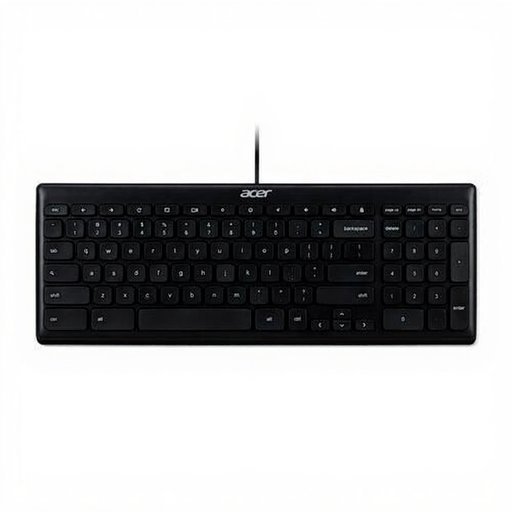 No image available
Worth considering if you’re looking for a wired office keyboard; check that the connection is compatible with your computer.
The product name specifies USB and a US International QWERTY layout.
 No image available
Could suit you if you’re looking for a keyboard with a wired connection for a desktop computer; check which connection you need.
The product name specifies a wired version in black.
 No image available
An option if you’re looking for a Dutch layout with navigation keys; check that this version works with your computer.
The product name specifies white keys and compatibility with Mac models featuring Apple Silicon.
No. In Word, you turn on Track Changes in the application; a keyboard can help you access commands, but it doesn’t manage revisions itself. In another word-processing programme, check the equivalent features and keyboard shortcuts.
Not always. Microsoft Support notes that the Word shortcuts described are based on a US keyboard layout and may differ on other layouts. Test the keys you use most often with your chosen physical layout and computer settings.
First, check whether you’re choosing the wired or wireless version. The R-Go Split Break v.2 manual describes Bluetooth channels for the wireless version; also consider how much desk space the two halves will take up.
No. The shape of the keyboard doesn’t replace a suitable workstation setup or varying your screen-based work. Arboportaal advises alternating screen-based work with other tasks or a break at regular intervals.
No. According to the Dutch government, there is no fixed statutory warranty period in the Netherlands; what you can expect from a product depends, among other things, on the product and the information provided. If there’s a problem with the product, contact the seller; a manufacturer’s warranty is in addition to your statutory rights.