
Reviewer who types a lot
Mostly enters descriptions, names and keywords. A familiar layout and shortcuts that work in the software you use can make everyday typing easier. For example, Microsoft Support explains keyboard shortcuts in Word.


Choose a keyboard layout that suits your typing tasks and computer. Then decide whether you need a numeric keypad, a space-saving design, a different hand position or the ability to switch between devices. A keyboard won’t link to source files automatically: that depends on the software you use to index reviews, so test the process there first.
Mostly enters descriptions, names and keywords. A familiar layout and shortcuts that work in the software you use can make everyday typing easier. For example, Microsoft Support explains keyboard shortcuts in Word.
Works at a screen for long periods and wants to see whether a compact or adjustable split keyboard suits their workspace. A keyboard is not a treatment for physical complaints.
Switches between devices when gathering and processing sources. Check in advance that the keyboard’s connection and controls work with the devices you use.
First, check whether you can link to a source file in your indexing software. Then choose a layout and connection that suit your everyday typing and workspace.
| What to consider | What should you check? | Who is this important for? |
|---|---|---|
| Entering text and linking files | Test the link in your own indexing software. Microsoft Support explains how to link to a file in Word; check whether your software supports the same process. | If I enter a lot of review text and keywords, I want familiar keys and a working file link in the software I use. Around 36% of consumers put this text-and-link workflow first. |
| Posture | Assess your hand position and the space available; if possible, try out a split layout. | During long typing sessions, I want to be able to assess whether my hand position suits my workspace, without expecting a keyboard to prevent or treat physical complaints. Around 29% of consumers prioritise their posture. |
| Space and key noise | Compare the dimensions and consider how often you need a numeric keypad. Try out the key noise in your own workspace. | If my mouse needs to sit close to the keyboard or I share a workspace, I take space and noise into account. Around 21% of consumers prioritise a compact workspace. |
| Connection and switching between devices | Check the exact version, connections and whether connecting or configuring the keyboard is allowed on your work computer. | When I consult sources on one device and index them on another, I want to know in advance whether the keyboard works with both. Around 14% of consumers prioritise switching between devices. |
Custom keys won’t automatically create a file link in your indexing software. This depends on what the software supports.
First, use a test file to create a working link in your own software. Only then decide whether a shortcut for that action would be useful.
The CHERRY STREAM KEYBOARD TKL doesn’t have a separate numeric keypad. This can free up space next to the letter keys, but makes entering numbers in succession less direct.
Consider how often you enter years and other number sequences compared with how much space you want beside the keyboard.
You give up direct access to a separate numeric keypad.
A different hand position is no substitute for a suitable workspace, changing position or taking breaks. Kinesis states that ergonomic keyboards are not a medical treatment.
Consider your entire working process and, if possible, try out a new layout. Don’t treat persistent complaints as just a product-choice problem.
A model name doesn’t necessarily tell you which key labels or connection a version has. R-Go lists wired and wireless versions of the Split Break v.2; Keychron shows different country layouts for the ISO range mentioned.
Before buying, check the full variant, key labels, connection and what’s included with that version.
You may need a suitable connection; also check that the key labels match your preference.
The STREAM range includes a wired TKL model and a separate wireless version.
The MX Keys S may be worth considering if you want a full-size keyboard and switch between several devices.
The Compact Break and Split Break v.2 offer different layouts for different workspaces.
The K1 Version 6 is a compact mechanical option for those who want to remap supported keys.
The Freestyle2 International is a split option for those who want to adjust the position of the keyboard halves.
These keyboard options are designed for entering text and numbers. The selection includes wired and wireless versions, including models that let you switch between devices. File links are created in your indexing software.
 No image available
An option for entering text and numbers if you’re looking for a keyboard with a numeric keypad.
Wired; 108 keys and a numeric keypad. The product name mentions detachable switches.
 No image available
A set for anyone looking for a full-size keyboard with a numeric keypad and a mouse.
Full-size UK QWERTY layout; 2.4GHz connection with USB receiver. The title mentions a quiet mouse click; check that the UK layout suits you.
 No image available
An option if you want to use a wireless keyboard with a numeric keypad.
Full-size layout with 105 keys and a numeric keypad; membrane keyboard with a 2.4GHz receiver. The listed layout is US International.
 No image available
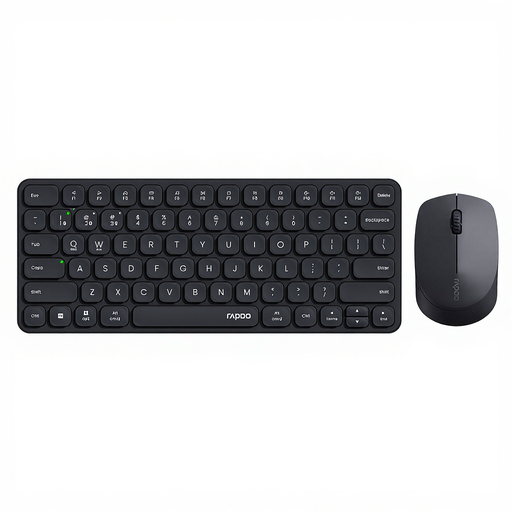
A set to consider if you switch between several devices while working.
According to the product description, it supports up to four devices via 2.4GHz and Bluetooth. The keyboard has scissor-switch keys.
 No image available
An option if you’re looking for a full-size keyboard with a numeric keypad and support for multiple devices.
Scissor-switch keys; USB receiver and Bluetooth, with support for up to four devices according to the product description. The listed layout is US QWERTY.
No. The software you use needs to support the file link you want to create. Microsoft Support explains how to link to an existing file in Word; test the process in your own indexing software before setting up shortcuts for it.
For employees in the Netherlands, Arboportaal states that if you work at a screen for more than two hours a day, the screen and keyboard must not be attached to each other; when using a laptop, you must be able to use a separate screen or keyboard. This isn’t a universal purchase requirement for every private user. Arboportaal also recommends changing position and taking breaks.
If needed, start with the halves close together, then gradually adjust the distance and angle to suit your posture. Kinesis recommends this for the Freestyle2; for another model, consult its manual and check the connections.
A consumer purchase may be covered by the legal guarantee if the keyboard doesn’t perform as you could reasonably expect under normal use. According to ACM ConsuWijzer, the seller is responsible for providing an appropriate solution free of charge. The assessment depends on the circumstances, and there isn’t automatically one fixed guarantee period for every keyboard.
If reviews or source files contain information about identifiable people, you need to consider how the GDPR applies to that processing. The Dutch Data Protection Authority also treats information that can indirectly be traced back to someone as personal data. Your choice of keyboard doesn’t in itself determine whether your files comply with privacy rules.