
Writer of long chapters
You write and edit for extended periods, and want a comfortable key feel, useful navigation keys and a workspace you can adjust to suit you.


First, choose a layout and key feel that make it comfortable to write long texts. Then decide whether a fixed USB connection, adjustable keyboard halves or wireless switching between devices would work best for your workspace. A keyboard doesn’t create backups: keep separate copies of your manuscript and source files, and test that you can restore them.
You write and edit for extended periods, and want a comfortable key feel, useful navigation keys and a workspace you can adjust to suit you.
You want to type on a desktop computer without a wireless connection, while keeping separate backup copies of your manuscript and sources.
You work on different devices or at small tables, and want to choose a size and connection that suit your setup.
Start with the layout and key feel for long writing sessions. Then choose a connection and size that suit your computer and workspace, keeping your backup plan separate.
| What to consider | What should you check? | Who is this important for? |
|---|---|---|
| Comfort during long sessions | Where possible, try the key feel and layout; check the height, navigation keys and available desk space. | When writing long chapters, I want to type comfortably and adjust my workspace to suit me. Around 33% of consumers put typing comfort first. |
| Desktop computer and backups | Check that the keyboard connection is compatible with your computer. Also decide separately where you’ll keep copies and how you’ll restore them. | When writing on one desktop computer, I want to type without a wireless connection and manage my copies separately. Around 27% of consumers prioritise continuity on a desktop computer. |
| Keyboard layout | Check the country variant, key legends and your computer’s keyboard layout settings; don’t assume the layout based on the QWERTY label alone. | When writing in Dutch and taking source notes, I want to find letters and punctuation where I expect them. Around 20% of consumers put a familiar keyboard layout first. |
| Size and switching between devices | Compare the keys you need, the space on your desk, the supported devices and the connection method for that version. | When working in different places or on different devices, I want a size and connection that suit my needs. Around 20% of consumers prioritise switching between workspaces or devices. |
Programming keys or switching between devices won’t create backup copies of your files.
Keep copies of your manuscript and source files in separate locations, and test whether you can restore a copy independently of your keyboard.
The same model name may refer to different country versions. A compact layout may also move or omit some keys.
Check the full product number, key legends and your computer’s keyboard layout settings.
A keyboard with adjustable sections gives you options for positioning it, but that alone doesn’t tell you how your entire workspace is set up or what health outcomes you can expect.
Assess the position and key feel for yourself, and distinguish product features from claims about health effects.
CHERRY offers both a wired model and a compact Bluetooth model for this type of setup.
The MX Keys S is an option if you’re looking for a low-profile keyboard and the ability to switch between devices.
The Split Break is an option if you want to adjust the position of its two keyboard halves.
The K10 Pro ISO is a mechanical option if key feel and customisation matter to you.
These keyboards are intended for writing and include wired models and a wireless option. For each version, check that the connection and layout suit your computer and preferences.
 No image available
This wired mechanical version is a good fit if you want a fixed connection and a mechanical key feel.
The product name lists 94 keys and an all-metal build. The product description mentions PBT keycaps, hot-swappable switches and a wrist rest.
 No image available
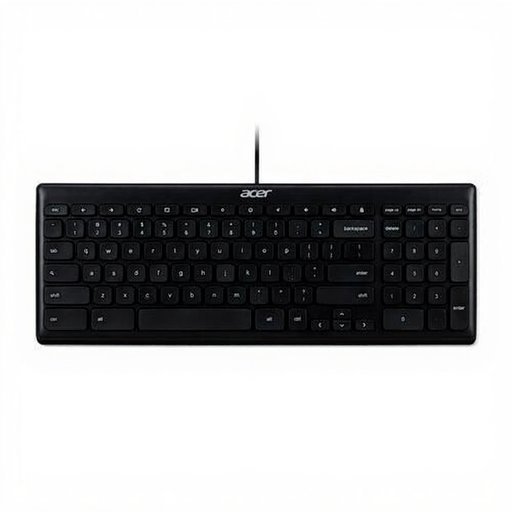
This wired model is an option for a desktop computer and for anyone looking for a full-size layout with a number pad.
The product description lists membrane keys, a USB connection and quiet low-profile keys. Check the layout of the version you choose.
 No image available
This wireless version is an option if you want to switch between devices; the product description lists support for up to three devices.
This version has a US QWERTY layout and a rechargeable battery. Check that the layout suits your preferences and remember that the keyboard needs charging.
 No image available
This wired USB model is an option for a fixed workspace; check first whether the US International layout is right for you.
The product description lists a full-size layout, mechanical switches and a 1.8 m USB cable.
 No image available
The 75% layout is an option if you’re looking for a more compact wired model; check first that it includes all the keys you need for writing.
The product name lists 83 keys and a US QWERTY layout. The product description mentions arrow and function keys.
No, a keyboard doesn’t create backups of your manuscript. Keep your manuscript and source files separate, store copies in different locations and try restoring a file from time to time. The Digital Trust Center recommends this as backup advice for organisations; the same check is useful for a personal manuscript.
That depends on which extra features you want to use. CHERRY describes the KC 1000 as Plug & Play via USB; Logitech links the MX Keys S Smart Actions feature to Logi Options+. Check which adjustments require software for each model.
Make copies regularly and test them by restoring a file. For long-term storage, also consider file formats becoming obsolete: the KB identifies format obsolescence and damage to storage media as risks to digital preservation.
For online purchases, the cooling-off period is usually 14 days, according to the Government of the Netherlands, subject to legal exceptions. You’re also entitled to a product that conforms to the agreement; if there’s a fault, contact the seller to resolve it. The Government of the Netherlands states that there is no standard general statutory two-year guarantee period in the Netherlands.
For employees who work at a screen for more than two hours a day, Arboportaal sets out requirements for a workstation where the screen and keyboard are not attached to one another. This doesn’t mean there’s a general legal requirement for someone writing a history book at home to buy a separate keyboard.