What should you look for when choosing?
First, decide which layout and navigation keys you find comfortable for longer passages. Then check the connection and how many devices you use. Consider a split design only if you want to try one at your own desk.
| What to consider |
Check before buying |
Consumers with this priority |
| Long typing sessions and posture |
Check the layout, dimensions and space for your mouse, and whether you can try the design at your desk. |
If I write a lot, I want to check first whether the layout and design suit my workspace. Consumers who prioritise typing comfort are estimated to account for around 36%. |
| Navigating text and images |
Compare the position of the arrow and other navigation keys; check the image options in your document software. |
When rewriting instructions around photos, I want to move quickly to other parts of the text. Around 29% of consumers are thought to make navigation their top buying priority. |
| Device, port and layout compatibility |
Check the exact keyboard layout and operating system, and whether Bluetooth, a receiver or a particular port will work with your device. |
If I work across different devices, I want to know before buying whether both the connection and physical layout will suit me. Consumers who prioritise compatibility are estimated to account for around 21%. |
| Simple connectivity |
Compare the connection and keys you need with your usual workspace; choose extra features only if they fit the way you work. |
For one fixed computer, I’d rather have a suitable, simple connection than features I won’t use. Around 14% of consumers are thought to choose simple connectivity as their top priority. |
Keyboards on Joybuy
Explore these Joybuy keyboards for writing long passages, navigating documents and working across one or more devices. Check the layout and connection for each version before you choose.
 No image available
HP 725 Multi-Device Rechargeable Wireless Keyboard
Suitable if you switch between several devices while writing and want a wireless, rechargeable keyboard.
View on Joybuy
 No image available
Kensington KB150 EQ Wireless Keyboard
An option if you’re looking for a wireless connection. The stated connection uses a 2.4GHz receiver plugged into a USB port; check that your device supports it.
View on Joybuy
 No image available
Trust Vaiya Wireless Keyboard, Multi-device, Full-Size, Numpad, Scissor Keys, QWERTY US
Suitable if you’re looking for a full-size layout with a numeric keypad and scissor keys. This version has a US QWERTY layout; check that it suits the way you use your keyboard.
View on Joybuy
 No image available
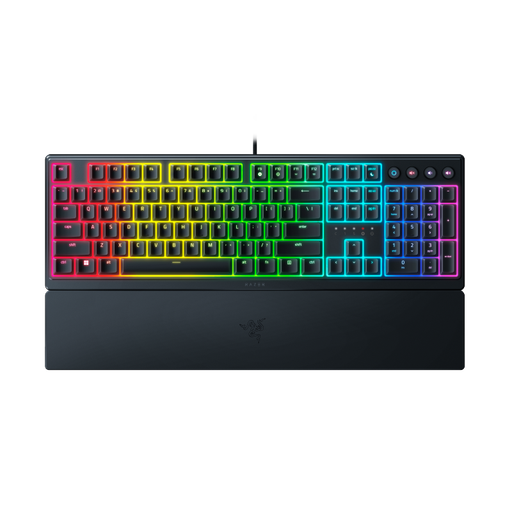
Razer Ornata V3 Low Profile Gaming Keyboard, US Layout
An option to consider for a fixed workspace. This version has a US layout; check that it matches the keys you’re used to.
View on Joybuy
 No image available
Apple Magic Keyboard with Touch ID and Numeric Keypad for Mac Models with Apple Silicon, Dutch, White Keys
An option if you’re looking for a Dutch layout with a numeric keypad for a specified Mac model with Apple Silicon. Check compatibility with your exact Mac model.
View on Joybuy
Frequently asked questions
Do I need a special keyboard to place reference photos beside instructions?
No, you don’t need a special keyboard for that. In Word, you insert images and choose text wrapping using the document features, as Microsoft Support explains. Choose your keyboard based on your writing, navigation and connection needs, and check how to do it in the software you use.
How do I connect a keyboard if my laptop has few ports?
First, check which ports and wireless connections your laptop supports. CHERRY says the KC 1000 uses USB-A; Rapoo lists Bluetooth or a wireless receiver for the E9700M. The right connection depends on your device and the exact version.
What should I look for in a wireless keyboard?
Check how the model you choose is powered and whether it needs a receiver. Rapoo lists a rechargeable battery for the E9700M; Trust says the Ody II has a receiver that stores magnetically and an on/off switch.
Is a split keyboard automatically more comfortable?
No, the design alone doesn’t prove that the keyboard will be more comfortable for you. Logitech describes the features and benefits of the ERGO K860, but that doesn’t establish the effect it will have on an individual. Assess the design at your own desk and vary your posture and tasks.
What are my rights if a keyboard I bought online isn’t suitable or is faulty?
For online purchases from a business in the Netherlands, you’ll often have a 14-day cooling-off period, subject to exceptions, as the Rijksoverheid explains. This is separate from your statutory rights if a product is faulty; in the Netherlands, there is no fixed statutory warranty period, and the seller must provide a solution. Check the applicable returns policy and any additional costs.


