
Writers working on long drafts
If you write a lot of continuous text, a familiar key layout and a typing feel that suits your workspace may matter more than extra features.


Start by choosing a keyboard layout you’re comfortable typing on, with navigation keys you can reach easily while editing. Then consider hand position, sound and connectivity in relation to your workspace. A low-profile model may suit a familiar typing feel, a compact model may work better in a smaller space, and a split model is worth trying if you want to experiment with your hand position. You manage tracked changes in your word processor, not with a special keyboard.
If you write a lot of continuous text, a familiar key layout and a typing feel that suits your workspace may matter more than extra features.
When reviewing suggested changes, easily accessible navigation keys and a word processor that suits the way you work are practical considerations.
If you work in several locations or on multiple devices, the size, connectivity and layout of each workspace will all influence your choice.
You turn on tracked changes in your word processor; Microsoft Support explains how this works in Word. So choose your keyboard mainly according to its layout, controls and how you work.
| What to consider | What should you check? | Who is this important for? |
|---|---|---|
| Familiar layout and typing feel | Compare the physical language layout and the position of the navigation keys with your current keyboard; try the typing feel if possible. | When I’m writing long drafts, I want to find the keys without changing the way I work. Around 29% of consumers prioritise a familiar typing experience. |
| Hand position | Consider the position of your hands, mouse and screen together; try a compact or split design before assuming it will feel different. | During long sessions, I want to try a hand position that suits my workspace. Around 23% of consumers prioritise hand position. |
| Controls for editing | Check which navigation keys you use and whether configuration software is allowed on your computer. | When editing, I want to reach navigation keys quickly and only set up extra features if my software allows it. Around 18% of consumers prioritise editing controls. |
| Key noise | Check the switch type on the exact version and, if possible, listen to it in a similar room. | If other people work in the same room, I want to know in advance how noisy the version I choose is. Around 18% of consumers prioritise quiet working. |
| Portability and connectivity | Compare the dimensions, physical layout and connection type with the devices and ports in your different workspaces. | When I move between workspaces, I want a size and connection type that suit my devices. Around 12% of consumers focus mainly on portability and connectivity when choosing. |
Tracked changes, and accepting or rejecting them, are features of your word processor, not a particular keyboard layout.
Choose a keyboard based on its layout and controls, then check how to review changes separately in your word processor.
A split or compact design on its own doesn’t determine how comfortable a complete workspace will feel for you.
Try the design if possible, and also consider your mouse position, screen, posture and breaks.
Different versions of the same model may have a physical layout that differs from what you’re used to.
Before buying, check the full version name and the keys shown or described.
According to the Dutch Government, there is no fixed general period for the statutory guarantee in the Netherlands; an additional guarantee is separate.
Check the terms of any additional guarantee and contact the seller if there’s a fault.
The range includes basic wired, low-profile and split keyboards; layouts and features vary by model.
The KC 6000 SLIM reviewed is a low-profile wired keyboard with scissor switches.
The wired Compact Break is a compact option with a break indicator.
The K3 Max ISO is a compact mechanical option with customisable keys and several ways to connect.
This selection focuses on long-form writing, editing controls and working across multiple devices. Above all, check the physical key layout and connectivity of the exact version.
 No image available
Could suit you if you want a full-size keyboard with a numeric keypad and work across devices.
The product name specifies US QWERTY; check that this physical layout suits the way you work.
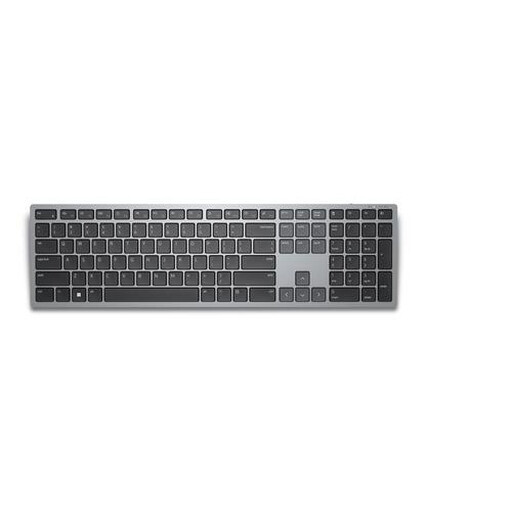 No image available
Could suit editing work where you use navigation keys a lot and want to switch between devices.
This is the wireless KB700 version with a Belgian AZERTY layout; check that the key positions match what you’re used to.
 No image available
Could suit long writing sessions and working across devices.
The product name specifies a full-size keyboard with a numeric keypad, scissor switches and US QWERTY layout.
 No image available
Could suit you if you want a more compact setup and need several ways to connect.
The product name specifies 75%, US QWERTY and Wired/Bluetooth/2.4G; check the physical layout and the connection type you need.
 No image available
Could suit editing sessions involving lots of navigation at a fixed workstation.
The product name specifies US QWERTY; check the physical key positions and that the connection type suits your computer.
No, you turn on tracked changes in your word processor. Microsoft Support explains how to do this in Word; a programmable key might simplify a task, but only if the necessary software and your version of Word support it.
In Word, the ‘No Markup’ view only hides changes temporarily. According to Microsoft Support, you need to review tracked changes and accept or reject them if you want them to be removed from the document.
Check the physical key layout and connection type, and consider your screen, keyboard and mouse as one workspace. Arboportaal recommends alternating screen work with other tasks and varying your posture while working at a screen; a different keyboard doesn’t replace these considerations.
According to the Dutch Government, when you buy online as a consumer from a business, you’ll often have a 14-day cooling-off period, subject to exceptions and conditions. There is no fixed general period for the statutory guarantee in the Netherlands; if there’s a fault, contact the seller.
According to Arboportaal, if an employee works at a screen for more than two hours a day, the screen and keyboard must not be attached to each other. In that case, when using a laptop, it must be possible to use a separate screen or keyboard; this is a workplace rule that applies in specific circumstances, not a requirement for every individual buyer.