Choose a keyboard with a layout you’re comfortable writing and navigating on. Then consider your workspace, whether you switch between devices and which type of key action suits your surroundings. A keyboard doesn’t manage document versions: Microsoft 365 version history works for files in OneDrive or SharePoint, while Google Docs has its own version history.
Who is this choice relevant to?
Writers and editors
If you write long passages and edit text frequently, a familiar layout and easily accessible navigation and editing keys can make a real difference. Google Docs Editors Help notes that keyboard shortcuts don’t work the same way on every keyboard or in every language.
People who work at a screen for long periods
If you spend a long time working at a screen, you may want to consider your keyboard as part of your overall workspace setup and how you vary your activities during the day. Arboportaal highlights both as things to consider when working at a screen.
Writers who work in different places
If you edit a guide on more than one computer, you can choose between a compact wired setup and a wireless keyboard that connects to multiple devices. Logitech and BakkerElkhuizen describe these options for specific models.
What should you look for when choosing?
Start with a layout that lets you write and edit efficiently. Then compare the workspace setup, switching between devices and the sound of the keys.
| What to consider |
What to look for when buying |
Who is this important to? |
| Typing and editing comfortably |
Check the exact QWERTY layout, arrow keys and function row, as well as the shortcuts in your own document software. |
When I edit a lot of text, I want my familiar navigation and editing keys to be easy to reach. Around 40% of consumers put comfortable, familiar typing and editing first. |
| Hand position and workspace |
Consider your keyboard, mouse and screen together. Also check whether you can position an unusual or split layout comfortably. |
During longer writing sessions, I want to be able to adjust my hand position and distance from the mouse to suit my desk. Around 30% of consumers prioritise their workspace setup. |
| Switching between devices |
Check the connection type, supported devices and physical key layout for the specific version. |
If I edit the guide on different computers, I want to know whether one keyboard can connect to them all. Around 20% of consumers prioritise switching between devices. |
| Key noise |
If possible, try the key action for yourself and check that the layout has enough keys for your work. |
In a shared workspace, I pay attention to how the keys sound in my surroundings. Around 10% of consumers prioritise keeping key noise to a minimum. |
Things to watch out for when buying
-
Assuming a keyboard manages version history
Version history is part of your document environment; it doesn’t depend on programmable keys. In Microsoft 365, the feature works for files saved in OneDrive or SharePoint.
Choose a keyboard to suit your typing and workspace, and check version history separately in Word or Google Docs.
-
Assuming different versions are the same keyboard
A compact wireless model and a wired version may differ in connectivity and key layout. The UltraBoard 950 Wireless, for example, is not the same version as a wired UltraBoard.
Before buying, check the full model name, connection type and the key layout shown.
-
Expecting a keyboard described as ergonomic to prevent discomfort
A keyboard’s suitability alone doesn’t determine how someone feels in their workspace. Arboportaal also highlights workspace setup, varying your activities and taking breaks as things to consider when working at a screen.
Consider your keyboard, mouse and screen together. If you start to experience discomfort, seek advice through the appropriate workplace channels if needed.
Brands to consider
Logitech
The MX Keys S is an option for low-profile typing, programmable functions and switching between devices; the ERGO K860 has a curved, split layout.
- Logitech lists Smart Actions via the Logi Options+ app for the MX Keys S.
- Check that you can use Logi Options+. Logitech’s claims about posture and reduced strain with the ERGO K860 don’t predict individual results.
BakkerElkhuizen
The S-board 840 is a compact wired option; the UltraBoard 950 Wireless is designed for a compact wireless setup.
- According to BakkerElkhuizen, the S-board 840 has an integrated numeric keypad and no separate number pad.
- Check the exact version: the UltraBoard 950 Wireless is not the same product as a wired UltraBoard model.
R-Go Tools
The R-Go Split Break is an option if you want to position the two halves of the keyboard separately.
- The US-QWERTY wired version reviewed consists of two separate parts; R-Go Break Software controls the break indicator.
- A split layout may take some getting used to. Claims about physical effects come from the manufacturer and don’t guarantee a personal result.
CHERRY
The STREAM KEYBOARD is a wired option with low-profile scissor-switch keys.
- CHERRY describes this model’s key action as quiet.
- That description doesn’t determine how loud the keyboard will sound in a shared studio.
Keyboards at Joybuy
This selection includes keyboards for writing, with wired and wireless options and both full-size and more compact layouts.
 No image available
Wired QWERTY keyboard with numeric keypad
An option for writing and editing text at a fixed workstation.
The product information lists a full-size QWERTY layout, numeric keypad, navigation cluster, function row and wired plug-and-play connection.
View at Joybuy
 No image available
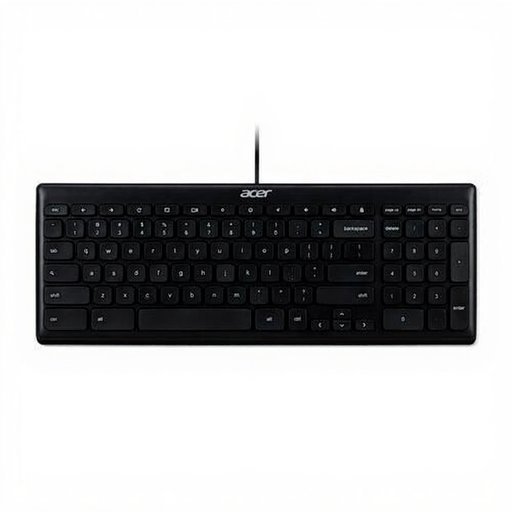
Acer GP.KBD11.00S Office Keyboard, USB, QWERTY US International
A wired option if you’re looking for a full-size keyboard for office work.
The product information lists USB, a full-size QWERTY US International layout and a 1.8 m cable.
View at Joybuy
 No image available
Trust Vaiya wireless keyboard, full-size, US QWERTY
An option if you type on multiple devices and want a full-size layout with a numeric keypad.
The product information lists connections to up to four devices via USB receiver and Bluetooth, and scissor keys described as quiet.
View at Joybuy
 No image available
Ajazz AK820 Pro 75% Mechanical Tri-Mode Keyboard, QWERTY US
A more compact layout to consider if you want to keep important keys within easy reach.
The product information lists a 75% layout with arrow and function keys, plus Bluetooth, 2.4 GHz and wired USB-C connections.
View at Joybuy
 No image available
Apple Magic Keyboard with Touch ID and Numeric Keypad for Mac Models with Apple silicon, Dutch, White Keys
An option if you want a numeric keypad and use a Mac model with Apple silicon.
The product information lists Bluetooth, a rechargeable battery and compatibility with macOS 11.4 or later.
View at Joybuy
Frequently asked questions
Does a keyboard save earlier versions of your studio rental guide?
No. Version history is a feature of your document environment. Microsoft Support states that Microsoft 365 version history works for files in OneDrive or SharePoint. Google Docs has its own version history, and Google says you need editing permission to view earlier versions.
Do your editing shortcuts work the same way on every keyboard?
Not necessarily. Google Docs Editors Help warns that some keyboard shortcuts don’t work with every language or keyboard. Check your operating system, keyboard layout and document software before setting up programmable keys.
How should you set up a laptop workstation if you spend a long time writing the guide?
Consider your entire workspace and vary your working posture. Arboportaal lists rules for employees who work at a screen for more than 2 hours a day, including that the screen and keyboard must not be attached to each other. This isn’t a general buying requirement for every private user.
What are your rights if a keyboard bought online isn’t suitable?
When you buy as a consumer in the Netherlands, you’re entitled to a product that works properly; the Dutch government states that there is no fixed statutory guarantee period. For online purchases from a business, you’ll often have a 14-day cooling-off period. This is separate from your rights if a product doesn’t meet the terms of the agreement.


