Keyboards at Joybuy
These Joybuy products offer a range of layouts and typing feels, with options for navigating text, saving space and using mechanical keys. Above all, check that the physical layout suits your computer.
 No image available
Wired keyboard with numeric keypad, QWERTY
An option if you’re looking for a full-size layout and keys for navigating text.
Full-size layout with numeric keypad, function row and navigation cluster. Wired, plug-and-play connection.
View at Joybuy
 No image available
REDRAGON wired mechanical keyboard with 94 keys
An option if you want to compare a mechanical keyboard that comes with a wrist rest.
94-key layout, PBT keycaps and Redragon switches. Wired; the wrist rest is detachable.
View at Joybuy
 No image available
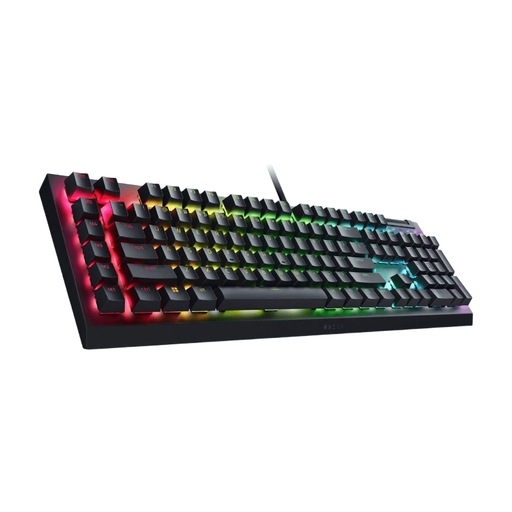
Razer Huntsman V3 Pro, US QWERTY
An option if you’re looking for a mechanical typing feel and keys for navigating text.
Full-size layout with US QWERTY. The product description lists adjustable actuation and a programmable layout via software; USB connection. Shortcuts may differ with other layouts.
View at Joybuy
 No image available
Razer BlackWidow V4 X, Green Switch, US QWERTY
An option if you want to compare a mechanical typing feel with tactile feedback.
Wired USB connection and US QWERTY layout. According to the product description, the Razer Green switches offer tactile feedback; shortcuts may differ with other layouts.
View at Joybuy
 No image available
Apple Magic Keyboard, Dutch QWERTY, numeric keypad
An option if you’re looking for a Dutch physical layout and keys for navigating documents.
Scissor mechanism and numeric keypad. The product description lists Bluetooth, a rechargeable battery, navigation keys and arrow keys.
View at Joybuy
Frequently asked questions
Will a special keyboard automatically track my edits?
No, your word processor manages revision markup. In Word, turn on Track Changes from the Review tab; in other word processors, check where to find their editing feature. A programmable key can, at most, make a supported command easier to access.
Do I need to buy a Dutch keyboard for Word?
Not just because you use Word, but do check that the physical layout suits your preferences. Microsoft Support warns that published shortcuts may differ with other layouts, so also compare the layout set on your computer and test the key combinations you use often.
What should I check if I write for long periods on a laptop?
Check whether you can position your screen and keyboard separately in a way that suits you, and take breaks from screen work. For employees who spend more than 2 hours a day doing screen work, Arboportaal describes specific workstation requirements; this doesn’t mean every writer using a personal computer is legally required to buy a particular keyboard.
Can I return a keyboard bought online if I don’t like the layout?
For a standard online consumer purchase in the Netherlands, you generally have a legal cooling-off period of up to 14 days after delivery, according to ACM ConsuWijzer. Before buying, check which exceptions and returns conditions apply to your order.
Is the legal warranty on a keyboard in the Netherlands always exactly two years?
No. According to the Dutch government, there is no fixed legal warranty period in the Netherlands. You’re entitled to a product that is fit for purpose; its expected lifespan and the nature of the problem are relevant. Any manufacturer’s warranty does not affect these legal rights.


