
Long-form manual writer
Writes and edits for extended periods, paying attention to hand position and workspace setup. The Dutch Arboportaal advises alternating screen work with tasks that don’t involve a screen.


First, choose a layout and connection that suit your computer and the characters you use most often. For long writing sessions, it’s important to find a hand position you can try out for yourself and set up your workspace well. Programmable keys are mainly useful if you want to assign shortcuts to tasks you repeat. Version history is a feature of your document software: Microsoft 365 uses files stored in OneDrive or SharePoint, while you need editing permissions to open previous versions in Google Docs.
Writes and edits for extended periods, paying attention to hand position and workspace setup. The Dutch Arboportaal advises alternating screen work with tasks that don’t involve a screen.
Often navigates documents and wants to check whether customised keys work with the software they use. Google and Microsoft describe keyboard shortcuts and version history as features of their document software, not of the keyboard.
Switches between computers or shared workspaces, weighing up layout, connection and key noise. Check the connection and layout details for the specific version you’re considering; Logitech describes the sound characteristics specifically for the MX Keys S.
A good fit if: you mainly write text and want to stick with a conventional layout. According to CHERRY, the CHERRY KC 6000 SLIM is a Windows model with scissor-switch keys and USB-A.
Trade-off: low-profile doesn’t automatically mean compact; CHERRY lists the KC 6000 SLIM as 440 mm wide.
A good fit if: you’d like to try a different hand position during long writing sessions. According to Logitech, the Logitech ERGO K860 has a curved, split design and a palm rest.
Trade-off: the two halves are fixed together; an ergonomic shape is no guarantee that it will feel comfortable for everyone.
A good fit if: you repeatedly navigate or edit documents and want to customise keys for these tasks. Keychron describes the K3 Max as a model that lets you remap keys and set macros.
Trade-off: the K3 Max has a 75% layout; ANSI and ISO versions differ physically. According to Keychron, hot-swap is only available on the version specifically marked as such.
| What to consider | What should you check? | Most relevant to |
|---|---|---|
| Comfort when typing for long periods | Try out the key shape and position, and check that your desk, screen and breaks suit the way you work. | If I write for long periods, I want a hand position that suits me and a workspace I can adjust properly. Around 29% of consumers put hand position and posture first. |
| Navigation and editing | Check the shortcuts you actually use and whether they work with your app, language and keyboard. | If I often navigate a manual, I want to carry out repeated edits easily. Around 29% of consumers prioritise editing work and repeated tasks. |
| Layout and connection | Compare the physical key layout and connection of the exact version with your computer. | I want the punctuation keys and connection to suit my computer and the way I type. Around 21% of consumers put layout and connection first. |
| Key noise | If possible, try the version you’re considering; don’t assume how noisy it is based on the product category alone. | If I write in a shared space, I want to take into account the noise others might hear. Around 21% of consumers consider key noise their top priority. |
An extra macro key doesn’t replace storage settings or access permissions. In Microsoft 365, version history works for files stored in OneDrive or SharePoint. To open previous versions in Google Docs, you need editing permissions.
First, decide which document software you use and where you store your files. Then consider which shortcuts or macros you need.
The physical layout and intended computer can vary between versions. For example, CHERRY sells separate standard and Mac models, while Keychron has separate ANSI and ISO versions.
Before choosing, check the full model name, version, a picture of the keys and the connections available.
CHERRY lists the KC 6000 SLIM as 440 mm wide. A keyboard also can’t replace a properly set up workspace or breaks from screen work.
Measure the space available and try out the hand position. Remember to consider the rest of your workspace, too.
The MX Keys S and ERGO K860 are different options: a straight keyboard with programmable keys, or a fixed split model.
The KC 6000 SLIM is a low-profile, wired version for Windows; the KC 6000 SLIM FOR MAC has a separate Mac layout.
The K3 Max is a compact mechanical option if customisable keys are important to you.
This selection includes keyboards for writing and editing manuals, with options for a compact layout, a wired connection, use with multiple devices or customisable keys. For each model, check that the layout and connection suit your computer and the characters you want to type.
 No image available
Could be a good fit if you’re looking for a compact keyboard with a customisable key layout.
The product name mentions an all-aluminium case, Leaf Spring Mount, Creamy Rye switches, 8000 mAh and RGB. Check that the US layout suits the positions of the characters you want to type.
 No image available
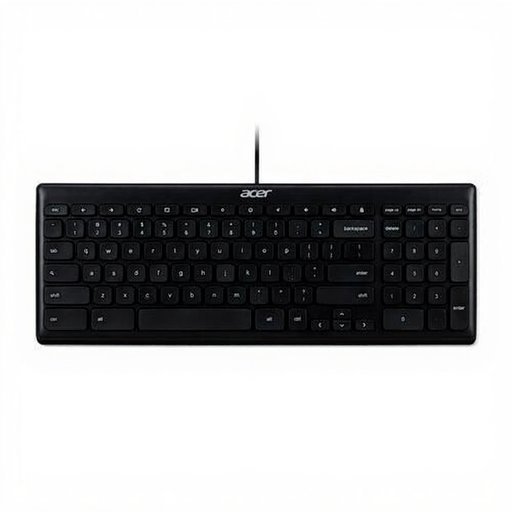
Could suit a fixed, wired workspace if the QWERTY US International layout works for the way you type.
USB connection; QWERTY US International layout; black. Check the physical layout before typing punctuation you use frequently.
 No image available
Could be a good fit if you write in a shared space or switch between multiple devices.
Full-size with number pad, scissor-shaped keys and US QWERTY layout. Check that this physical layout suits the characters you use.
 No image available
Could be a good fit if you want to assign keys to navigation or editing tasks you repeat.
60% layout and US QWERTY. Check that you can navigate your documents comfortably with this physical layout.
 No image available
Could be a good fit if you use a Mac with Apple Silicon and want to use document navigation keys.
USB and Bluetooth; Dutch QWERTY layout; black. According to the product details, this version is only for Mac models with Apple Silicon.
No. A keyboard handles input; version history is a feature of document software. Microsoft says that version history in Microsoft 365 works for files stored in OneDrive or SharePoint. In Google Docs, you need editing permissions to open previous versions.
First, check the app, operating system and physical keyboard layout. Google warns that some shortcuts don’t work with all languages or keyboards; test the commands you actually use before remapping keys.
No. The shape of the keyboard alone doesn’t determine your overall posture. The Dutch Arboportaal advises alternating screen work and adjusting your workspace. For employees who work at a screen for more than two hours a day, the Arboportaal describes requirements under which the screen and keyboard must not be attached to each other; this doesn’t mean every home user needs a split keyboard.
According to ACM ConsuWijzer, if a product breaks too soon during normal use, the seller must resolve the issue in line with the applicable terms; this is separate from any manufacturer’s warranty. Online consumer purchases are usually also covered by a 14-day cooling-off period. The right to change your mind and the right to a remedy for a faulty product are separate rights.
Dutch government information refers to the Radio Equipment Directive for electrical devices with Bluetooth or another radio-frequency module. This alone doesn’t establish whether an individual product meets the applicable requirements; check the product information for the exact version.