
Site builder who writes a lot of code
Wants to use code characters, navigation keys and custom shortcuts quickly when building a site. Toetsenbord.org points out that coding involves relatively frequent use of special characters.


Start with the layout: check that you can easily reach the code characters and shortcuts you use most. Then choose between a compact board that leaves more desk space free, a different hand position for long typing sessions, or a model suited to a shared workspace. For each model, check the exact keyboard layout, connection and compatibility.
Wants to use code characters, navigation keys and custom shortcuts quickly when building a site. Toetsenbord.org points out that coding involves relatively frequent use of special characters.
Wants to adjust the position of their hands, arms and mouse to suit their workspace. A different or split keyboard layout may take some getting used to, as Kinesis and ZSA note for their models.
Considers desk space, typing noise and connection to the computer in use. Keychron, Logitech and CHERRY describe a range of layouts and connection options for their models.
When building and previewing a film festival website locally, your priorities may be code characters, hand position, a changing workspace or keyboard noise.
| What to consider | What to look for | Who is this most relevant to? |
|---|---|---|
| Code characters and layout | Check the physical layout of the exact version and try the code characters, navigation keys and shortcuts you usually use. | If I often switch between coding and navigation while building, I want to enter characters and use shortcuts without awkward key combinations. Around 36% of the group put code characters first. |
| Hand position | Consider your desk space, mouse position and whether you’re willing to get used to a fixed or split layout. | During long typing sessions, I want to position my hands and arms comfortably and know how long it might take to get used to a different layout. Around 29% of the group put hand position first. |
| Workspace and connection | For the exact model, check the operating system, available connections and physical dimensions. | If I build at different workstations, I want the size and connection to suit my computer and desk space. Around 21% of the group put workspace flexibility first. |
| Typing noise | Check the switches in the specific version; if possible, assess the sound in a similar room. | At a shared workstation, I want to take the noise from my keyboard into account without assuming that every version of a model sounds the same. Around 14% of the group put quiet typing first. |
A model may be available in different regional layouts. The CHERRY product page described one version with a French layout.
Before buying, check the selected version and the characters shown on the product page.
A different layout may take extra getting used to.
Keychron lists hot-swap functionality only for the K3 Max RGB version labelled as hot-swappable.
Check the full version name and specifications, not just the model name.
The ErgoDox EZ setup guide notes that you may need time to adjust to the different layout after using a conventional keyboard.
Choose a fixed ergonomic shape if you’d rather not start with two halves; opt for independently positionable halves if that flexibility matters more to you.
Allow time to get used to the positioning and layout.
The K3 Max is a compact mechanical option for anyone who wants to customise keys or macros.
The MX Keys Mini for Mac is a compact option with a Mac keyboard layout and customisable features via Logi Options+.
The mWave is designed for anyone who wants an ergonomically shaped keyboard without having to position two separate halves.
The ErgoDox EZ is an option for anyone who wants to position the two keyboard halves separately and customise the layout.
The G80-3000N RGB TKL is a wired mechanical tenkeyless option; the version reviewed has MX SILENT RED switches.
This selection includes keyboards with different layouts and connection options, so you can compare them based on code characters, desk space and the way you work.
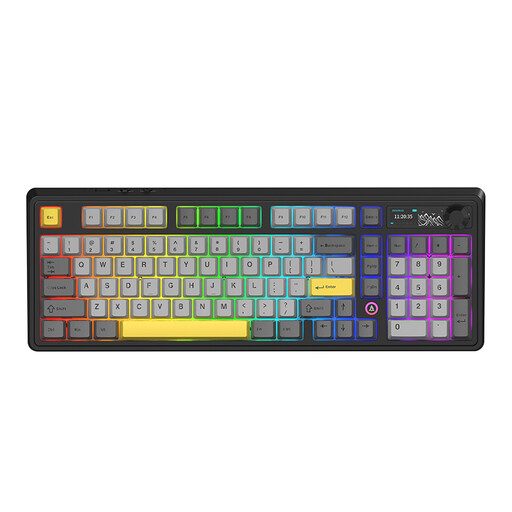 Image unavailable
Worth considering if you want to compare a QWERTY layout and several connection options.
The product title lists a 98% layout, hot-swap functionality, wired, Bluetooth and 2.4 GHz connections.
Also listed: a 10,000 mAh battery, a volume knob and a TFT display.
When charging, use a certified 5 V/2 A USB-C charger or a compatible charger.
 Image unavailable
Worth considering if you’re looking for a compact layout and customisable key functions.
The product title lists a 75% layout, US QWERTY, hot-swap functionality and wired, Bluetooth and 2.4 GHz connections.
The description mentions adjustable keys and macros via software. Also listed: Flying Fish switches, a volume knob and an 8,000 mAh battery.
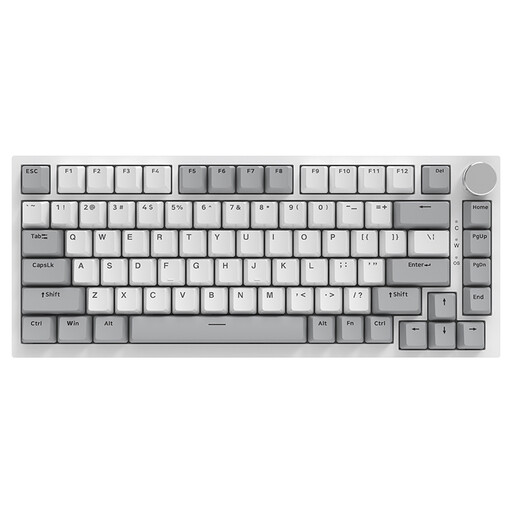 Image unavailable
Worth considering if a wired connection and more compact layout suit your workspace.
The product title lists a 75% layout, US QWERTY and hot-swappable linear switches.
Also listed: 83 keys, PBT keycaps and a volume knob.
 Image unavailable
Worth considering if you want to compare a tenkeyless layout with a US keyboard layout.
The description lists Bluetooth and USB-C, programmable keys and macro recording.
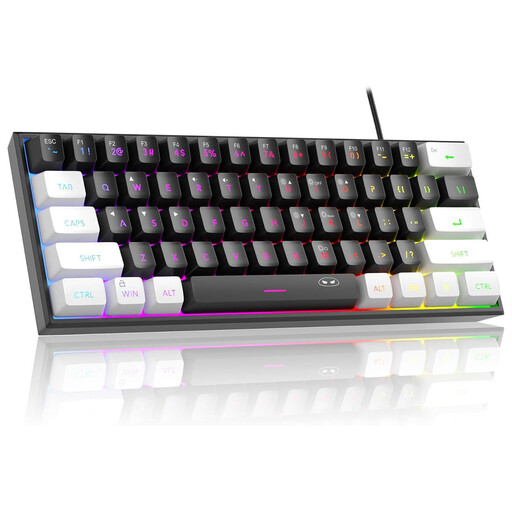 Image unavailable
Worth considering if you want to compare a compact layout for a fixed workstation.
The product title lists a 60% layout, US QWERTY, a wired connection, 61 keys and RGB lighting.
The description lists the circuit board as IPX4; the connection is not waterproof.
Check the physical layout of the exact version and try both the code characters you use most and Dutch text input. The position of characters varies by layout; a model name alone doesn’t tell you which version you’ll receive.
According to the ErgoDox EZ setup guide, first connect the two halves to each other, then connect the keyboard to your computer. ZSA recommends positioning the halves to suit your shoulder width and hands. Allow time to practise with the different layout; these are manufacturer instructions specific to this model.
For screen-based work, Arboportaal recommends varying your tasks, changing your posture and taking microbreaks. This is workplace guidance, not evidence that a particular keyboard prevents physical complaints.
According to ACM ConsuWijzer, online purchases often come with a statutory cooling-off period of up to 14 days after delivery, although exceptions apply. If a product is faulty, you may also be entitled to a statutory guarantee. Depending on the circumstances, the seller must put things right at no cost, for example by repairing or replacing the product, or issuing a refund. This is not the same as a fixed two-year guarantee period.
Arboportaal states that when an employee does more than 2 hours of screen-based work per day, the screen and keyboard must not be attached to each other. In that situation, it must be possible to use a separate screen or keyboard with a laptop. This workplace requirement depends on the work situation described and is not a purchasing requirement for every reader.