First, choose a layout that makes HTML and CSS characters easy to find and matches your computer’s input settings. A compact keyboard can save space, a split model changes the layout of the keys, and a familiar full-size keyboard may feel more comfortable if you want to keep the same layout. No keyboard makes a website responsive: that takes design choices such as flexible layouts and media queries, as MDN Web Docs explains.
Who is this keyboard advice relevant to?
People who type a lot of code
If you’re building a market stall guide, you’ll want to enter code characters easily and may value customisable keys. MDN Web Docs explains the design choices behind responsive layouts, while Keychron describes the customisable features of the K3 Max.
People who spend long hours at a screen
If you work at a screen for long periods, you may want to consider the position of your hands and forearms. Arboportaal describes repetitive hand movements and static strain when working at a screen; your workstation setup and varying your tasks also matter.
People who work in different places
If you have limited desk space or switch between computers, consider the keyboard’s layout, connections and compatibility. Logitech explains how the MX Keys S switches between devices; check the input layout for every device you use.
What should you look for in a keyboard for web development?
Compact and customisable
Could suit: if you type code frequently, want to customise functions and need to save desk space, you could look at the Keychron K3 Max.
Keep in mind: the 75% layout differs from a full-size keyboard. Check the exact ANSI or ISO version and whether it has hot-swap functionality.
A split layout
Could suit: if you want to try a different hand position during long periods of screen work, you could consider a split model such as the Logitech ERGO K860.
Keep in mind: the fixed shape needs to fit your desk and doesn’t guarantee a personal health benefit; the rest of your workstation and varying your tasks also matter.
Switching between devices
Could suit: if you switch between compatible computers while building and managing your site, you could consider the Logitech MX Keys S; Logitech says it can switch between up to three devices.
Keep in mind: check the layout and compatibility of the specific version; this model doesn’t have a split key layout.
Wired for a fixed workstation
Could suit: if you work in one place and don’t need a wireless connection or programmable layers, you could look at the CHERRY STREAM KEYBOARD.
Keep in mind: check the connection and regional layout. CHERRY describes the keystrokes as quiet, but how loud they sound also depends on your workspace and preferences.
| What to consider |
What should you look for? |
Who might this matter to? |
| Layout for coding |
Compare the physical ANSI or ISO layout with your computer’s input layout and the characters you use most often. |
When I write HTML and CSS, I want to find the characters I need where I expect them to be. Around 36% of consumers give entering code characters top priority. |
| Hand position |
Consider your hands and forearms alongside your screen, desk, chair and the variety of tasks you do. |
If you spend long periods at a screen, you may want to adjust the position of your hands and forearms without overlooking the rest of your workstation. Around 29% of consumers put working posture first. |
| Space and devices |
Check the dimensions, key layout, connections and compatibility of the exact version. |
If I have limited space or switch between computers, I want to know whether the layout and connections will suit my workstation. Around 21% of consumers prioritise space or switching between devices. |
| Connection and keystroke feel |
Check the cable, port and regional layout; don’t treat a claim that a keyboard is quiet as a measurement of how it will sound in your space. |
If you want a fixed workstation and familiar wired controls, you may want to consider the keystroke feel and connection. Around 14% of consumers prioritise easy-to-use controls and their preferred keystroke feel. |
Common keyboard purchasing pitfalls
-
Confusing the key labels with the input layout
The characters you type may differ from the ones printed on the physical keys if your computer’s input layout doesn’t match the keyboard.
Before buying, check the physical version. Once connected, compare your computer’s input layout with the keys.
-
Assuming every K3 Max has the same specification
Keychron lists different regional layouts and says that hot-swap is available only on the version designed for it.
Compare the full model name, ANSI or ISO layout, switch type and hot-swap version with the product specifications.
-
Thinking an ergonomic shape can replace a well-set-up workstation
A split keyboard changes the key layout, but that alone doesn’t mean it will have a personal health benefit. Arboportaal describes screen work as involving more than just hand movements.
Consider your whole workstation and, where possible, vary your tasks or posture.
Keyboard brands to consider
Keychron
The K3 Max is a compact, programmable mechanical option for those weighing up customisable key functions and desk space.
- Keychron lists a 75% layout, wired and wireless connections, and customisable keys for the K3 Max.
- According to the manufacturer, hot-swap is available only on the version designed for it. Check the regional layout of the exact version too.
Logitech
The models reviewed here meet different needs: the MX Keys S for switching between devices, and the ERGO K860 for a split key layout.
- Logitech says the MX Keys S can switch between up to three devices. According to the manufacturer, the ERGO K860 has a split frame and adjustable feet.
- The ergonomic features are the manufacturer’s descriptions and don’t guarantee a health benefit for every user.
CHERRY
The STREAM KEYBOARD reviewed here is a wired option for a fixed workstation and those who prefer flat keys.
- CHERRY lists a wired connection and its own SX scissor mechanism.
- The manufacturer describes the keystrokes as quiet. Check the specific version, port and layout; how loud it sounds still depends on your workspace.
Keyboards at Joybuy
These Joybuy products may suit you if you switch between devices or are looking for a compact layout. For each version, check that the layout, connection and features work with your computer and typing style.
 No image available
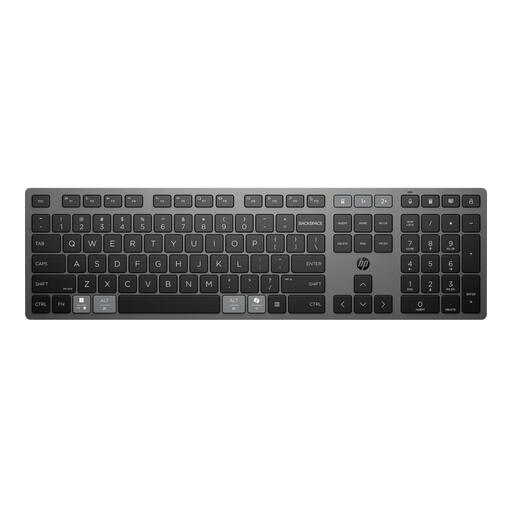
HP 725 Multi-Device Rechargeable Wireless Keyboard
May suit you if you want a full-size keyboard that can switch between devices.
The product description lists a full-size layout, low-profile keys, switching between up to three connected devices and programmable keys.
Joybuy
 No image available
Trust Vaiya Wireless Keyboard, Full-Size, US QWERTY
May suit you if you’re looking for a full-size keyboard with a number pad and multi-device use.
The product description lists US QWERTY, scissor-switch keys and wireless connectivity via a USB receiver or Bluetooth. It mentions switching between up to four devices; check that the US layout suits your needs.
Joybuy
 No image available
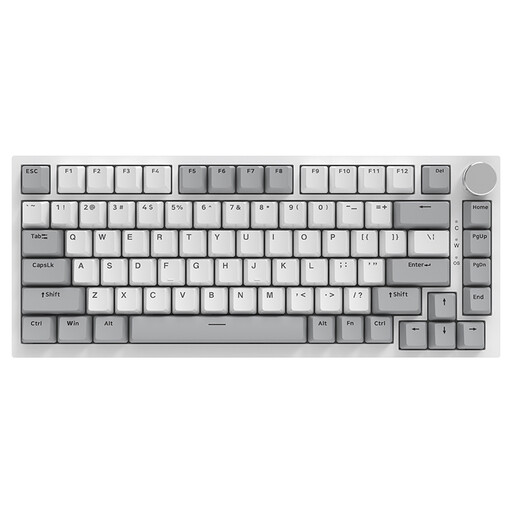
AJAZZ AK820 75% Wired Mechanical Keyboard, QWERTY US
May suit you if you’re looking for a compact mechanical keyboard with a physical US QWERTY layout.
The product title lists a wired 75% layout with 83 keys and hot-swappable linear switches. Check that the US layout works for the characters you type most often.
Joybuy
 No image available
AJAZZ AK820 Pro 75% Mechanical Tri-Mode Keyboard, QWERTY US
May suit you if you’re looking for a compact layout with the choice of wired or wireless connections.
The product title lists US QWERTY, USB, Bluetooth and 2.4G, a TFT display and hot-swappable keys. Check that the US layout matches your computer settings.
Joybuy
 No image available
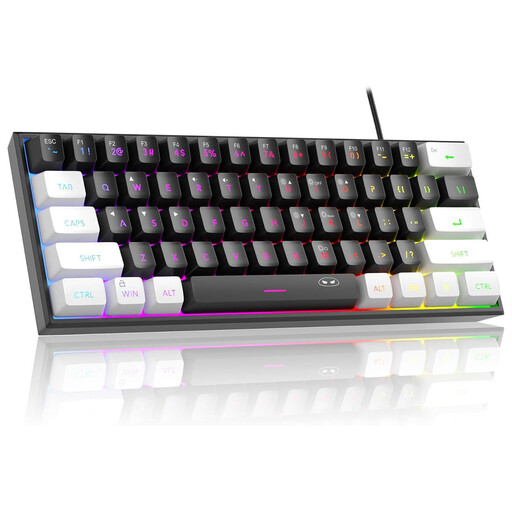
MageGee TS91 60% Wired Keyboard, QWERTY US, 61 Keys
May suit you if you have limited desk space and are looking for a compact US QWERTY layout.
The product title lists a wired 60% layout with 61 keys. The product description mentions an IPX4-rated circuit board, but notes that the connection is not waterproof.
Joybuy
Frequently asked questions
Will a programmable keyboard automatically make my market stall guide responsive?
No. Customising keys changes how you use the keyboard, but responsive web layouts need design choices such as flexible layouts and media queries, as MDN Web Docs explains.
Why do different characters appear from the ones printed on my keys?
Check that the physical key layout matches your selected input layout. Microsoft Support explains how to add or change keyboard layouts in Windows through the language settings.
Do I have to use a separate keyboard with my laptop?
According to Arboportaal, for an employee who works at a screen for more than 2 hours a day, the screen and keyboard must not be attached to each other. When using a laptop, a separate screen or keyboard must therefore be available; this is not a general requirement for every private buyer.
What are my rights if I don’t like the layout after buying online, or the keyboard breaks quickly?
For online consumer purchases, you generally have up to 14 days after delivery to change your mind, subject to legal exceptions, according to ACM ConsuWijzer. You’re also covered by the statutory guarantee if the product doesn’t do what you could reasonably expect under normal use; this isn’t automatically a fixed two-year guarantee period.


