
Tester working alongside colleagues
Regularly writes tests while others are working nearby and wants a quiet typing action without missing any essential coding keys. CHERRY and Trust describe certain models as quiet; check the exact version.


Start with the physical keyboard layout and the typing feel you prefer for coding, then choose between a compact keyboard without a numeric keypad and a full-size keyboard. CHERRY describes the typing action on its STREAM models as quiet; Trust says the same about the Primo keys, but these manufacturers’ descriptions are not comparable sound measurements. A wired connection avoids managing a wireless connection, while wireless use can make it easier to switch between devices.
Regularly writes tests while others are working nearby and wants a quiet typing action without missing any essential coding keys. CHERRY and Trust describe certain models as quiet; check the exact version.
Takes a keyboard along or connects it to different computers. Size, connection type and whether you can use the software may affect your choice.
Wants to keep the mouse close to the keyboard and weighs up whether extra space matters more than having a numeric keypad. CHERRY’s TKL model has no numeric keypad; the full-size STREAM does.
First, check that the physical layout suits the characters and keys you use for coding. Then choose a size and connection type that work for your desk and computers.
| What to consider | What should you check? | Who is this important for? |
|---|---|---|
| Quiet typing | Check the type of keys on the version you’re considering and read the product description. Try the typing action yourself if noise is a deciding factor in your workplace. | If I work alongside colleagues, I want to type without disturbing them unnecessarily. Around 31% of consumers prioritise quiet typing. |
| Layout for coding | Check the physical ANSI or ISO layout, the version name and the position of Enter, Shift and relevant symbols. | I want to enter characters for tests and code quickly, so I’m looking for a familiar physical layout. Around 25% of consumers prioritise this. |
| Space and size | Measure the available space and consider how often you use the numeric keypad. A compact model may not include one. | If I want to keep my mouse close to the keyboard, I weigh up the extra space against losing the numeric keypad. Around 25% of consumers prioritise the space available on their desk. |
| Connecting and switching | Check the available USB ports, the connection or receiver, and whether any extra features require software you’re allowed to use. | I want to be able to connect the keyboard to my work computer without complicated setup. Around 19% of consumers consider easy connection and switching the most important factor. |
ANSI and ISO keyboards can differ in the positions of Enter, Shift and symbols, among other things. So checking only the letter order isn’t enough to confirm the physical layout.
Check the full version name and an image of the keys before choosing.
The CHERRY STREAM KEYBOARD TKL has no numeric keypad. This can free up space, but it may not be the right choice if you use the keypad often.
Decide in advance whether the extra space beside the keyboard is worth losing the keypad.
If you often enter numbers using a numeric keypad, you may need a separate one.
Programmable features and the break indicator on the R-Go Compact Break rely on software. On a managed computer, installing or using that software may be restricted.
If these features matter to you, check the connections and whether you’re allowed to use the software.
The Logitech MX Keys for Business isn’t the same model as the MX Keys S just because the names are similar. A standalone Trust Ody II keyboard also differs from a keyboard and mouse set.
Before buying, compare the full model name, version and package contents.
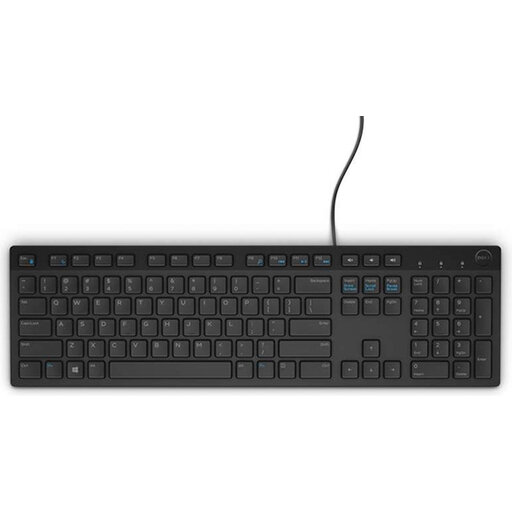
The STREAM KEYBOARD is a wired model with a numeric keypad; the STREAM KEYBOARD TKL is the more compact version without one.
The MX Keys S is worth considering if you want a full-size keyboard and features for switching between devices.
The Primo is a wired, full-size option; the Ody II is a standalone wireless keyboard.
The Compact Break is a compact range for desks with limited space or changing work locations.
The K3 Pro is a mechanical alternative if you want a 75% layout and configurable keys.
This selection of Joybuy products includes keyboards and keyboard sets with different layouts and connection options for a shared workspace.
 No image available
This wireless keyboard and mouse set may suit you if you want to use both devices together; check that the layout works for your coding tasks.
 No image available
The compact layout and US layout may be worth considering if you have limited space and want that physical keyboard layout. Check that the symbol positions work for your coding tasks.
The product name specifies 68 keys, magnetic switches and an 8000Hz polling rate.
 No image available
The product name specifies wireless use, rechargeability and support for multiple devices. This may suit you if you switch between computers; check the layout and connection type of the version you’re considering.
 No image available
This wired USB keyboard may suit you if the Belgian AZERTY layout works for your needs. Check the physical keys and the characters you need for tests and coding.
The product name specifies USB and a Belgian AZERTY layout.
 No image available
The 75% layout may suit you if you’re looking for a more compact mechanical keyboard and deliberately want the German QWERTZ layout. Before buying, check that this physical layout matches the characters you use.
The product name specifies a wireless version, a volume knob and an 8000mAh battery.
For employees who work with display screens for more than 2 hours a day, Arboportaal states that the screen and keyboard must not be attached to one another; in the case of a laptop, it must be possible to use a separate screen or keyboard. This is a conditional workplace requirement, not an obligation to buy a particular keyboard model.
Arboportaal advises adjusting the screen furniture at each workstation to suit your body measurements. A compact keyboard doesn’t replace this adjustment; also check that its size and connection type are suitable for the workstation.
R-Go says the LED indicator is controlled by Break software. So check whether you can use the software on the relevant work computer; don’t assume you’ll get the full break function from the keyboard alone.
According to ACM ConsuWijzer, when you buy a standard product online, you’re generally entitled to a statutory cooling-off period of up to 14 days after delivery, with some exceptions. Check the terms for trying and returning the product before you order.
No. ACM states that the seller is responsible for the statutory guarantee when a consumer makes a purchase. A commercial or manufacturer’s warranty does not replace it.