
Writer at a fixed desk
You write longer passages on one computer and use the second screen for notes or research. RTINGS.com highlights how your preferred typing feel and the keys you use can influence your choice.


Choose a keyboard based on the typing feel and layout that suit long writing sessions. A compact model can leave more room for your mouse, but it may not have a number pad; RTINGS.com notes that smaller layouts take up less desk space. If both screens are connected to one computer, you don't need a multi-device feature. That only matters if you also type on another computer or tablet. Check the keyboard layout and connection before buying.
You write longer passages on one computer and use the second screen for notes or research. RTINGS.com highlights how your preferred typing feel and the keys you use can influence your choice.
You want to view text and reference material side by side without a wide keyboard pushing your mouse too far away. RTINGS.com notes that smaller layouts take up less desk space and can keep your mouse closer at hand.
You type on different devices, such as a computer and a tablet. Trust and BakkerElkhuizen describe keyboard models that connect to multiple devices; check which connections you need for each version.
| What to consider | What to look for | Who it's important to |
|---|---|---|
| Typing feel and noise | Compare a scissor mechanism with the specific mechanical switch type; key feel and noise can vary between versions. | If I'm writing for long stretches, I want a key feel and noise level that suit my workspace. Around 33% of shoppers prioritise typing feel and noise. |
| Space and navigation | Check the keyboard's width and whether its layout includes the navigation keys and number pad you use. | If I'm viewing text and notes across two screens, I want to keep my mouse close without losing keys I use often. Around 25% of shoppers focus mainly on mouse space and navigation. |
| Hand position | Compare straight and curved designs to find the right fit for you; don't treat a wrist rest or product description as a guarantee against discomfort. | If I type for a long time, I want a shape and hand position that feel comfortable to me. Around 25% of shoppers put hand position first. |
| Connection and switching | Check whether your devices support Bluetooth or the connection required for a USB receiver; a wired model doesn't need wireless pairing. | If I also write on another computer or tablet, I want to switch easily between those devices. Around 17% of shoppers say switching between devices is their main need. |
You arrange two monitors on your computer; a multi-device feature is designed for switching between devices.
First, work out whether you'll use both screens with one computer or also type on a second computer or tablet.
The Trust Lyra set we looked at has a US layout. The physical layout and your selected input language can affect where punctuation appears.
Compare the exact version's layout with your current keyboard and check your computer's input language.
An unfamiliar layout may take some getting used to, or you may need to exchange the keyboard.
A curved design or wrist rest doesn't tell you everything about the whole workspace. Arboportaal explains that prolonged screen work can also put strain on your neck, shoulders and arms.
Choose a keyboard that feels right for you and consider the position of your screens and mouse too. Don't treat manufacturer claims as a medical guarantee.
The range includes the flat MX Keys S, compact Pebble Keys 2 K380s and curved Wave Keys, each with a different design and use. These models don't necessarily represent the whole brand.
The wired S-board 840 and wireless UltraBoard 950 Wireless show that compact models don't all have the same connections.
The Lyra is an example of a keyboard and mouse set for anyone who wants to switch between devices.
The K3 Max is an example of a compact mechanical keyboard with several connection options.
These keyboards range from wired and wireless models to compact mechanical versions. Choose one based on your preferred layout and typing feel, and whether you really need to switch between devices.
 No image available
A model to consider if you type on other devices as well as using two screens.
The product name lists a US QWERTY layout; check that it suits the punctuation keys you use.
 No image available
A wired option to consider for a fixed writing space where you don't need to connect to multiple devices.
The product description lists a US International QWERTY layout; compare it with the layout you're used to.
 No image available
A version to consider if you type on multiple devices as well as using two screens.
The product name lists a full-size keyboard with a number pad and a US QWERTY layout; check that the layout suits you.
 No image available
A compact mechanical version to consider if desk and mouse space matter to you.
The product name lists linear switches and a US QWERTY layout; check the exact layout and switch type.
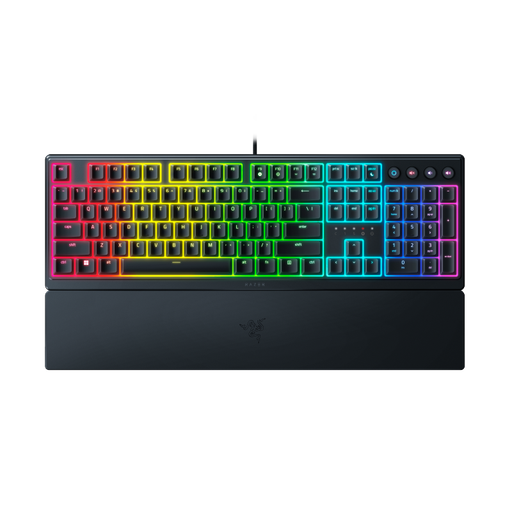 No image available
A model to consider if you're looking for a low-profile design and want to take gaming features into account for your workspace too.
The product name lists a US layout, and the product description mentions audible feedback. Check that the layout and sound suit your habits and surroundings.
No, not if both screens are connected to the same computer. You arrange the screens on that computer; a multi-device connection is for typing on different devices.
Arrange the screens in your settings to match their physical positions, then check that the pointer moves naturally between them. Microsoft Support explains how to do this in Windows. If you're using a Mac, also check how many external screens your Mac model supports.
Check both the physical layout of your keyboard version and your computer's selected input language. A US layout may differ from the one you're used to.
For online distance purchases from a business, a 14-day cooling-off period applies in many cases, with some exceptions. The Dutch government also explains your rights if a product is faulty. Before paying, check any additional charges shown, such as delivery costs.