
People who often enter numbers
You regularly enter quantities, dates or figures in tables, and are weighing up whether a built-in numeric keypad is worth the desk space it takes up.


If you often enter numbers, choose a keyboard with a numeric keypad. If you mainly navigate between tables and windows, a more compact model may leave you more room for your mouse. A split design is worth considering if hand position is a priority during long typing sessions, while device switching is most useful if you use several computers or other devices. Before buying, check the exact layout, connection and dimensions of the version you’re considering.
You regularly enter quantities, dates or figures in tables, and are weighing up whether a built-in numeric keypad is worth the desk space it takes up.
You move between windows and tables, and want to position your keyboard and mouse so there’s enough room for both.
You may be looking for a different hand position for long typing sessions, or want to switch between separate computers. These are different reasons for choosing a keyboard.
First consider how often you enter numbers and how much room you need for your mouse. Then think about whether your hand position or switching between devices affects your choice.
| Consideration | What should you check? | Who should prioritise this? |
|---|---|---|
| Entering numbers | Check whether the exact version has a numeric keypad and measure the space available on your desk. BakkerElkhuizen lists an integrated numeric keypad on the UltraBoard 960 V2 Compact Standard. | If you regularly enter figures, you won’t want to keep using the top row of keys for numbers. Around 36% of consumers rank number entry as their most important buying need. |
| Room for your mouse | Compare the widths of the exact models and consider whether you can do without a built-in numeric keypad. CHERRY describes the STREAM KEYBOARD TKL as a version without a numeric keypad. | When navigating between windows and tables, space for your mouse may matter more than a built-in numeric keypad. Around 29% of consumers give mouse space the highest priority. |
| Hand position during long typing sessions | Compare a straight keyboard layout with a split one, and consider how much desk space each design takes up. Perixx says the PERIBOARD-512 has a split keyboard layout and a wrist rest. | If you have long typing sessions, your preferred hand position may be a deciding factor. A product description can’t tell you what your personal experience will be. Around 21% of consumers put hand position first. |
| Connection and switching between devices | Decide whether you use one computer or several, then check the connection and keyboard layout of the version you’re considering. Logitech says the MX Keys S can switch between up to three devices. | If you really do switch between separate devices, being able to switch from the keyboard can be useful. Two screens connected to one computer don’t in themselves require this feature. Around 14% of consumers give device switching the highest priority. |
Variants can differ in keyboard layout, connection or other features that affect everyday use.
Before buying, check the full model name and the specifications for the version you’ve chosen. Don’t rely on a similar name alone.
CHERRY says the STREAM KEYBOARD TKL doesn’t have a numeric keypad, while BakkerElkhuizen lists one for the UltraBoard 960 V2 Compact Standard.
Weigh up how often you enter numbers against how much room you want to leave for your mouse. If you later need a separate number pad, that will also mean another item on your desk.
Switching between devices is for separate computers or other devices. Two screens can be connected to the same computer.
First decide how many devices you want to use with the same keyboard.
The Dutch government explains that the Netherlands has no fixed statutory warranty period, and that you can contact the seller if a product is faulty.
Compare any additional protection with the rights you already have, and read the terms before choosing it.
The UltraBoard 960 V2 Compact Standard may suit you if you want a numeric keypad without the width of a conventional full-size keyboard.
The STREAM range includes a conventional version and the wired STREAM KEYBOARD TKL, which has no numeric keypad.
The MX Keys S is worth considering if, as well as working with datasets, you want to switch between separate devices.
Compact Break and Split Break suit different priorities around mouse space and hand position.
The PERIBOARD-512 is a wired version to consider if you’re looking for a split keyboard layout.
These models are suited to entering numbers, making room for your mouse or using several devices. Check the layout of each version and make sure it works for the way you work.
 No image available
Suits people who regularly enter numbers and want to use the same keyboard with several devices.
Full-size layout with numeric keypad and US QWERTY. Product information says it connects via a USB receiver or Bluetooth and can be used with up to four devices.
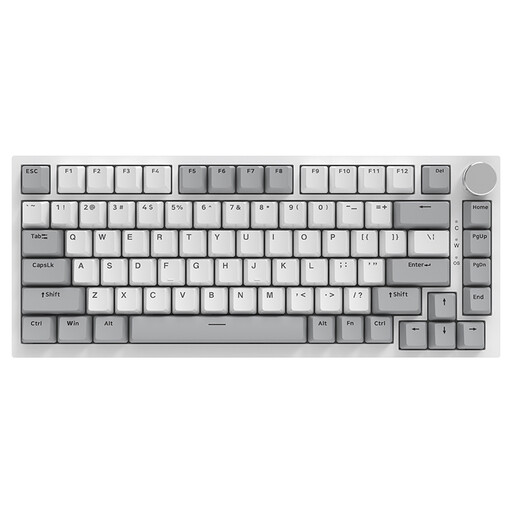 No image available
The compact 75% layout may suit you if you want to leave room for your mouse and are looking for a compact keyboard.
Wired Type-C connection and US QWERTY layout. Product information lists arrow and function keys in the 75% layout.
 No image available
The compact layout may suit a desk where room to move your mouse matters. Multiple connection options are useful if you want to switch between devices.
US QWERTY layout. Product information says it connects via Bluetooth, 2.4 GHz or Type-C.
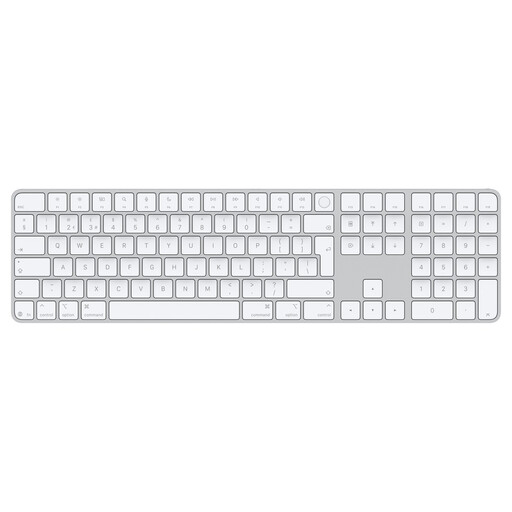 No image available
The numeric keypad and document navigation keys are useful for entering data and navigating tables.
Dutch keys. Compatibility is listed for Mac models with Apple Silicon only. Product information lists Bluetooth and USB-C charging.
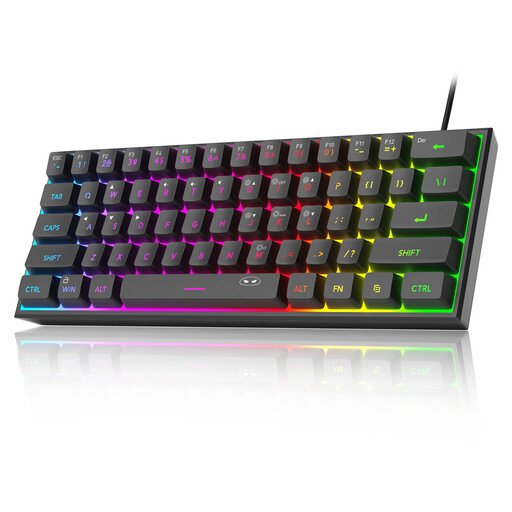 No image available
The compact layout may suit you if mouse space comes first and you have little need for a built-in numeric keypad.
61 keys, US QWERTY and no numeric keypad. The product description says the USB connection isn’t waterproof.
Not if both screens are connected to the same computer. Switching is useful if you use separate computers or other compatible devices; Logitech says the MX Keys S supports up to three devices.
Check that the connection on the version you’ve chosen matches a port available on your computer. BakkerElkhuizen lists USB-C and a USB-A adapter for the UltraBoard 960 V2; Perixx lists a USB-A cable for the PERIBOARD-512.
Set up your whole workstation to suit you, rather than focusing only on the shape of the keyboard. Arboportaal describes repeated hand movements and static strain when working at a screen; an ergonomic product description doesn’t guarantee that discomfort will go away.
According to the Dutch government, when you buy online from a business you will often have 14 days to change your mind. You’re also entitled to a product that’s fit for purpose: the Netherlands has no fixed statutory warranty period, and the seller is your point of contact if a product is faulty.
According to Arboportaal, for employees who work at a screen for more than two hours a day, the screen and keyboard must not be attached to each other. This is a conditional workplace requirement for employers, not a general rule for everyone buying a keyboard for personal use.
Milieu Centraal says you can hand in an old electrical appliance free of charge when buying a similar new one. Remove any removable battery and hand it in separately.