
Colleague who needs to type quietly
You compare timetables alongside others and want to avoid distracting them with your keystrokes. Check the noise claims for the specific model.


Choose a full-size keyboard with a numeric keypad if you regularly enter departure times and other figures, and have enough desk space for it. A more compact model may suit you if you mainly read timetables and switch between windows. In a shared office, key noise, the keyboard layout, available connections and space for your mouse also matter. A manufacturer’s claim that a keyboard is ‘quiet’ is not an independent noise measurement.
You compare timetables alongside others and want to avoid distracting them with your keystrokes. Check the noise claims for the specific model.
You regularly enter departure and arrival times or other figures. Weigh up the benefits of a numeric keypad against the desk space the keyboard takes up.
You want to leave room for your mouse or use several devices. These needs don’t necessarily call for the same keyboard.
Start with your daily tasks: work out how many figures you enter and whether you switch between devices. Then check that the size, connection and keyboard layout suit your workspace.
| Consideration | What to check | Who does this matter most to? |
|---|---|---|
| Key noise | Check the noise description for the exact model and, if possible, try the keys for yourself. | When I type alongside colleagues, I want to avoid distracting them with my keystrokes. Around 33% of consumers give quiet operation top priority. |
| Entering figures | Check whether the model has a numeric keypad and consider how often you enter figures. | When I regularly enter departure and arrival times, I want a separate number pad. Around 27% of consumers prioritise entering figures. |
| Desk space | Measure the available space and check whether the keyboard and mouse will fit comfortably side by side. | When my workspace is small, I want to leave room for my mouse and choose a suitable size. Around 20% of consumers give workspace size top priority. |
| Connections and devices | Check the available ports, Bluetooth, office policy and the keyboard layout of the specific model. | When I check timetables on several devices, I want a connection method that’s permitted in my workplace. Around 20% of consumers prioritise switching between devices. |
According to CHERRY, the CHERRY STREAM KEYBOARD TKL has no numeric keypad. This means you’ll need to use the regular number row for frequent data entry.
Consider how often you enter figures, then compare a TKL model with a full-size keyboard.
Trust and CHERRY’s descriptions are claims about specific models, not measurements taken on a single comparable scale.
Where possible, try the keys on the exact model, and don’t assume that a noise claim guarantees a particular noise level.
A USB receiver and Bluetooth are different connection options. The connection method available or permitted on a managed office computer may therefore determine your choice.
Before buying, check the available connections, Bluetooth and your IT policy.
The Ody II is a standalone keyboard, while the Trezo Comfort and Lyra are keyboard and mouse sets. Size and connectivity vary by model.
The Signature K650 is a full-size keyboard with a palm rest and shortcut keys. The MX Keys S is a different range, with programmable keys and device switching.
The wired STREAM KEYBOARD and STREAM KEYBOARD TKL illustrate the choice between a full-size and a narrower keyboard.
These product options suit numeric data entry, limited desk space and checking timetables on several devices.
 No image available
For anyone who regularly enters times or figures and can use a wired connection. The product name specifies a full-size keyboard, numeric keypad, QWERTY layout and plug-and-play functionality.
 No image available
For anyone who checks timetables on several devices and also needs a mouse. Trust lists a USB receiver and two Bluetooth connections for the Lyra, for up to three devices; this model has a US QWERTY layout.
 No image available
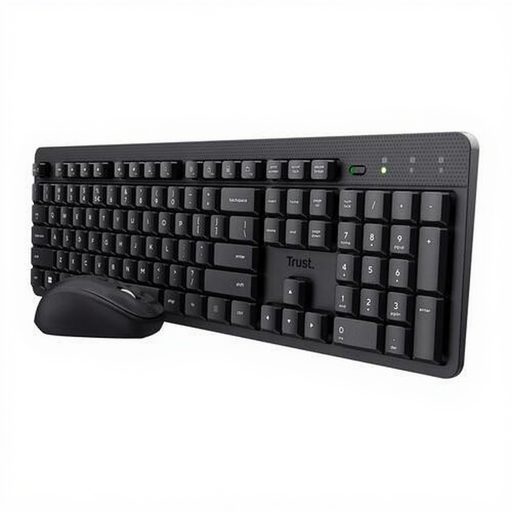
For anyone looking for a wireless keyboard with a numeric keypad. Trust describes the Ody II as quiet; according to the product information, this model has a US QWERTY layout and a USB receiver. The noise description is not an independent measurement.
 No image available
For anyone who enters lots of figures and also switches between devices. Trust lists a full-size keyboard with a numeric keypad, a USB receiver and three Bluetooth channels; according to the product information, the keyboard can connect to up to four devices. This model has a US QWERTY layout.
 No image available
For anyone entering figures and working with documents on a compatible Mac. According to the product name, this model is designed for Mac models with Apple Silicon and has a numeric keypad; the product information lists Bluetooth and a rechargeable battery.
According to Arboportaal, the screen and keyboard must not be attached to each other when an employee works at a screen for more than two hours a day. In that case, anyone using a laptop must be able to use a separate screen or keyboard. This is a conditional workplace requirement, not an instruction to buy the same keyboard for every user.
Choose a keyboard and mouse that suit your tasks, and set up your workspace appropriately. Arboportaal recommends varying your posture and taking micro-breaks when working at a screen; a different keyboard is no substitute for these measures.
Not always: Trust lists a USB receiver for the Ody II, while the Lyra set has both a receiver and Bluetooth connections, according to Trust. Check which connection and pairing methods are available and permitted on your office computer.
For a consumer purchase, you’re entitled to a product that works properly, according to Rijksoverheid. If the product is faulty, the seller must provide a solution. For business purchases, the relevant contract terms must be considered separately.