
Developer who navigates lots of code
You’re mainly looking for easy access to programming symbols and arrow keys, and a layout that suits the way you work.


Choose a layout that gives you comfortable access to programming symbols and navigation keys, then weigh comfort, connectivity and noise against your workspace. Programmable keys can support the way you work, but they won’t automatically make match links, filters or live scores usable with a keyboard: that’s something you need to build into the website and test.
You’re mainly looking for easy access to programming symbols and arrow keys, and a layout that suits the way you work.
You’re comparing a compact or split design with your current typing posture, and considering how long it might take to get used to a different layout.
You want to check keyboard controls on more than one computer and weigh up whether switching quickly between devices matters more than a fixed USB connection.
| What to consider | What to look for when buying | Who is this important for? |
|---|---|---|
| Code layout and navigation keys | Compare the physical ANSI or ISO layout with your input language. Try symbols such as braces and backslashes, as well as the arrow keys, Home and End. | If I regularly switch between code, forms and scores, I want symbols and navigation keys to be within easy reach. Around 37% of consumers put code layout and navigation first. |
| Typing comfort and desk space | Try the key spacing and shape. Decide whether you need a separate number pad and whether you’re willing to get used to a split layout. | If I type for long periods, I want a shape and layout that suit my posture and available space. Around 27% of consumers prioritise typing comfort and desk layout. |
| Switching between test devices | Check how it connects to your computers and whether switching between devices is genuinely part of your work. | If I test the site on several computers, I want to know whether I can switch quickly between devices or would rather use a fixed cable. Around 18% of consumers prioritise switching between devices. |
| Easy set-up and noise | Check the connection, key noise and operating system, and whether you want to set up your own shortcuts. | If I want to keep set-up to a minimum or work in a quiet space, I look for a keyboard that’s ready to use when connected and consider how noisy the keys are. Around 18% of consumers prioritise ease of use and a quiet workspace. |
A macro on your own keyboard won’t automatically make a match link accessible or solve a keyboard trap for visitors.
Test the site without a mouse: check that you can reach every feature, see the focus indicator and move away from interactive elements.
The Keychron K8 Pro reviewed here is an ANSI model. The hot-swappable version is also the one to choose if you want to be able to change the switches.
Compare the full variant on offer, its physical layout and its switches with your input language and preferred features.
On the BakkerElkhuizen UltraBoard 950 V2, the numeric keypad is accessed via NumLock; the CHERRY KC 1000 has a separate number pad.
Choose based on how often you enter numbers, rather than relying on the word ‘numeric’ in the description.
The K8 Pro is a TKL model for anyone looking for a compact layout and customisable keys.
The MX Keys S reviewed here is designed for switching between devices and setting up your own shortcuts; the ERGO K860 has a split design.
The UltraBoard 950 V2 is a compact, wired model for a fixed workspace.
The KC 1000 is a straightforward, wired, full-size layout with a separate number pad.
These keyboards suit a range of working needs, from a compact TKL layout and programmable keys to wireless use or a fixed connection.
 No image available
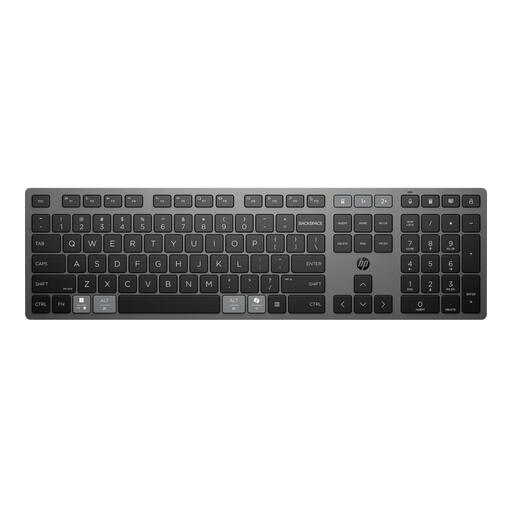
The TKL layout is designed for anyone looking for a more compact keyboard with remappable keys.
The description lists 12-key rollover, quiet membrane keys and a wired USB-A connection. Keys are remapped using Corsair iCUE.
 No image available
This full-size model may suit anyone who values programmable shortcuts and the ability to switch between devices.
The description lists a low-profile design, Bluetooth or a 2.4GHz receiver, and USB-C charging.
 No image available
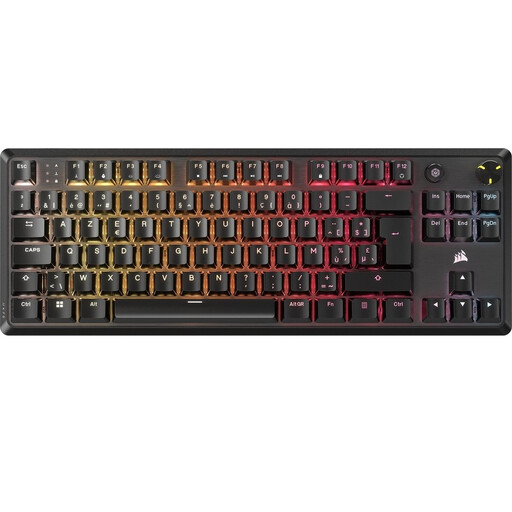
The mechanical TKL layout may suit anyone looking for a more compact model with programmable controls.
The product information lists BE AZERTY, NKRO, anti-ghosting, programmable media controls and five saved profiles. The USB-C cable is detachable.
 No image available
According to the product description, the 75% layout keeps essential arrow keys in a more compact design.
The description lists Bluetooth, 2.4GHz and wired USB-C, plus compatibility with Windows and macOS. It also mentions hot-swappable switches, PBT keycaps and a rotary knob.
 No image available
This TKL model may suit anyone who wants to combine physical navigation keys with programmable keys.
The description lists 84 keys, a US International layout and Bluetooth, which lets you switch between three devices. Razer Synapse is required for full functionality.
No, not on its own: the website’s controls also need to work through a keyboard interface. Check that every feature is reachable, focus doesn’t get trapped and you can see which element has focus.
Go through the features using only the keyboard: reach and activate each control, check that focus is visible and try moving away from interactive elements. These are checks for the website, not features that a keyboard model can guarantee.
First check your computer’s ports and operating system. The CHERRY KC 1000 reviewed here lists USB-A and Windows; the BakkerElkhuizen UltraBoard 950 V2 uses USB-C and, according to the manufacturer, comes with a USB-A adapter. For adjustable or replaceable parts, check the exact version and the relevant instructions.
For online consumer purchases, there is generally a statutory 14-day cooling-off period starting the day after delivery, with some exceptions. Business.gov.nl explains this cooling-off period; statutory conformity is separate from any additional manufacturer’s warranty. Check the terms provided by the specific seller.
That doesn’t follow from the description ‘sports scores website’ alone. The Dutch Government explains accessibility requirements for government websites; the rules for services such as e-commerce depend on the service offered and the relevant conditions, as outlined by Business.gov.nl. W3C sets out technical criteria for keyboard operation that you can use when testing, but this does not establish a legal requirement for this website.