
Writer who takes notes on paper
Wants to keep notes or a book on a small desk while writing a synopsis. The keyboard’s dimensions and the space left for a mouse are therefore important.


Choose a keyboard that fits on your desk alongside your notes and, if needed, a mouse, while keeping the keys you use for writing and editing within easy reach. If you often revise passages, clearly laid-out arrow and function keys may be more useful than the smallest possible layout. Also check the keyboard layout, device compatibility and correct CE marking on the actual item for sale. The Dutch Authority for Digital Infrastructure explains that electrical and electronic equipment must meet the applicable European product requirements.
Wants to keep notes or a book on a small desk while writing a synopsis. The keyboard’s dimensions and the space left for a mouse are therefore important.
Often moves the cursor and rewrites passages. Easy-to-find keys and a comfortable working position can matter just as much as the keyboard’s size.
For example, switches between a computer and a tablet and wants to know whether the chosen model works with their devices, connection and keyboard layout.
First, measure how much space you need to leave beside the keyboard for paper and a mouse. Then decide which keys and connection you need for writing and editing.
| Consideration | What to look for when buying | Who should prioritise this |
|---|---|---|
| Space for a keyboard, notes and mouse | Measure the available space and compare it with the dimensions of the exact model; also check which keys are missing. | If I want to keep paper or a mouse beside my keyboard on a small desk, I prioritise the space left over. Around 30% of consumers put desk space first when choosing. |
| Typing and editing text | Check the arrow keys, function row and Enter key on the layout you are considering. | When rewriting, I want the navigation keys to be easy to reach, even if that means choosing a slightly larger layout. Around 30% of consumers prioritise easy-to-reach editing keys. |
| Connection to the devices you use | Check which operating systems are supported, how the keyboard connects and whether a USB receiver is included if you need one. | If I switch between a computer and a tablet, I want to know whether the model will work with both. Around 20% of consumers prioritise device compatibility. |
| Typing noise in a shared space | Check the key or switch mechanism on the exact model and, if possible, judge the sound for yourself. | When other people are working nearby, I want to take the sound of my typing into account. Around 10% of consumers put typing noise first when choosing. |
| Power and maintenance | Check how the keyboard is powered and which components are included; if it uses batteries, also check how to dispose of them. | I want to know in advance whether I need to recharge it or replace and recycle batteries later. Around 10% of consumers prioritise the power source. |
A small casing can free up desk space, but the exact layout may leave out keys you use when editing.
Measure the available space and compare it with the dimensions and an image of the exact regional version.
A different model variant or keyboard layout could affect how well it suits your writing.
Compare the full model number, keyboard layout and key specifications; don’t rely on the range name alone.
Manufacturers may describe keys as quiet, but such product claims alone don’t provide a comparable measurement for your workspace.
Check the key or switch mechanism on the exact model, and don’t treat the word ‘quiet’ as a measured result.
The Pebble Keys 2 K380s and MX Keys Mini are compact models for anyone looking for a smaller keyboard.
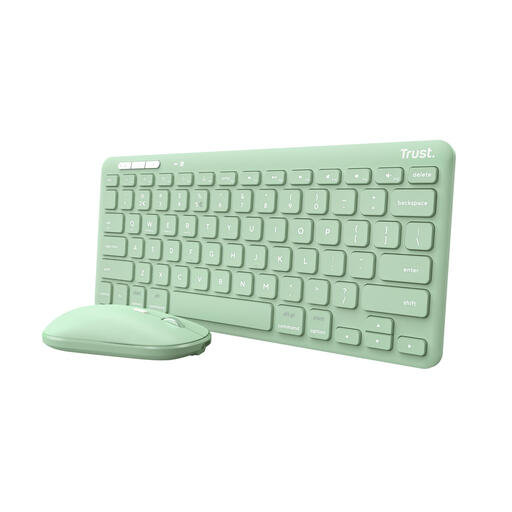
The Lyra Compact Wireless Keyboard US is a compact option with scissor-mechanism keys, Bluetooth and a USB receiver.
The HP 350 Compact Multi-Device is designed for portable use and has full-size keys.
The K3 QMK Wireless Mechanical Keyboard ISO Version 3 is a compact 75% mechanical option.
This selection includes compact keyboards for a small desk, from wired 60% and 75% layouts to wireless and foldable models. Check the keyboard layout, connection and correct CE marking on the item for sale for each version.
 No image available
A compact version for anyone who wants to switch between devices while working at a small desk.
The product description lists scissor-mechanism keys, rechargeable power and connection to up to three devices via a USB receiver or Bluetooth. The keyboard layout is US QWERTY.
 No image available
The 75% layout is a compact option for anyone considering a mechanical keyboard for typing.
This version has 83 keys, a wired connection, hot-swappable linear switches and PBT keycaps. The layout is US QWERTY.
 No image available
This 75% version is a compact option if you want to use different connection types.
The product information lists 82 keys, a wired connection, Bluetooth and 2.4G. This version has a TFT display, RGB lighting and hot-swappable keys. The layout is US QWERTY.
 No image available
A foldable version could be a good fit if you want to put the keyboard away after writing.
The description lists a 63-key layout, a built-in touchpad and Bluetooth. When folded, it measures 152 × 97 × 12 mm. The stated compatibility includes iOS, Android and Windows; check that this version suits your devices and keyboard layout.
 No image available
The compact 60% layout is an option if your priority is freeing up desk space and the available keys suit your work.
This version has 61 keys, a wired USB connection and stated dimensions of 29,2 × 10,1 cm. The product information lists support for Windows and Mac OS. The layout is US QWERTY.
Leave space for your input devices and notes, and break up screen work with other tasks or breaks. The Arboportaal advises setting up a workstation to suit the user’s body measurements. Employees who work at a screen for more than two hours a day are subject to specific rules about using a separate keyboard or screen with a laptop; these employment regulations are not a general purchasing requirement for everyone writing at home.
It can, as long as the version you choose supports both devices. Check the operating systems, connection type and keyboard layout in advance. Logitech, Trust and HP list multi-device connectivity for the models reviewed, but the features vary by version.
Electrical and electronic equipment must meet the applicable European product requirements and carry the correct CE marking. Radio equipment must also meet the requirements of the Radio Equipment Directive. The Dutch Authority for Digital Infrastructure explains these requirements. Check the marking and product documentation for the actual item for sale: a model name alone does not prove that the item meets the requirements.
If you have used it normally, you can contact the seller under the Netherlands’ statutory guarantee. According to ACM ConsuWijzer, this depends on what you could reasonably expect from the product; there is no general fixed two-year period.
Take an old electrical appliance to an appropriate collection point. The Dutch government also says you can return it to a retailer when buying a similar appliance there. Recycle used batteries separately and don’t put them in your general rubbish.