Keyboards at Joybuy
These keyboards are for anyone weighing up a compact or full-size layout and a suitable connection for editing slides.
 No image available
GXTrust Thado wired TKL keyboard, QWERTY
The compact layout without a separate number pad may suit you if you want to leave room for your mouse beside the keyboard.
Wired USB connection with a 1.8-metre cable; QWERTY layout. The product name says it’s designed for PC and PS5.
View at Joybuy
 No image available
Redragon M68 mechanical keyboard, US layout
The compact layout may suit you if you want to save desk space and don’t need a separate number pad.
According to the product information, it has 68 keys, a US layout and a detachable Type-C cable. The title lists compatibility with Windows and macOS.
View at Joybuy
 No image available
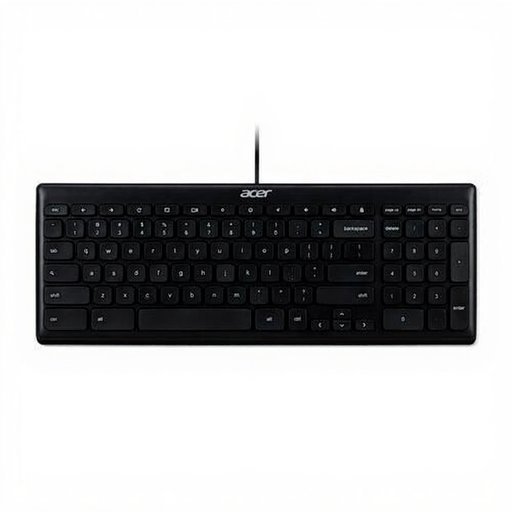
Acer GP.KBD11.00S full-size USB keyboard
A full-size layout may suit you if you want to keep a separate number pad and a full set of keys.
According to the product information, it has a QWERTY US International layout, USB connection and a 1.8-metre cable.
View at Joybuy
 No image available
AJAZZ AK820 wired mechanical keyboard, 75%
The 75% layout may suit you if you’re looking for a compact keyboard for your desk.
According to the product name, it has a wired Type-C connection and a QWERTY US layout. The product information lists Windows and Mac compatibility.
View at Joybuy
 No image available
AJAZZ AK820 Pro mechanical keyboard, tri-mode
This compact keyboard may suit you if you want a smaller layout and the option to switch between devices.
Bluetooth, 2.4 GHz and wired Type-C connections; supports up to three devices. The product information lists a US layout and 82 keys.
View at Joybuy
Frequently asked questions
Do you need a special programmable keyboard for PowerPoint?
No, you can use PowerPoint with standard keyboard shortcuts. Microsoft Support lists shortcuts for creating and editing presentations, but the published key combinations may differ from the physical layout you use. Check them on your own keyboard and in your version of PowerPoint.
How should you set up a keyboard when working standing up?
Consider the keyboard, mouse and screen together, and try not to work for long periods in an awkward, static posture. Arboportaal describes the strain on the hands, neck, shoulders and arms associated with computer work; simply switching to a different keyboard is not a proven solution.
What should you check when connecting a keyboard to a school computer?
First check which ports and wireless connections the computer supports. The CHERRY KC 6000 SLIM, for example, requires USB-A. For a wireless model, check which pairing method the version you choose uses and whether it’s permitted on the school computer.
Should you buy an additional warranty for a keyboard?
No, you don’t need additional cover to have statutory rights when making a consumer purchase. The Dutch government states that the retailer must provide a solution if a product is faulty. Read the terms of any additional warranty package as a supplement to those rights.
Does Dutch law require a separate keyboard for computer work?
For employees who work at a computer for more than 2 hours a day, Arboportaal states that the screen and keyboard must not be attached to one another. In that case, employees using a laptop must be able to use a separate screen or keyboard. This is not a general purchasing requirement for every reader; the employer is responsible for providing a suitable workstation.


