If you regularly enter amounts manually, first decide between a built-in and a separate numeric keypad. If you use your mouse a lot to work on charts, factor in the extra space a compact keyboard leaves beside it. Then consider whether a flat or split design suits your hand position, and check the physical key layout and connection. A different keyboard won’t replace setting up your workstation properly or changing your posture regularly.
Keyboard options at Joybuy
These keyboards offer different options for entering figures and managing desk space. For each version, check that the layout and connection work with your computer and suit the way you use it.
 No image available
RK ROYAL KLUDGE R98 Pro wired mechanical keyboard with number pad
A wired option with a built-in number pad for anyone who regularly enters amounts.
Mechanical keyboard with volume knob and hot-swappable switches. The title specifies Phantom Color and Beige Switch.
Joybuy
 No image available
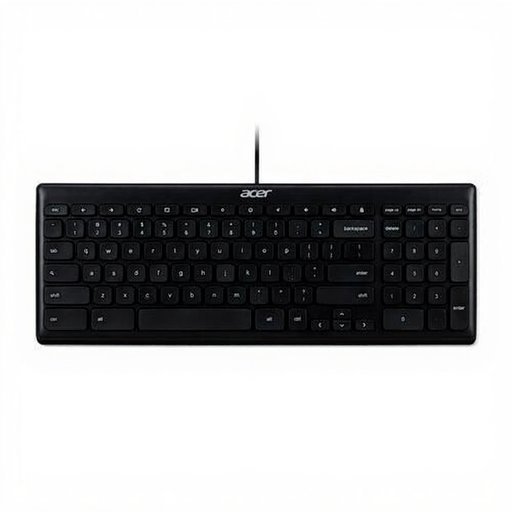
Acer GP.KBD11.00S Office Keyboard
A wired office option if you want to check first whether the physical layout suits the work you do.
The product name specifies USB and QWERTY US International. Check that this layout suits the keys you use.
Joybuy
 No image available
Ajazz AK820 Pro 75% mechanical keyboard
A compact 75% layout to consider if you want to weigh up the space beside your keyboard against your need to enter figures.
The product name specifies QWERTY US and wired, Bluetooth and 2.4G connections. Check that the physical layout and connection option work with your computer.
Joybuy
 No image available
Apple Magic Keyboard with Touch ID and numeric keypad, Dutch
A version with a numeric keypad for anyone who enters amounts and wants a Dutch physical key layout.
The product name specifies compatibility with Mac models with Apple Silicon and white keys.
Joybuy
 No image available
MageGee TS91 60% wired keyboard
A compact option to consider if mouse space matters more to you than a built-in number pad.
The product name specifies 61 keys and QWERTY US. According to the product details, this version doesn’t have a built-in numeric keypad.
Joybuy
Frequently asked questions
Do I need a built-in number pad for entering amounts and working on charts?
No, it depends on how often you enter figures and how much mouse space you need. A full-size keyboard has a fixed number pad; if you only enter figures occasionally, you could consider a compatible separate keypad alongside a more compact keyboard.
How should I set up my keyboard if I switch between sitting and standing?
Adjust your workstation to keep your shoulders, forearms and wrists relaxed, and change your posture regularly. Logitech lists adjustable feet for the ERGO K860; this is a model-specific feature and no substitute for setting up your entire workstation.
What can I do if my keyboard doesn’t work properly after purchase?
If a product is faulty, contact the seller to discuss a solution. According to the Dutch government, there is no fixed statutory guarantee period for all products in the Netherlands; what you can expect depends, among other things, on the product and the information you received when buying it.
Do the health and safety requirements for screen work also apply to my personal household accounts?
The legal obligations described by Arboportaal are aimed at employers and employees; they don’t mean there is a separate legal keyboard requirement for personal use. Its advice on posture and changing position can still be useful. For employees who work at a screen for more than two hours a day, Arboportaal describes requirements including the use of a separate keyboard.
Can I return a keyboard bought online if I don’t like the layout?
For an online consumer purchase, you usually have a cooling-off period of up to and including 14 days after delivery. The ACM explains this right; check the applicable terms and exceptions. The cooling-off period is separate from your rights if a product is faulty.


