
Editor who uses lots of keyboard shortcuts
You write and rearrange interviews using plenty of key combinations. Before choosing a layout or remapping keys, check which shortcuts your writing software and operating system use.


Start by choosing a layout that gives you easy access to the navigation and shortcut keys in your writing software. Programmable keys are most useful if you want to set up actions you perform repeatedly. Also compare hand position, key noise and operating system support: a compact, split or low-profile keyboard won’t be the right solution for everyone.
You write and rearrange interviews using plenty of key combinations. Before choosing a layout or remapping keys, check which shortcuts your writing software and operating system use.
You want to be able to position your hands differently during long typing sessions, so you’re comparing a familiar straight layout with a model whose two halves can be positioned separately.
You take key noise and a predictable layout into account when working close to others. Manufacturers’ descriptions aren’t directly comparable sound measurements.
Start with the physical layout and the shortcuts you use in your writing software. Microsoft Support notes that keys may not correspond fully to a US layout on other keyboard layouts.
| What to consider | What should you check? | Who is this important for? |
|---|---|---|
| Keyboard shortcuts and key remapping | Test the combinations for selecting, navigating and editing in your own software. Check the layout and any configuration software for the exact variant. | If I often select and rearrange text, I want to use my usual combinations straight away. Around 36% of consumers prioritise keyboard shortcuts. |
| Hand position | Consider where both hands and the mouse will sit, and whether you can reach your shortcuts comfortably on the layout you choose. | When I type for a long time, I want to choose the distance and angle between my hands. Around 29% of consumers prioritise hand position. |
| Compatibility | Check the operating system, physical layout, connection and shortcuts in your version of the writing software. | If I work across different devices, I want the keys and software to suit my writing software. Compatibility is the top priority for around 21% of consumers. |
| Key noise | If possible, try the exact version in your own working environment. Don’t assume a keyboard is quiet just because of its mechanism or switch label. | At a shared workspace, I want to know how the keyboard sounds before I choose one. Around 14% of consumers put key noise first. |
Documented shortcuts may work differently on another physical layout. A compact layout may also use additional key layers.
Test the navigation and editing combinations you use most on the exact variant before deciding.
A keyboard’s shape alone doesn’t prove that it will prevent discomfort. A split layout may also take some getting used to.
Consider how the layout works for your hands and workspace, and look beyond the design claims.
Similar product names don’t mean they’re the same product or have the same system requirements.
Check the full product name, the device and the relevant system requirements.
Compare the MX Keys S if you’re looking for programmable keys, or the ERGO K860 if a curved, split keyboard frame better suits the layout you’d like to try.
The Split Break v.2 is worth considering if you want to position the two keyboard halves separately.
The K3 Max is an option if you want to compare a compact layout with customisable keys.
The KC 6000 SLIM offers a low-profile keyboard with scissor mechanism for comparison.
The Magic Keyboard (USB-C) with Dutch layout is worth considering if you’re looking for a keyboard for a compatible Mac setup.
These options focus on text navigation and key customisation. The list includes compact layouts and keyboards with specified navigation keys, as well as a model with a Dutch QWERTY layout.
 Image unavailable
Worth considering if you’re looking for a compact layout with programmable keys; the product description mentions macros and settings that can be saved to the keyboard.
The product title specifies a 75% layout, three connection modes, Flying Fish switches and a US QWERTY layout. Test your shortcuts on this physical layout.
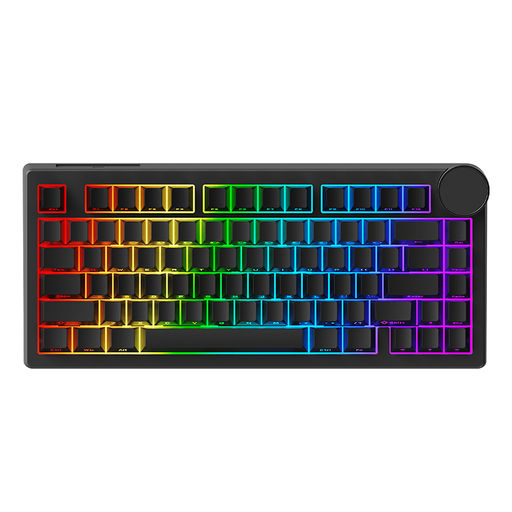 Image unavailable
Worth considering if you’re looking for a compact layout with navigation keys and customisable keys; check whether the Windows web driver mentioned is compatible with your computer.
The product title specifies a wired connection, a 75% layout and a US layout. Test your usual combinations on the exact variant.
 Image unavailable
Worth considering if you’re looking for a compact layout and want to customise keys or layouts; the product description mentions an TFT screen for this purpose.
The product title specifies a 75% layout, three connection modes and a US layout. Check that this physical layout works with your shortcuts.
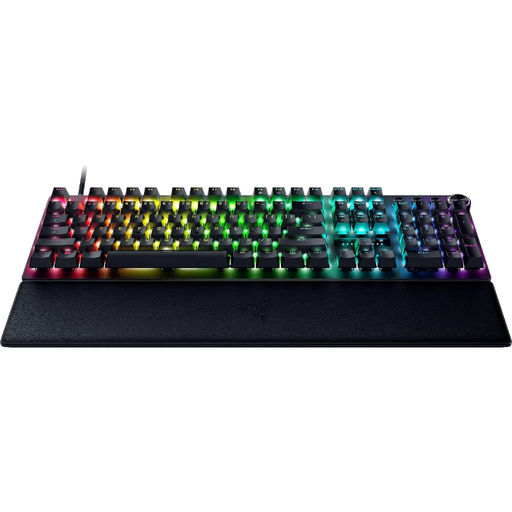 Image unavailable
Worth considering if you want to customise keys for writing and document navigation; check that the configuration options mentioned suit your computer and workflow.
The product title specifies a US QWERTY layout. Test the shortcuts you use most on the exact layout.
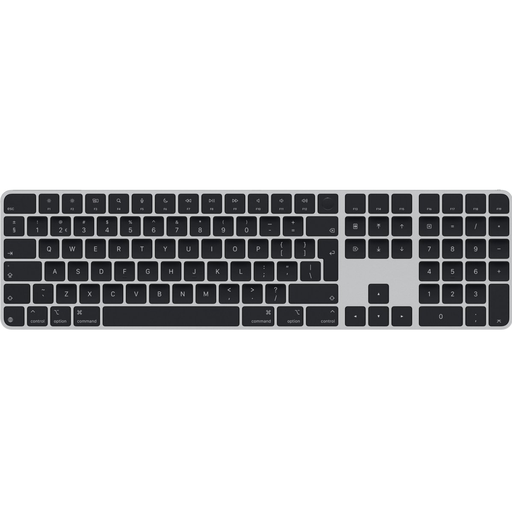 Image unavailable
Worth considering if you’re looking for a Dutch QWERTY layout and keys for document navigation.
The product title specifies USB, Bluetooth and a numeric keypad. Check system compatibility with the devices you use.
No, not necessarily. First, check the existing combinations in your writing software and on your layout. Key remapping is most useful for actions you repeat often; Microsoft Support also explains how to customise keyboard shortcuts in Word for Windows.
Check whether the position of your hands and mouse suits your workspace, and whether you can comfortably reach the keys you use most. According to the R-Go Tools manual, you can position the two halves of the Split Break v.2 separately; the keyboard’s shape doesn’t guarantee an individual result.
No. According to the Dutch government, the Netherlands has no fixed legal warranty period. If a product is faulty, the assessment depends in part on what you could reasonably expect. Contact the seller to find a solution.
For an employee who works at a screen for more than 2 hours a day, the screen and keyboard must not be attached to each other, according to Arboportaal. Arboportaal describes this as a conditional workplace requirement for employers, not a general purchasing requirement for every writer.