
Tester using one shared computer
You want to enter search terms straight away and check that the computer has a suitable USB port. Logitech describes the K120 as a USB model that works without installation.


For testing search filters on a single computer, a simple wired keyboard is a sensible choice if the workstation has a suitable USB port. A compact model is a better fit when desk space matters more than having a numeric keypad. Choose wireless only if you genuinely switch between devices, and check the keyboard layout and any rules on peripherals beforehand. Manufacturers’ claims about quiet keys are not comparable sound measurements.
You want to enter search terms straight away and check that the computer has a suitable USB port. Logitech describes the K120 as a USB model that works without installation.
You want to consider how much noise the keys make in a shared workspace. CHERRY describes the keys on the KC 1000 and STREAM KEYBOARD TKL as quiet, but this is not a comparative sound measurement.
You want to free up space beside the keyboard or genuinely switch between devices. These are different needs: a compact model does away with the numeric keypad, while Logitech says the K950 can connect to three devices.
This guide is for consumers who repeatedly enter search terms at a shared desk. Start with the connection and layout, then weigh up desk space and key noise. Choose wireless only if you genuinely need to switch between devices.
Choose this if: you test on one computer and may regularly enter numbers.
Bear in mind: you’ll need a suitable USB port and more desk space for the numeric keypad.
Choose this if: you mainly enter text and want to keep space free beside the keyboard.
Bear in mind: a TKL model has no numeric keypad; smaller layouts may omit even more keys.
Choose this if: you genuinely switch between compatible devices while testing and wireless connections are allowed.
Bear in mind: pairing and battery management; switching adds little if you always use the same computer.
| What to consider | What should you check? | Who is this important for? |
|---|---|---|
| Typing straight away | Check whether the computer has a usable USB-A or USB-C port, which peripherals are allowed and whether the keyboard layout suits your needs. | When I enter search terms on one shared computer, I want to plug in and type without pairing wirelessly. Around 40% of consumers prioritise direct input on a single computer. |
| Key noise | Check the description of the exact model and, if possible, try it out at the workstation; manufacturers’ claims don’t provide comparable sound measurements. | When colleagues are working nearby, I want to consider the noise during repeated typing. Around 30% of consumers prioritise quiet keys. |
| Desk space | Compare the dimensions and check whether it has a numeric keypad; decide whether you need one for entering sequences of numbers. | When there’s little space beside the keyboard, I want to keep that area clear and can manage without a numeric keypad. Around 20% of consumers make saving space their top priority. |
| Switching between devices | Check whether wireless connections are allowed and whether the model works with the devices you switch between. | When I genuinely switch between devices while testing, I don’t want to keep reconnecting. Around 10% of consumers prioritise switching between devices. |
Manufacturers describe the keys on specific models as quiet, but these descriptions don’t provide sound levels that can be compared directly.
Use the claim at most to shortlist models, then assess the typing noise in the shared workspace if possible.
The CHERRY STREAM KEYBOARD TKL we looked at has no numeric keypad, while the full-size models mentioned do. This difference may matter if you regularly enter numbers.
Think about which fields you fill in frequently during testing, then decide whether you need a numeric keypad.
The models mentioned include the wired K120 with a numeric keypad and the wireless Signature Slim K950 for multiple devices.
The KC 1000 is a wired model with a numeric keypad; the wired STREAM KEYBOARD TKL does not have one.
The KB216 version mentioned is a wired QWERTY office keyboard with a numeric keypad.
The wired Primo Keyboard is designed for typing at a fixed workstation.
This selection focuses on wired, compact keyboards. In particular, check that the US QWERTY layout suits your work and that you can test without a numeric keypad.
 No image available
The compact 75% layout may suit you if you want to keep space free beside the keyboard.
Wired; US QWERTY layout; mechanical keyboard.
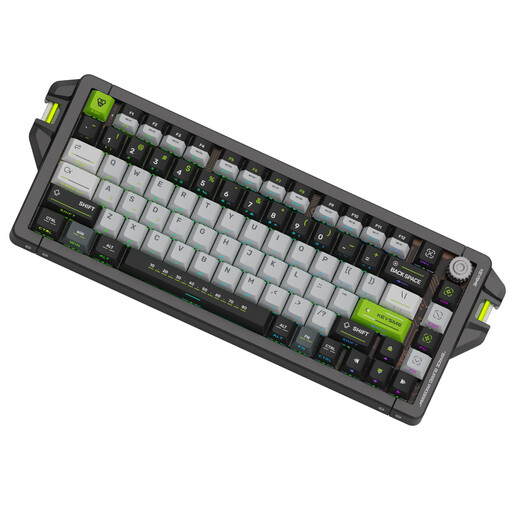 No image available
The 75% layout is worth considering if you’re looking for a more compact setup.
US QWERTY layout; wired via Type-C according to the product description.
 No image available
The compact design may suit a desk with little space available beside the keyboard.
60% size; USB-C connection according to the product description; US QWERTY layout.
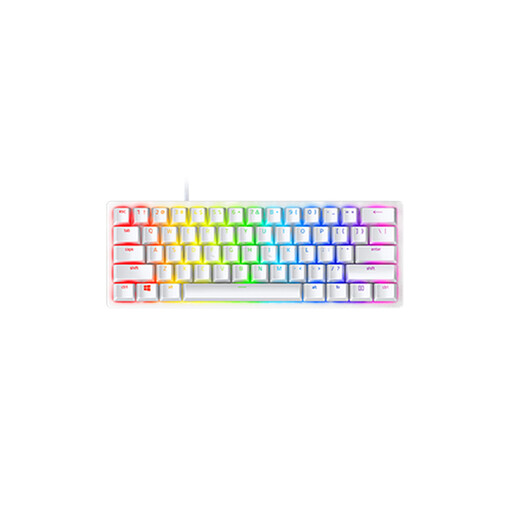 No image available
A compact version to consider if desk space matters more than having a numeric keypad.
60% size; US QWERTY layout; detachable USB-C cable according to the product description.
 No image available
This compact layout may suit you if desk space is limited, but not if you often need a numeric keypad.
60% layout without a numeric keypad; US QWERTY layout; USB connection according to the product description.
Not if you always use the same computer and it has a suitable USB port; a wired model such as the K120 may be all you need. A wireless model such as the Logitech K950 may be useful if you genuinely switch between devices; Logitech says it can connect to up to three.
Follow the cleaning instructions from the manufacturer of your model. For its own keyboards, Microsoft recommends disconnecting them before cleaning, not applying liquid directly and wiping the surface with a slightly damp, lint-free cloth. These instructions don’t automatically apply to other brands.
For a standard online consumer purchase, ACM ConsuWijzer says you generally have a statutory cooling-off period of up to 14 days after delivery, subject to exceptions. If the keyboard doesn’t do what you could reasonably expect during normal use, statutory guarantee rights may apply; in the Netherlands, there isn’t automatically one fixed two-year period for every keyboard.
Not simply because a desk is shared. Arboportaal states that for employees who work at a screen for more than two hours a day, the screen and keyboard must not be attached to each other. Whether this requirement applies to your work depends on the circumstances.