What should you consider when choosing?
First, work out how often you enter runs of figures and how much desk space you want to keep free. Then consider noise and the connections available at your shared workstation.
| Consideration |
What to look for when buying |
Who is this important for? |
| Entering figures |
Check whether the model has a numeric keypad and how your application handles decimal separators. |
If you often enter sales figures, quick access to a numeric keypad can be useful. Around 29% of consumers prioritise entering figures. |
| Key noise |
Check what the manufacturer says about the exact model, and try the key feel yourself if possible. |
If you work alongside colleagues, you may want to consider noise without relying on an unverified noise ranking. Around 29% of consumers put keeping things quiet for others first. |
| Desk space |
Measure the space for your keyboard and mouse, then weigh it against how often you use the numeric keypad. |
If you want to leave room for your mouse, a model without a built-in numeric keypad may suit the way you work. Around 24% of consumers prioritise desk space. |
| Connectivity and switching |
Check the available ports, supported connections, keyboard layout and any software requirements. |
If you often switch workstations or computers, choose a connection that works with your devices. Around 18% of consumers put connectivity and portability first. |
Keyboards at Joybuy
This selection includes keyboards with numeric keypads, more compact versions, and models for wireless use or switching between devices.
 Image unavailable
Apple Magic Keyboard with Touch ID and numeric keypad
An option to consider if you’re looking for a keyboard with a numeric keypad for entering figures.
The product name mentions Touch ID and a numeric keypad.
View at Joybuy
 Image unavailable
Trust Lyra keyboard with mouse, RF and Bluetooth, QWERTY US English, blue
An option to consider if you’re looking for a more compact version and want a mouse included in the set.
The product name mentions RF, Bluetooth and the QWERTY US English layout.
View at Joybuy
 Image unavailable
Trust Trezo Comfort wireless keyboard and mouse set, quiet keys, wrist rest, US/QWERTY, black
An option to consider if you’re looking for a keyboard and mouse set for entering figures.
The product name mentions quiet keys, a wrist rest and the US/QWERTY layout; the set includes a mouse.
View at Joybuy
 Image unavailable
Trust Vaiya wireless full-size keyboard with numeric keypad, scissor-mechanism keys, QWERTY US, black
An option to consider if you’re looking for a full-size keyboard with a numeric keypad.
The product name mentions scissor-mechanism keys and the QWERTY US layout.
View at Joybuy
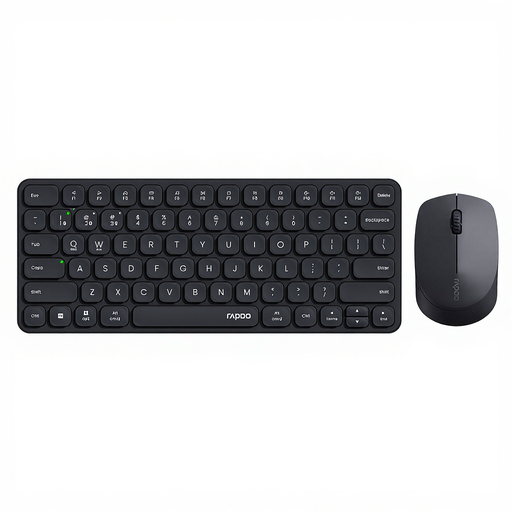 Image unavailable
Rapoo 9010M keyboard and mouse set, 2.4GHz and Bluetooth 5.0/4.0, up to four devices
An option to consider if you’re looking for a keyboard and mouse for multiple devices.
The product name mentions 2.4GHz, Bluetooth 5.0/4.0 and support for four devices; this is a keyboard and mouse set.
View at Joybuy
Frequently asked questions
Do you need a built-in numeric keypad for a sales dashboard?
No, not always. If you enter lots of figures, a built-in keypad can be handy. If you mainly want more room for your mouse and rarely enter figures, consider a compact keyboard with a separate numeric keypad.
What should I check when connecting to a shared work computer?
Check that the computer supports the required connection or wireless technology, and that the keyboard layout and any software are suitable. Trust lists a USB receiver for the Ody II; Logitech says the MX Keys S can switch between up to three devices.
Why does the decimal separator sometimes work differently than expected?
Excel uses the separators set in your system settings by default and also has its own settings. Test your input in the software you use for your dashboard; Excel’s settings do not determine how every other application works.
Does an employer in the Netherlands have to provide a separate keyboard for prolonged screen work?
According to Arboportaal, the screen and keyboard must not be attached to each other when an employee works at a screen for more than 2 hours a day. If they use a laptop, they must be able to use a separate screen or keyboard; this does not require the employer to choose a particular model.
What return and warranty rights apply to a purchase?
For an online purchase from a business as a consumer, you generally have 14 days to change your mind, subject to exceptions. The Dutch government also distinguishes between buying from a business and buying from a private seller. Consumer products are also covered by a legal guarantee, with no fixed warranty period in the Netherlands. If a product is faulty, contact the seller. These consumer rules do not necessarily apply to a purchase made by an employer.


