What should you look for when choosing?
First, think about what you do most often while writing: finding scenes, typing for long periods, adjusting your hand position or switching between devices.
| What to consider |
What should you look for when buying? |
Who is this most important for? |
| Finding and rearranging scenes |
Check the placement of the navigation keys and whether shortcuts work in your writing software. In Word for Windows, you can use heading styles to find headings in the Navigation pane. |
If I often jump between scene headings while revising, I want to find headings quickly and move text around. Around 33% of consumers give scene navigation top priority. |
| Typing without disturbing others |
Try the key feel for yourself if possible. Check that any claim about quiet operation applies to the exact model. |
When I write dialogue in a shared space, I pay attention to the feel and sound of the keys. Around 25% of consumers prioritise quiet typing. |
| Hand position during long sessions |
Consider how much desk space the keyboard and mouse take up, and whether you can position a split layout comfortably. Remember to allow time to get used to it and to take breaks. |
During long writing sessions, I want to decide for myself where to position my hands and mouse on the desk. Around 25% of consumers prioritise hand position. |
| Switching between devices |
Check which devices and connections the model supports, and whether its layout suits you. |
If I write in different places, I want to be able to switch between devices that work with the keyboard. Around 17% of consumers give device switching top priority. |
Keyboards on Joybuy for writing and revising scenes
These keyboards are designed for typing. Focus on the layout, how much space each model takes up and whether its connection options suit your workspace.
 No image available
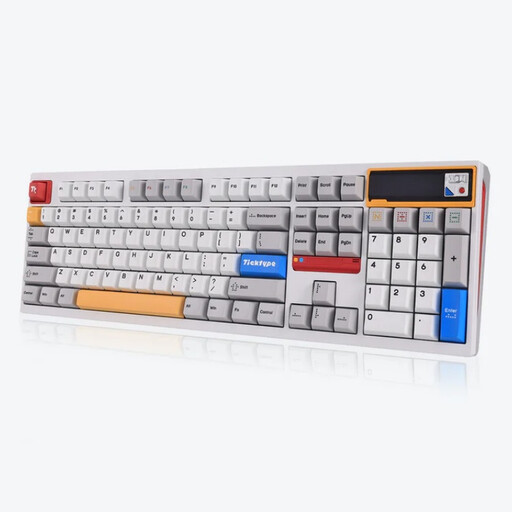
Ticktype DP104 Tri-Mode, 108 keys, US layout, Powder White
A good fit if you’re looking for a full-size keyboard with a numeric keypad and several connection options for a fixed or flexible workspace.
The product name lists 108 keys, a US layout and quiet tactile switches. Check that the US layout suits your preference.
View on Joybuy
 No image available
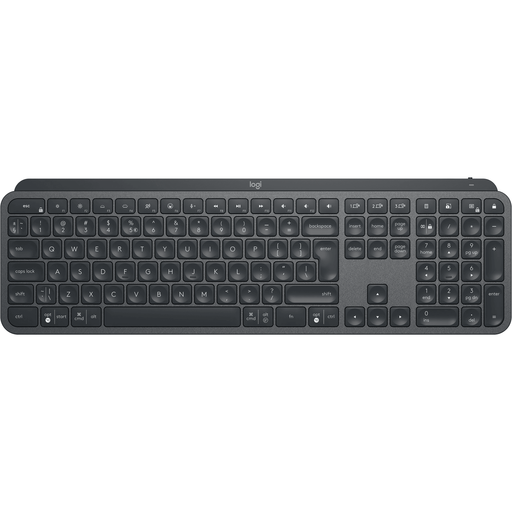
Logitech MX Keys for Business, QWERTY US
Worth considering if you switch between devices or want to customise keys for tasks you do regularly.
The product name lists a QWERTY US layout. Check that it suits you and that the features you want work with your software.
View on Joybuy
 No image available
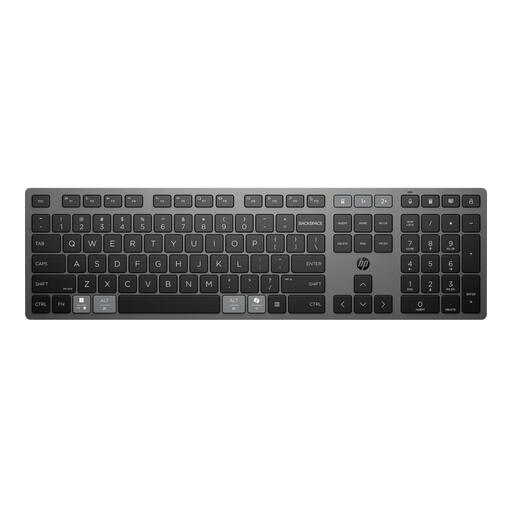
HP 725 Multi-Device rechargeable wireless keyboard
A good fit if you want to work wirelessly and customise keyboard actions. Check that the features you want work with your writing software.
The product name describes a rechargeable wireless keyboard. Before buying, check that the layout and connection options meet your needs.
View on Joybuy
 No image available
Trust Vaiya wireless keyboard, full-size, QWERTY US
An option if you want a full-size keyboard and switch between devices. Check that the available connections work with your devices.
The product name lists a numeric keypad and scissor-style keys. Check that the QWERTY US layout suits you.
View on Joybuy
 No image available
Ajazz AK820 Pro 75%, Tri-Mode, QWERTY US, Flying Fish Switch Gray
A good fit if you’re looking for a more compact layout with several connection options.
The product name lists a 75% layout, a TFT screen, and wired, Bluetooth and 2.4GHz connections. Check that the QWERTY US layout suits you.
View on Joybuy
Frequently asked questions about keyboards for scripts
Do I need a special script keyboard to find scenes as sections?
No. The key factor is the functionality of your writing software. Microsoft Support explains that headings with heading styles applied appear in the Navigation pane in Word for Windows, where you can jump between headings and move sections around. For other programmes, check their own outline features.
How should I set up for longer writing sessions?
Adjust your workspace to suit your needs, change your posture and take regular breaks from screen work. Arboportaal recommends changing position, regularly looking away from the screen and taking microbreaks. A split keyboard alone is no guarantee against discomfort.
What rules apply if I use this keyboard with a laptop for work?
For employees who work at a screen for more than two hours a day, Arboportaal describes rules stating that the screen and keyboard must not be attached to each other. In that situation, laptop users must be able to use a separate screen or keyboard. This is not a general buying requirement for every private individual who writes.
What can I do if I don’t like the feel of the keys after buying online, or the keyboard breaks too soon?
For online consumer purchases, you generally have a statutory cooling-off period of up to 14 days after delivery, subject to exceptions. ACM ConsuWijzer explains the cooling-off period and the applicable conditions. You are also entitled to a statutory guarantee if a product, when used normally, does not do what you could reasonably expect. This is separate from any manufacturer’s warranty.


