Who is this guide for?

Programmers who debug frequently

You want to work with code, breakpoints and step-by-step execution without having to search for hard-to-reach keys. Check the shortcuts for your own editor; the Visual Studio Code and Microsoft documentation shows how editor commands are mapped to keys.

Programmers with limited desk space

You want to bring your mouse closer to the keyboard without losing important coding and navigation keys. TNO’s factsheet on display screen work highlights a narrow keyboard as something to consider, so compare the model’s actual layout and width.

Programmers looking to adjust their hand position

You prioritise being able to adjust your hand position and want to know whether a split layout suits the way you type. Kinesis describes the adjustable positioning of the Freestyle2; Arboportaal also highlights the importance of varying your posture.

What should you look for when choosing?

What to consider What to look for Who will find this important?
Debugging and navigation keys Check the exact key layout and test the shortcuts for your editor, operating system and keyboard mode. If I often set breakpoints or step through code while debugging, I want to be able to use the keys I need straight away. Around 31% of consumers prioritise debugging controls.
Code symbols and layout Check whether the layout is ANSI or ISO, the key legends for that version and the keyboard layout set in your operating system. If I type lots of code symbols, I want to know where they are on the physical keys and which shortcuts go with them. Around 25% of consumers prioritise code symbols and a familiar layout.
Hand position and mouse space Consider the keyboard’s width and adjustability alongside the space available at your workstation. If I want to be able to position my hands and mouse differently, I look for a layout that suits my workstation. Around 25% of consumers prioritise an adjustable hand position.
Typing sound Check the exact switch type and, if possible, try it in a similar environment. If I work in a shared space, I want to take typing sound into account without relying solely on a switch’s name. Around 19% of consumers prioritise a suitable noise level.

Things to consider when buying

  • Assuming every compact keyboard works the same for debugging

    Your editor’s shortcuts and the physical layout together determine how you work with breakpoints and step through code. In Visual Studio Code, for example, F5, F9, F10 and F11 are assigned to debugging actions; other editors or customised shortcuts may differ.

    Check the layout of the exact version and test the shortcuts with your own editor and keyboard mode.

  • Assuming barebone and fully assembled versions are the same

    According to Keychron, the barebone version of the V1 Max does not include switches or keycaps. You may therefore need to buy these separately to complete the keyboard.

    Check what’s included with the specific version before ordering.

  • Assuming an ergonomic label will resolve discomfort

    A keyboard’s shape is no substitute for a suitable workstation setup or varying your posture. A product is not a treatment for discomfort.

    Consider the keyboard alongside your workstation, and seek appropriate advice if you experience discomfort.

  • Checking only the model name

    The same model name may be used for different country layouts, switch types or package contents. This can affect how the keys feel or where the symbols appear.

    Check the full version details and, where available, the item number.

Brands to consider

Keychron

The V1 Max we reviewed is a customisable 75% keyboard for anyone looking to tailor the layout and macros to the way they work.

  • According to Keychron, the version reviewed supports key remapping and has an ANSI layout.
  • According to Keychron, the barebone version does not include switches or keycaps. Make sure you’re comparing the right version of the V1 Max, too.

Logitech

The MX Mechanical Mini is a compact option with a choice of switch types and the ability to connect to multiple devices.

  • Logitech lists Tactile Quiet, Clicky and Linear switches, and says the keyboard can connect to up to three devices.
  • The product name is not proof of an independently measured sound level. Check the version and layout on offer.

Kinesis

The international Freestyle2 is worth considering if you want to position the left and right halves separately.

  • Kinesis describes ISO versions with country-specific key legends and room to adjust the distance between the two halves.
  • Check the version and accessories. Kinesis’s own store page, which we reviewed, only supports customers in the United States and does not confirm delivery to buyers in the Netherlands.

CHERRY

The KC 6000 SLIM is a full-size, wired keyboard with a scissor mechanism, for anyone who wants to keep a number pad.

  • CHERRY specifies a full-size layout, USB-A, Windows compatibility and no backlighting.
  • Several country-specific versions are available, so check the item number and layout of the version you’re considering.

Keyboards at Joybuy

These keyboards may suit anyone looking for a compact or customisable mechanical layout for programming and debugging. Check the physical layout and the version you need for each model.
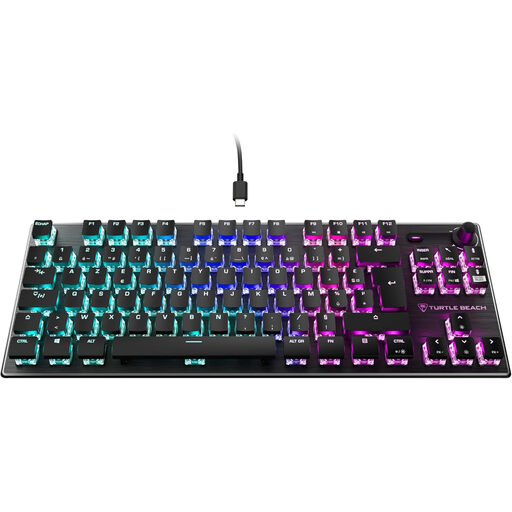
Turtle Beach Vulcan TKL AZERTY keyboard with linear Titan switches

Turtle Beach Vulcan TKL, AZERTY

The TKL layout may suit a compact desk setup; check that the AZERTY key positions match your selected layout and the symbols you use for coding.

Wired, with linear Titan switches and RGB lighting.

Joybuy
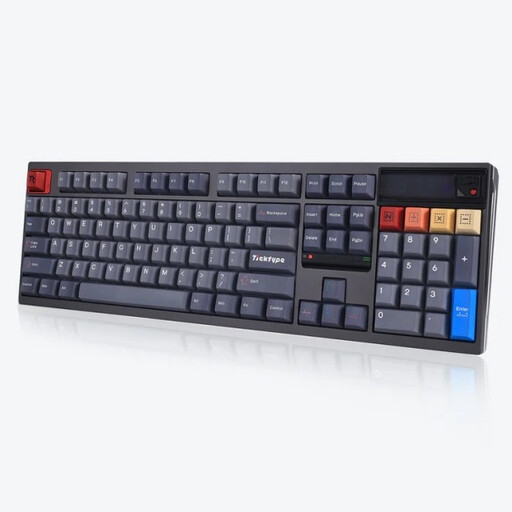
Ticktype DP104 full-size keyboard with US layout and Silent Tactile switches

Ticktype DP104, 108 keys, US layout

The full-size layout may suit you if you’re looking for a 108-key keyboard with a quiet tactile switch type; check that the physical US layout works for you.

The product name lists tri-mode connectivity, hot-swappable switches and Silent Tactile switches.

Joybuy

AJAZZ AK820 MAX 75% keyboard with US QWERTY layout

AJAZZ AK820 MAX, 75%, US QWERTY

The 75% layout with 82 keys may suit you if you want a compact keyboard with arrow keys and a function row; check that the US QWERTY layout works for the code symbols you use.

The product name lists a wired connection, Bluetooth and 2.4G, hot-swappable switches and Flying Fish switches.

Joybuy
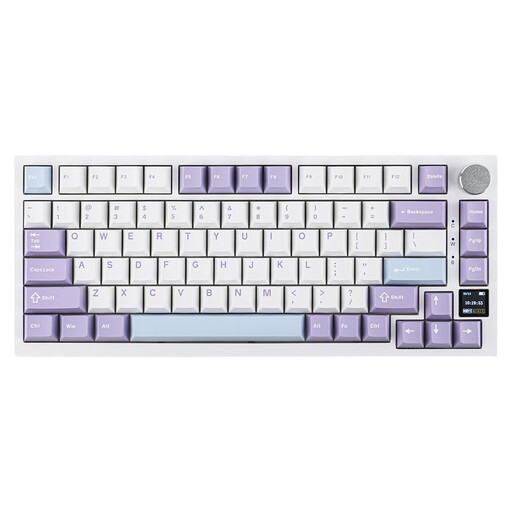
AJAZZ AK820 Pro 75% keyboard with US QWERTY layout and purple switches

AJAZZ AK820 Pro, 75%, US QWERTY, purple switches

The 75% layout with 82 keys may suit you if you’re looking for a compact keyboard with arrow and function keys; check the US QWERTY layout and switch type.

The product name lists USB-C, Bluetooth and 2.4G, hot-swappable switches and PBT keycaps. The stated compatibility includes Win/Mac/PC.

Joybuy

Razer DeathStalker V2 Pro Tenkeyless keyboard with US layout

Razer DeathStalker V2 Pro Tenkeyless, US layout

The tenkeyless layout may suit a compact setup; check that the US key positions work for the code symbols you use.

The product information lists optical switches, wireless connectivity and USB-C. It also mentions programmable keys and macro recording.

Joybuy

Frequently asked questions

Do I need a keyboard with dedicated F keys for debugging?

It depends on your editor and the shortcuts you’ve set. By default, Visual Studio Code uses F9 for a breakpoint and F5, F10 and F11 for debugging actions, among other shortcuts; Microsoft also notes that shortcuts can be customised. Check how the keys work on your chosen keyboard and in your keyboard mode.

How should I set up a split keyboard?

Start with the two halves close together, then gradually adjust their position to suit your hands and workstation. Kinesis describes this approach for the Freestyle2. Arboportaal also recommends paying attention to a relaxed working posture and varying your position.

Do I need to buy any extra parts for a hot-swappable keyboard?

It depends on the version. According to Keychron, the barebone version of the V1 Max does not include switches or keycaps, while the fully assembled version does. Check what’s included with the exact version you choose.

What are the rules on warranties and returns in the Netherlands?

For a faulty consumer product, the seller must provide a solution according to the Dutch government; there is no fixed statutory warranty period that applies to all products in the Netherlands. For online purchases, ACM ConsuWijzer says you generally have a statutory cooling-off period of up to 14 days after delivery, with some exceptions. Check the terms that apply to your specific purchase.

Do I need to buy a particular keyboard for programming?

The workplace requirement described does not specify a particular model. Arboportaal states that, for employees who work at a display screen for more than 2 hours a day, the screen and keyboard must not be attached to each other. Whether this requirement applies to your workplace depends on your working situation.
