What should you look for when choosing?
Start with your main task: typing, carrying out repetitive commands, making room for your mouse or switching between devices.
| Consideration |
What should you check? |
Who is this important for? |
| Typing and repetitive commands |
Compare the physical layout with your keyboard shortcuts and check that the configuration software works on your computer. |
If I’m writing tutorial text and carrying out the same commands often, I want to switch easily between typing and keyboard shortcuts. Around 36% of consumers give typing and access to repetitive commands top priority. |
| Hand position when typing for long periods |
Compare the keyboard’s shape and layout with the space on your desk, and plan to take breaks during long sessions. |
When I’m writing for longer periods, the main thing I want is a keyboard layout that suits my preferred hand position. Around 29% of consumers prioritise hand position when typing for long periods. |
| Mouse space with side-by-side windows |
Measure the available space and check that the keys you use often remain within easy reach. The application controls how the windows are displayed. |
If I’m viewing text and images at the same time, I want to be able to use my mouse beside the keyboard. Around 21% of consumers give mouse space top priority. |
| Switching between devices |
For each version, check how many devices you can pair and whether the cable also transfers data. |
When I’m writing or reviewing a tutorial on different devices, I want to be able to switch easily. Around 14% of consumers prioritise switching between devices. |
Compact keyboards at Joybuy
These Joybuy product picks are compact keyboards for anyone looking to keep space free beside their mouse; the product names specify 75% or 60% layouts.
 No image available
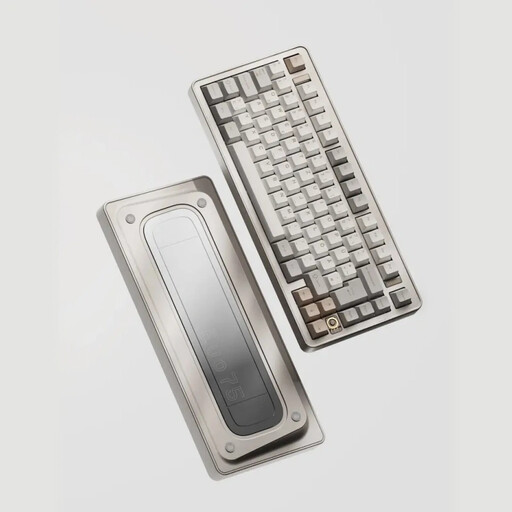
Ticktype EVO75 Custom Tri-Mode Wireless Mechanical Keyboard, US Layout, Creamy Rye Switches
A good fit if you want to keep space free beside your mouse and customise your key layout; the product name specifies a 75% layout and VIA compatibility.
The product name specifies hot-swappable switches and a US layout. Check that the key legends suit your preference.
View at Joybuy
 No image available
AJAZZ AK820 MAX 75%, US QWERTY, Flying Fish Switches
The 75% layout could be a good fit if you use a keyboard and mouse on a desk with limited space.
The product name specifies a US-QWERTY layout and hot-swappable switches. Check that the key legends suit the way you use your keyboard.
View at Joybuy
 No image available
AJAZZ AK820 Pro 75%, US-layout, Flying Fish Switch Gray
The 75% layout could suit you if you’re looking for a more compact keyboard while still leaving room for a mouse.
The product name specifies a US layout, a TFT screen and hot-swappable keys. Check that the key legends match your preference.
View at Joybuy
 No image available
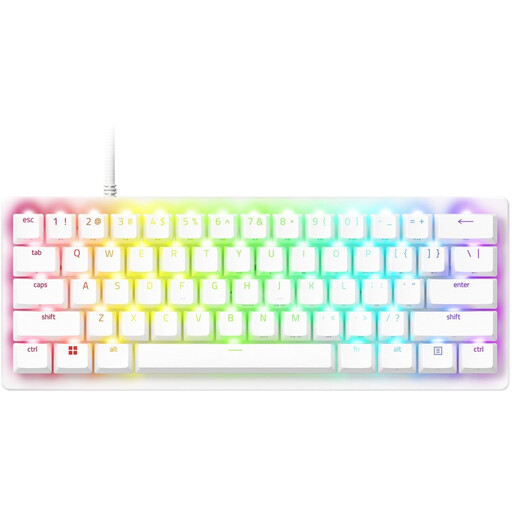
Razer Huntsman V3 Pro Mini, White, US Qwerty Layout
The compact 60% form could be a good fit if you need to keep space free on your desk beside the keyboard.
The product name specifies a white version and a US-QWERTY layout. Check that the key legends are familiar to you.
View at Joybuy
 No image available
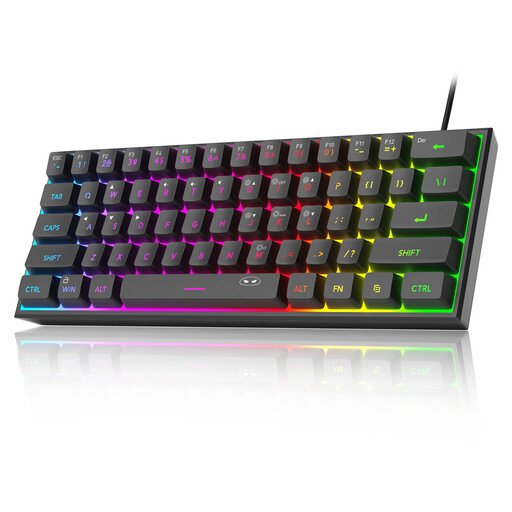
MageGee TS91 60%, Wired, US QWERTY, Black
The compact 60% form could be worth considering if you want to keep desk space free for your mouse.
The product name specifies 61 keys, a wired connection and a US-QWERTY layout. Check in advance that this layout suits the way you use your keyboard.
View at Joybuy
Frequently asked questions
Do I need a special keyboard to view documents or images side by side?
No. In Word, you can compare two open documents by selecting View > View Side by Side. In Photoshop, you can tile open image windows by selecting Window > Arrange. Choose your keyboard based on the keys and shortcuts you need, and the space you want to leave for your mouse.
How can I check Photoshop shortcuts before programming keys?
In Photoshop for desktop, select Edit > Keyboard Shortcuts to view commands and existing keyboard shortcuts. Then check that the configuration software for your chosen keyboard works on your system.
What should I check when buying a wireless keyboard?
Check which connections the exact version supports and which ports your computer has. Don’t assume a charging cable also enables wired input: according to Ergowerken, the white R-Go Split Break version reviewed does not work as a wired keyboard when the cable is connected. CHERRY does list data transfer via cable for the KW 9200 MINI.
Does an ergonomic keyboard mean I don’t need breaks during long tutorials?
No. Arboportaal recommends alternating screen work with other tasks or taking a break. The rules on alternating tasks described by Arboportaal apply to employers and employees; they are not a product feature or a general requirement for every individual writer.
What cooling-off period and warranty apply to an online purchase in the Netherlands?
For a consumer purchase, the product must meet what you can reasonably expect under normal use. According to ACM ConsuWijzer, the statutory guarantee does not have a fixed term of exactly two years. For distance purchases from a business, the Dutch Government states that a 14-day cooling-off period applies in many cases. Check the terms that apply to your specific purchase.


