
For frequent photo selection
You regularly sort or review photos and want to check whether you can customise shortcuts for the photo-editing software you use.


You don’t need a special keyboard for a two-screen photo-editing workstation: your computer and photo-editing software handle the screen layout. Choose a keyboard to suit your workflow. Programmable keys can be useful for repetitive photo-editing tasks, while a compact model leaves more room for your mouse. Multiple connection channels are most useful if you switch between computers. Check the layout, connection type and any software you may need, too.
You regularly sort or review photos and want to check whether you can customise shortcuts for the photo-editing software you use.
You want to leave room for your mouse alongside two screens, so you’re considering the keyboard’s size and whether its layout suits your hands.
You switch between separate devices, so multiple connection channels could come in handy. Having two screens connected to one computer doesn’t, by itself, mean you need to switch between devices.
First, decide whether you want to customise shortcuts, save desk space, switch between computers or simply connect via USB. Then compare the keyboard layout, connection type and any software with your own set-up.
| What to consider | What to look for | Who is this important for? |
|---|---|---|
| Shortcuts for photo editing | Check that your photo-editing software supports the commands you want and whether customising them requires software or a cable. | I want to tailor recurring photo selection and organisation tasks to my photo-editing software; around 36% of consumers in this breakdown prioritise shortcuts. |
| Space and fit | Compare the dimensions and layout; compact models may not have a separate number pad. | I want enough room for my mouse beside the keyboard and a layout that feels comfortable for my hands; around 29% of consumers prioritise space and fit. |
| Connecting to devices | Check how many Bluetooth channels there are, whether a receiver is needed and which devices are supported. | I switch between separate computers and want to know how to connect to each one; around 21% of consumers prioritise switching between devices. |
| Simple USB connection | Check that you have a suitable USB port, where the cable will run and whether the layout suits you. | I use one computer and want to connect my keyboard without wireless pairing; around 14% of consumers prioritise easy connection. |
Multiple connection channels let you switch between devices. Your computer and photo-editing software handle the display across two monitors.
First, decide whether you use one computer or several separate devices. Only then compare the number of connection channels.
The CHERRY KW 9200 MINI and Kensington KB675 EQ TKL don’t have a separate number pad. The Keychron K3 Max has a 75% layout.
Compare the layout of the exact model with the keys you use regularly in your photo-editing software.
According to ACM ConsuWijzer, statutory rights in the Netherlands don’t automatically expire after a fixed two-year period. The manufacturer’s warranty is separate.
Keep your proof of purchase and contact the retailer if you need to make a claim under your statutory rights.
The MX Keys S is worth considering if you’re looking for programmable functions, while the K120 is a straightforward wired model for a permanent desk set-up.
The K3 Max is a compact mechanical option with a 75% layout and customisable keys.
The KW 9200 MINI is a compact option to consider if you want to switch between devices.
The Pro Fit Ergo KB675 EQ TKL is a shaped, compact layout to consider if its design suits your hands.
The HP 725 Multi-Device Rechargeable Wireless Keyboard is worth considering if you want to switch between devices and use programmable keys.
These Joybuy products cater for compact workspaces, customisable keys, switching between devices or a direct USB connection.
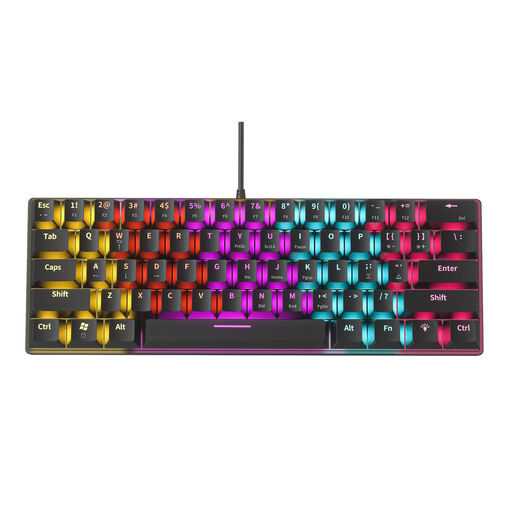 No image available
A compact wired option for a permanent desk set-up with one computer.
61 keys; wired USB connection with plug-and-play.
The product name lists 12 RGB lighting effects.
 No image available
A compact option if you want to save desk space and have several connection options.
75% layout with 82 keys; Bluetooth, 2.4 GHz and USB-C.
The listed compatibility includes Windows and macOS. Check that the US QWERTY layout suits your needs.
 No image available
A compact option to consider if you want to customise keys for recurring tasks.
60% layout, USB-C and programmable keys; the description lists up to six profiles.
For advanced settings, the product information lists Razer Synapse. Check that the US QWERTY layout suits you.
 No image available
A compact option if you want to customise keys for repetitive tasks and have limited desk space.
60% layout and wired USB connection; the product information lists up to five profiles.
For remapping keys and assigning macros, the product information lists Razer Synapse 3.
 No image available
An option if you switch between several devices and want programmable keys.
Full-size layout; two Bluetooth connections and one dongle connection, according to the product information.
The full-size layout is less compact if you want to leave room for your mouse. Check whether the version includes the receiver you need.
No, not just because you have two screens. If both screens are connected to one computer, you set up the layout on that computer. Adobe says Lightroom Classic can display a second window on a connected second monitor; check which views your own photo-editing software supports.
Adobe says that, when multiple windows are open, commands apply to photos selected in the main window, regardless of the selection in the second window. So first check which photo is selected in the main window.
According to Logitech, the Logitech K120 connects via USB without requiring software installation. For customisation via Keychron Launcher, Keychron recommends a wired connection; the Launcher won’t recognise the keyboard over Bluetooth or 2.4 GHz. Follow the instructions for your chosen version when pairing, charging and cleaning it.
No. ACM ConsuWijzer explains that the law doesn’t specify a fixed warranty period: what you can reasonably expect from a product depends, among other things, on normal use. The retailer is your point of contact for statutory rights; the manufacturer’s warranty is separate.
Yes, applicable European requirements apply to radio equipment. The Dutch Authority for Digital Infrastructure states that manufacturers apply the CE mark when these requirements are met. A statement on a product page alone doesn’t prove that a specific version complies.