
Programmers who use lots of shortcuts
Want to work with code, source files and documentation using a layout that suits the symbols and navigation keys they need.


Start with a layout that makes it easy to use the symbols, navigation keys and shortcuts in your development environment. Then decide whether you only need to type offline or also want to reprogramme keys without an internet connection. A full-size keyboard has a dedicated number pad, a compact model leaves more room for your mouse, and a split model gives you more options for adjusting your hand position. Check the exact version and connection type; manufacturers’ comfort claims are no guarantee against discomfort.
Want to work with code, source files and documentation using a layout that suits the symbols and navigation keys they need.
Want to know whether they can set up keys and macros without an internet connection, not just whether the keyboard works offline.
Compare the space available for their mouse and the options for adjusting their hand position as part of their workstation setup.
Check the layout and offline configuration options for each version, then weigh them against the space on your desk and the key feel you want.
| Buying concern | What to check before buying | Who this matters to |
|---|---|---|
| Layout for coding and navigation | Check the physical layout, key legends, navigation keys and any function layer on the exact version. | If I code and enter source data, I want the symbols and key combinations to suit the way I work. Around 31% of consumers prioritise the layout for coding and navigation. |
| Setting up keys without an internet connection | Check which remaps and macros work locally on the exact version, and which require an app or website. | If I use documentation offline, I also want to know whether I can change key functions without an internet connection. Around 31% of consumers give offline configuration top priority. |
| Hand position during long periods of work | Consider the keyboard, mouse and screen together; don’t treat ergonomic claims as a guarantee against discomfort. | If I spend long hours at a screen, I take into account the distance to my mouse and how adjustable my hand position is. Around 23% of consumers prioritise their working posture. |
| Key feel and number entry | Compare the key type and check whether you need a dedicated number pad; don’t assume a keyboard will be quiet based on its type. | If I enter lots of numbers or want a particular key feel, I want to know whether the keyboard is right for me. Around 15% of consumers give key feel and number entry top priority. |
Being able to type offline doesn’t automatically mean you can change keys and macros without an internet connection.
Check separately whether normal typing, remaps and macros work offline on the exact version.
Versions in the same model range can have different country layouts. The Keychron V6 Max specification reviewed lists ANSI; CHERRY lists different country layouts for different product codes.
Check the photo and specification for the specific version, not just the brand and model range.
A keyboard is just one part of your workstation. Long periods of screen work can involve repeated hand and finger movements.
Consider the position of your mouse and screen too. Don’t treat manufacturers’ comfort claims as a proven outcome for every user.
The V6 Max is a full-size mechanical keyboard with a number pad, aimed at people looking for hot-swappable switches and configurable keys.
The wired Advantage360 SmartSet is designed for people who want to position the two keyboard halves separately and programme keys on the device.
The wired S-board 840 is a compact alternative without a separate number pad.
The KC 6000 SLIM is a full-size keyboard with a scissor mechanism and a dedicated number pad.
This selection includes compact and full-size keyboards for coding and entering source data. Check the key layout for each version and whether you can configure it offline as required.
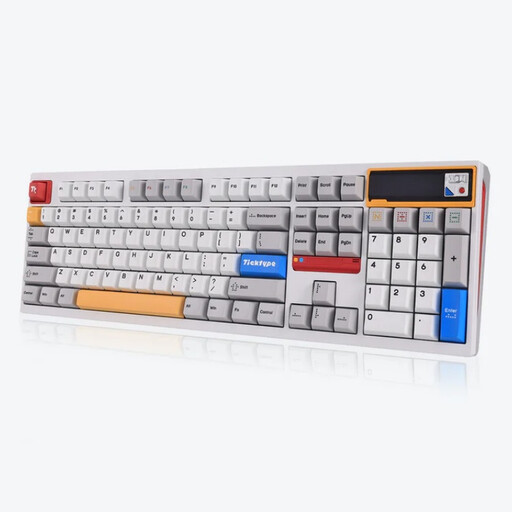 No image available
A full-size layout may suit you if you enter lots of numbers and want a tactile key feel.
The product name lists 108 keys, hot-swap switches, Silent Tactile Switches and a US layout.
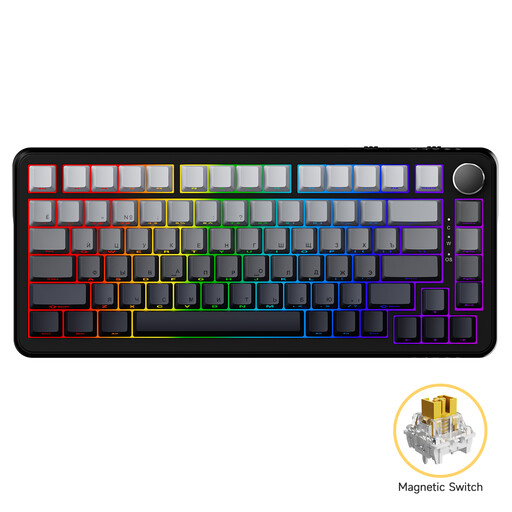 No image available
A compact layout may suit you if you want to save desk space next to your mouse.
The product name lists magnetic switches, adjustable actuation and hot-swap switches.
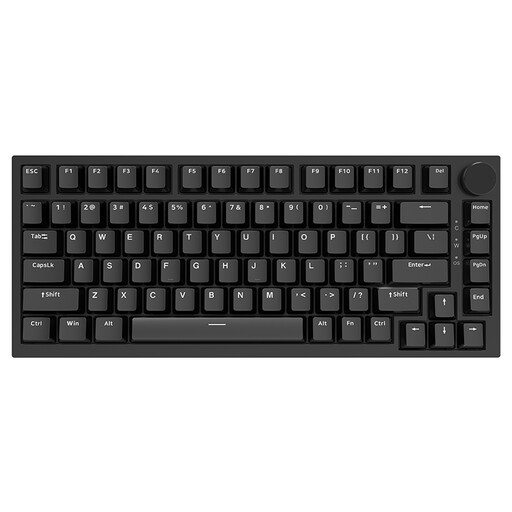 No image available
This wired model may suit you if you’re looking for a compact mechanical layout.
The product name lists 83 keys, hot-swappable linear switches and a US QWERTY layout.
 No image available
A compact layout may suit you if you’re looking for a mechanical keyboard with interchangeable switches.
The product name lists 82 keys, hot-swappable switches and connection options via cable, Bluetooth or 2.4 GHz.
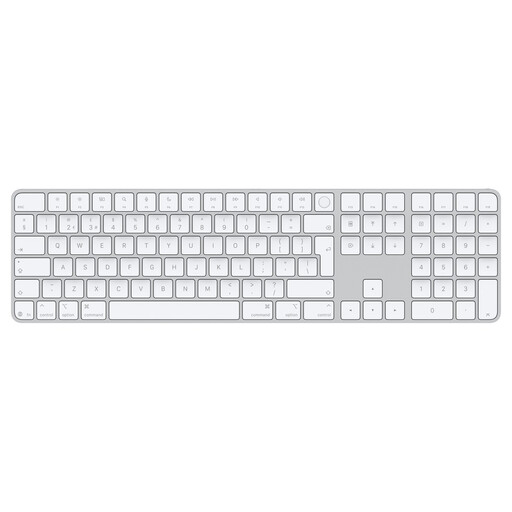 No image available
This model may suit you if you’re looking for a Dutch version with a dedicated numeric keypad and document navigation keys.
The product name states that it is designed for Mac models with Apple silicon.
That depends on the configuration options for the exact keyboard version. Kinesis says remaps and macros can be set up on the wired Advantage360 SmartSet without an internet connection; Keychron Launcher is described as a web app for the Keychron V6 Max. Check which functions you need offline before choosing.
Check the port and connection required for the exact version. The specification for the CHERRY KC 6000 SLIM reviewed lists USB-A; the Advantage360 SmartSet is the wired version. Follow the instructions for your chosen model when cleaning it or making any firmware changes.
No. According to the Government of the Netherlands, there is no fixed statutory guarantee period in the Netherlands: a product must meet what you can reasonably expect of it. If a product is faulty, the seller must provide a solution; a manufacturer’s guarantee is separate.
For distance purchases from a business, the Government of the Netherlands says you will often have a 14-day cooling-off period. Check the terms that apply to your purchase; these rules do not apply in the same way when you buy online from a private seller.
For employees who spend more than two hours a day working at a screen, Arboportaal describes a workstation requirement under which the screen and keyboard must not be attached to one another; when using a laptop, it must therefore be possible to use a separate screen or keyboard. This is a conditional workstation requirement, not a general purchasing requirement for every home user.