
Local app developer
Wants to work on the app locally and compare straightforward USB typing with optional key customisation. Logitech describes the K120 as ready to use over USB; Keychron and Kinesis describe models with customisable keys.


Start with a keyboard that works straight away over USB if you don't want to use extra software for basic typing. A split model may suit long typing sessions where you want to position each half separately; check separately whether any programming features work without cloud tools.
Wants to work on the app locally and compare straightforward USB typing with optional key customisation. Logitech describes the K120 as ready to use over USB; Keychron and Kinesis describe models with customisable keys.
Spends long periods working on the app and wants to adjust the keyboard, mouse and workstation to suit their posture. Arboportaal advises setting up the workstation to suit the user.
Types alongside others and considers key noise and a practical layout. CHERRY describes the KC 1000 keys as quiet; this is a product description, not a comparative sound measurement.
Start with the layout and basic operation you need; then consider whether programmable keys, a split layout or extra software features would be useful.
| Priority | What to look for when buying | Who is this important to? |
|---|---|---|
| Typing locally straight away | Logitech describes the K120 as USB plug-and-play, with no download needed for basic typing. Kinesis describes key customisation on the Advantage360 SmartSet USB. Check which extra features require software. | I want to start typing without first setting up keyboard software or a cloud account. Around 31% of consumers prioritise typing locally straight away. |
| Layout for coding | Check the physical layout and your computer’s keyboard settings. Keychron describes the C3 Pro as TKL; Logitech lists a number pad for the K120. | When coding and entering rota details, I want punctuation and numbers where I expect them to be. Around 25% of consumers prioritise a layout for coding. |
| Posture during long sessions | Consider how the keyboard, mouse and furniture work together. R-Go describes movable halves; Arboportaal advises setting up the workstation to suit the user. | During long sessions, I want to be able to adjust my setup to suit my workstation. Posture is the top priority for around 19% of consumers. |
| Key noise in a shared space | Check the specific version and type of keys. CHERRY describes the KC 1000 keys as quiet, but this is not an independent sound measurement. | When I work alongside others, I want to be mindful of typing noise. Around 13% of consumers prioritise quiet keys. |
| Simplicity without unnecessary extras | Decide which features you will use and check the connection and layout. Logitech describes the K120 as suitable for basic typing without a download. | I don't want to choose features I don't need and would rather keep things simple. Around 12% of consumers prioritise simplicity without unused extras. |
A keyboard may work straight away over USB, while an extra feature you want may require software or configuration. For example, R-Go says the break indicator on the R-Go Split Break is software-controlled.
Decide in advance which features you need without extra tools. Consider key customisation and a break indicator separately from ordinary typing.
The models reviewed differ in their physical layouts and whether they include a number pad.
Check the version and your computer’s keyboard settings against the characters and shortcuts you use.
Movable halves can change your setup, but your workstation also includes things such as your mouse and furniture. Arboportaal advises adjusting workstation furniture to suit the user.
Consider your entire workstation, and don't treat manufacturers' comfort claims as proven results for every user.
A different key layout may take some getting used to, even if the halves can be positioned separately.
ACM ConsuWijzer distinguishes between a manufacturer's warranty and the statutory guarantee you have through the retailer.
Keep your proof of purchase and contact the retailer if a fault develops unusually early during normal use.
The K120 is worth considering for straightforward wired typing; the MX Keys S involves a different set of considerations for extra features.
The KC 1000 is a slim, wired alternative for anyone looking for a conventional layout.
The wired C3 Pro is a compact TKL option for anyone who wants to customise key functions.
The wired Split Break in US QWERTY is designed for anyone who wants to position the keyboard halves separately.
The Advantage360 SmartSet USB is worth considering if you're looking for a split layout with on-keyboard customisation.
This selection includes wired keyboards with a range of layouts. With compact models, pay extra attention to which keys are missing and whether the layout suits the code and rota details you enter.
 Image unavailable
Suitable for anyone looking for a full-size layout with a number pad who values plug-and-play simplicity.
Full-size; QWERTY; wired; number pad; black.
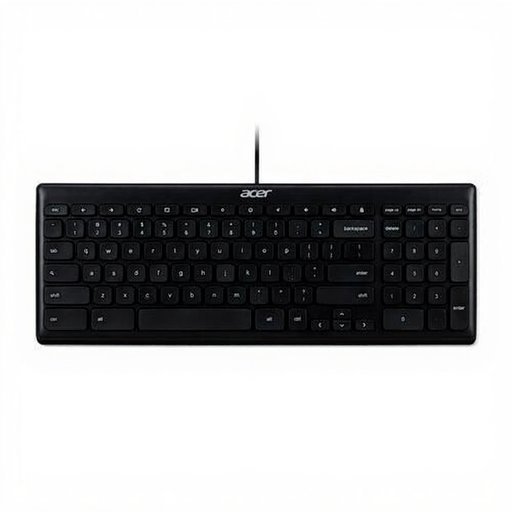 Image unavailable
Suitable for anyone looking for a wired USB connection and a US International layout.
Full-size; US International QWERTY; USB; black.
 Image unavailable
Suitable for anyone looking for a compact wired layout with replaceable switches.
75%; US QWERTY; 83 keys; hot-swappable linear switches; white backlighting; grey and white.
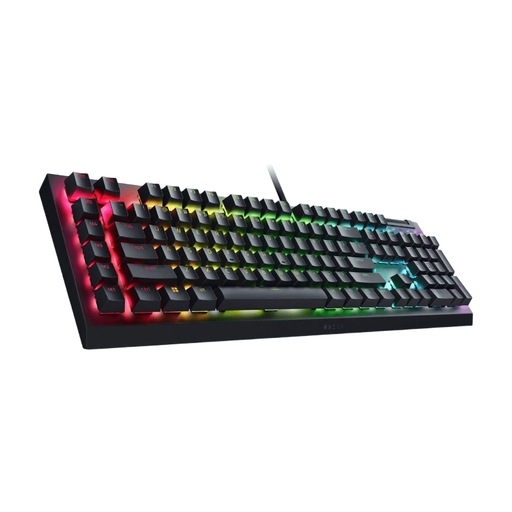 Image unavailable
Suitable for anyone looking for a mechanical keyboard with a US QWERTY layout and Green Switch.
Mechanical; Green Switch; US QWERTY; black.
 Image unavailable
Suitable for anyone looking for a very compact layout who doesn't need a number pad.
60%; 61 keys; US QWERTY; wired; RGB lighting; no number pad.
Not with every model: Logitech describes the K120 as USB plug-and-play, with no download needed. With other models, distinguish between basic typing and optional features, such as the software-controlled break indicator on the R-Go Split Break.
For the Advantage360 SmartSet USB, Kinesis describes on-keyboard controls and remapping. For the Keychron C3 Pro, Keychron describes VIA configuration using a keymap that needs to be loaded; check whether this process works entirely offline with your workflow.
Position the halves and mouse to suit your workstation, then adjust the rest of your setup accordingly. R-Go and Kinesis describe movable halves; Arboportaal also advises adjusting workstation furniture to suit the user. A keyboard alone is not a treatment for discomfort.
If a fault develops during normal use, you can claim your statutory guarantee from the retailer; ACM ConsuWijzer explains how this differs from a manufacturer's warranty. For a standard online purchase of goods, you generally have a 14-day cooling-off period from delivery, with some exceptions.
No. If the app uses personal data such as names, the GDPR still applies to the organisation collecting or using that data. Choosing a keyboard or avoiding cloud tools does not, by itself, ensure compliance.