
Writer with digital rules to hand
You write on a computer and read rules saved locally on a phone or tablet. A holder and the ability to switch easily between devices could come in handy. Logitech describes these features for the K780.


First, decide where you’ll be looking up the rules. A keyboard with a holder may be a good fit if you want to read rules saved locally on a phone or tablet beside your writing. If you’ll be using printed reference material or a single computer, the available space, key feel and connection are the main things to consider. A split keyboard lets you position each half separately, but it can take time to get used to. A keyboard won’t store your reference material offline, so make sure the files are available on the device you want to read them on.
You write on a computer and read rules saved locally on a phone or tablet. A holder and the ability to switch easily between devices could come in handy. Logitech describes these features for the K780.
You edit a lot of text and are looking for a keyboard with a comfortable key feel, layout and position. For work-related screen use, the Arboportaal also emphasises changing tasks and setting up your workspace appropriately.
You want to position the left and right halves separately and are happy to get used to a different setup. R-Go Tools describes this positioning option for the Split Break (v.2).
First, decide where your reference material is stored and how you want to use it while writing. Then compare the size, layout and connection.
| What to consider | What to look for | Who should pay particular attention? |
|---|---|---|
| Offline reference material beside your writing space | Check where your files are stored, whether your device fits in the holder and whether you also want to type on it. | If I read rules on a phone or tablet beside my text, I want to be able to position it and refer to it easily. Around 36% of consumers prefer to use a second device for reference material. |
| Writing and editing for long periods | Compare the key feel and layout, and measure the space available for your keyboard, mouse and reference material. | For long writing sessions, I want a layout and position that work for my workspace. Around 29% of consumers prioritise typing text for long periods. |
| Keyboard halves positioned separately | Check the connection and layout of the version you’re considering, and make sure both halves will fit on your desk. | If I want to position my hands separately, I look for a split keyboard and allow time to get used to it. Around 21% of consumers prioritise this freedom of positioning. |
| Familiar layout and connection | Check the exact key layout and whether the connection is compatible with your computer. Find out whether any features require additional software. | When entering and editing rules, I want familiar keys and as little set-up hassle as possible. Around 14% of consumers choose mainly based on layout and ease of connection. |
A keyboard holder won’t give you access to the rules if the files aren’t available on your phone, tablet or computer.
First decide which device you want to read the reference material on. Only choose a holder if you want to use that second device beside your text.
According to CHERRY, the KC 6000 SLIM is a full-size keyboard measuring 440 mm wide.
Measure the space available for your keyboard, mouse and printed or digital reference material before choosing a size.
A split design changes how you position the keyboard halves, but it doesn’t remove other considerations for working at a screen for long periods.
Check how the setup works at your own desk and take regular breaks from typing. Don’t treat a manufacturer’s claims about comfort as a guarantee against discomfort.
The K780 and MX Keys S offer different options for writing with a second device or using a single main device.
The KC 6000 SLIM is a full-size keyboard for a compatible Windows setup with USB-A.
The Split Break (v.2) is an option if you want to position the two keyboard halves separately.
This selection includes models with a stand for a second device, as well as keyboards for working with text on a single computer. Check the layout, connection and dimensions of each version.
 No image available
Ideal if you want to read rules saved locally on a phone or tablet beside your writing space.
Foldable wireless Bluetooth keyboard with a rechargeable battery and magnetic stand for a phone or tablet.
 No image available
Ideal if you write rule text on a single computer and want a wired connection with a number pad.
Full-size QWERTY layout with number pad; the product description mentions plug-and-play operation.
 No image available
Ideal if you want to position a phone beside your writing space and are looking for a wired mechanical keyboard.
The product description lists 94 keys and a detachable wrist rest. It has a wired connection.
 No image available
Ideal if you want to switch between devices and are looking for a full-size layout.
The description lists a number pad, scissor keys, a rechargeable battery and connections for up to four devices. The layout is US QWERTY.
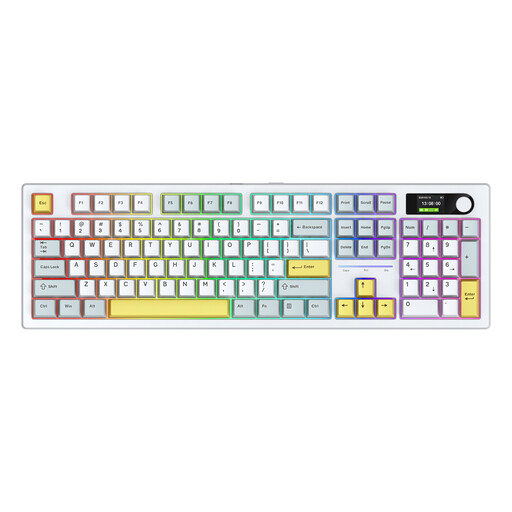 No image available
Ideal if you want to use a keyboard with a touchpad with a computer, phone or tablet.
The description mentions a foldable design and Bluetooth; the product name specifies an integrated touchpad.
No. A keyboard handles typing and may help you position a second device. Make sure your files are saved locally on the device you want to read them on before you start. Logitech describes the K780 as having a holder and the ability to switch between paired devices, but the keyboard itself doesn’t store the rules.
That depends on the keyboard and the version. Logitech describes the K780 as connecting via Bluetooth or a Unifying USB receiver. Set-up for the R-Go Split Break (v.2) differs between the wired and wireless versions. Before buying, check which connection the model uses.
According to the Dutch government, when you buy from a business at a distance, you generally have 14 days to change your mind, although there are exceptions. Also check the seller’s information about the product and cooling-off period. A longer return period offered voluntarily is not the same as the statutory cooling-off period.
The Arboportaal states that for employees who work at a screen for more than 2 hours a day, the screen and keyboard must not be attached to each other. This is a conditional rule for workplaces, not a general requirement for every individual buyer. The Arboportaal also advises that screen work should be alternated at regular intervals with other work or a break.