For navigation testing, easy-to-reach Tab, Shift, Enter, Escape and arrow keys matter more than whether the keyboard is mechanical or expensive. A wired keyboard is practical if you work on one computer, while a compact model frees up more desk space. Bluetooth can be useful if you switch between devices. Always check the exact layout and connection type; a keyboard alone cannot make a website accessible.
Who is this relevant to?
Student testing accessibility
Wants to use a standard keyboard to check the focus order, interactive elements and navigation without a mouse. The W3C Web Accessibility Initiative explains how focus moves between interface elements using keys such as Tab and Shift+Tab.
Student sharing a room
Tests or studies close to other people, so takes typing noise and the amount of desk space used by the keyboard into account. Manufacturers’ claims about quiet typing are not comparable sound measurements.
Student switching between devices
Wants to use the same keyboard with more than one computer or tablet, so checks the connection, operating system and physical key layout.
What should you look for when buying?
Full-size wired keyboard
Choose this if: you usually test on one computer and have a USB-A port.
Bear in mind: a number pad takes up more desk width; claims about quiet typing are not comparative measurements.
Compact wired keyboard
Choose this if: you would rather save space on a small desk than have a number pad.
Bear in mind: the smaller layout may take some getting used to; check where the navigation keys are.
Compact Bluetooth keyboard
Choose this if: you switch between compatible devices and want a compact keyboard.
Bear in mind: Bluetooth needs to be paired; also check the layout and how key combinations work on your device.
Mechanical keyboard with customisable keys
Choose this if: you specifically want to remap keys as well as carry out navigation tests.
Bear in mind: switch types can vary; disable customisations if you want to test the standard controls.
| What to consider |
What should you look for? |
Who is this important for? |
| Navigation keys |
Check Tab, Shift, Enter, Escape and the arrow keys; test without custom macros. |
If I want to check focus movement and how interface elements are controlled, I need to be able to reach the usual keys easily. Around 33% of consumers prioritise familiar controls for navigation testing. |
| Typing noise |
Check the key type and treat ‘quiet’ as a manufacturer’s claim, not a guaranteed noise level. |
If I type in a shared student room, I want to be considerate of others without assuming a keyboard is silent. Around 27% of consumers prioritise quiet typing. |
| Desk space |
Compare the dimensions and image of the exact variant; check where the arrow keys are. |
If I work at a small desk, I want to leave enough work surface free without having to hunt around for important keys. Around 20% of consumers prioritise saving space. |
| Connection and layout |
Check whether it uses USB or Bluetooth, whether your device supports it and what the physical key layout is. |
If I want to use the same keyboard with the devices I own, the connection needs to work and the character keys need to suit my preferences. Around 20% of consumers prioritise device compatibility and layout. |
Common buying mistakes
-
Assuming ‘compact’ means there is no number pad
A model may be described as compact and still have a full-size layout with a number pad. Dell describes the KB216 as a full-size model.
Compare the width and key layout of the exact variant if you want to save desk space.
-
Treating a quiet-typing claim as a sound comparison
A manufacturer may describe certain keys as quiet, but that does not tell you how much quieter the model is than another keyboard.
Check the key type and layout information, and don’t assume that ‘quiet’ means silent.
-
Looking only at ‘QWERTY’
The Dell KB216 is available in, among other options, Dutch and US/International QWERTY variants. The model name alone therefore does not tell you the physical layout.
Check the full variant name and the key images before ordering.
-
Confusing an extended warranty with your statutory rights
The Dutch government distinguishes between statutory rights and an additional arrangement. If a product is faulty, the seller is your point of contact for a solution.
Compare any additional terms with your existing rights before deciding.
Brands to compare
Dell
The KB216 is a wired keyboard with a full-size layout; check which variant is on offer.
- Dell lists USB-A and a number pad for the US/International variant.
- The stated width is approximately 441,96 mm. ‘Quiet’ is a manufacturer’s claim.
Logitech
The K120 is a wired model with a full-size layout; the Pebble Keys 2 K380s is compact and can switch between devices.
- Logitech describes the K120 as plug-and-play via USB and the K380s as switchable between three devices.
- The K120 takes up more space because it has a number pad. The K380s needs a compatible Bluetooth connection; its quiet-typing claim has not been independently compared.
Perixx
The PERIBOARD-409H is a compact wired model without a number pad.
- Perixx lists a 75% layout, USB-A cable and two built-in USB ports.
- The manufacturer shows several language variants; check the layout you choose for entering characters.
CHERRY
According to CHERRY, the KC 6000 SLIM is a low-profile, full-size keyboard.
- CHERRY lists Windows, USB-A and a width of 440 mm.
- For this model, SLIM does not mean that the number pad is missing.
Keychron
The K3 Pro is designed for anyone looking for a compact mechanical layout and customisable keys.
- Keychron lists a 75% ANSI layout, wired use, Bluetooth and key customisation.
- Several switch types are available; the manufacturer’s information is not a sound comparison. Check which layout and variant you choose.
Keyboards at Joybuy
This selection includes compact and full-size keyboards for navigation testing, with different layouts and wired or wireless connections.
 No image available
Redragon M68 Magnetic Switch mechanical keyboard, 68 keys, US layout
The compact layout could be a good fit if you want to free up desk space.
Mechanical keyboard with 68 keys and a US layout.
View at Joybuy
 No image available
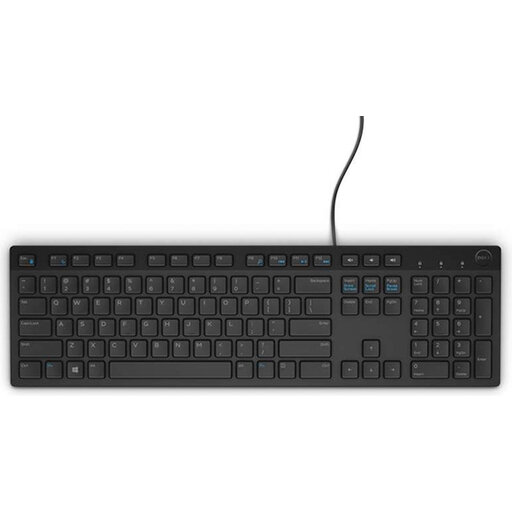
Dell KB216 wired keyboard, Belgian AZERTY layout
A wired option for use with one computer, if the connection and layout suit your device.
USB connection and full-size layout with number pad.
View at Joybuy
 No image available
AJAZZ AK820 MAX 75% wireless mechanical keyboard, US QWERTY
The 75% layout could work well on a smaller desk; check that the US QWERTY layout is right for you.
The product information lists 82 keys, arrow keys and a function row. It mentions Bluetooth, 2.4 GHz or USB-C connectivity.
View at Joybuy
 No image available
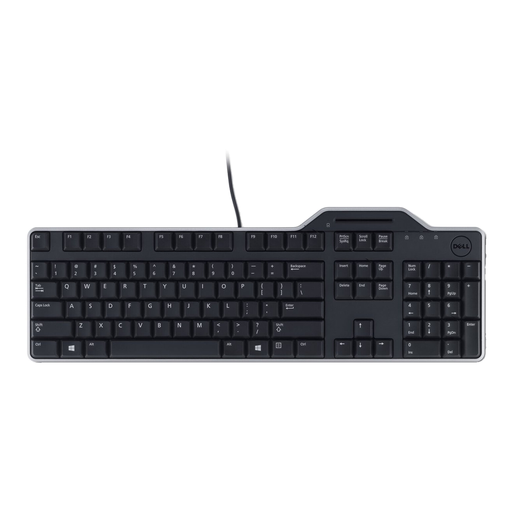
Dell KB813 Smartcard keyboard, AZERTY
Check whether you need the AZERTY layout and built-in smart card reader.
The product information lists a USB connection and quiet keys.
View at Joybuy
 No image available
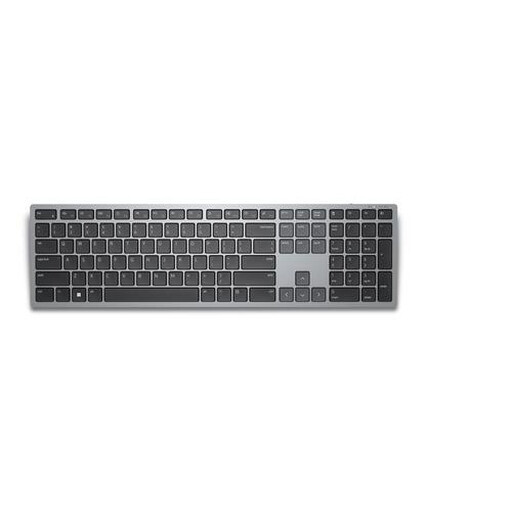
Dell KB700 wireless keyboard, AZERTY BE
Could be a good fit if you want to work wirelessly across devices; check that the AZERTY BE layout suits your needs.
The product information lists Bluetooth, a USB receiver and connection to up to three devices. The keyboard has a full-size layout with a number pad.
View at Joybuy
Frequently asked questions
Do you need a mechanical keyboard to test keyboard accessibility?
No. Standard keyboard controls are enough to check how you navigate an interface and operate its elements. The W3C Web Accessibility Initiative notes that simple checks are not a substitute for a full accessibility assessment.
What should you check before starting a test?
Check that your computer recognises the USB or Bluetooth connection and that the key layout is correct. Then try Tab and Shift+Tab without a mouse and look for the visible focus indicator. Also test how menus and other composite elements work.
What can you do if the keyboard stops working properly after normal use?
In the Netherlands, a product must meet what you can reasonably expect from it. If it is faulty, the seller is your point of contact for a solution. The Dutch government states that there is no fixed statutory warranty period of two years.
Can you return a keyboard bought online if you don’t like the layout?
For an online consumer purchase, you generally have a statutory cooling-off period of up to 14 days after delivery. Check the applicable terms and exceptions; a shop’s voluntary returns policy is separate from this statutory right.
What should you look for if you want a quieter keyboard?
Compare the key type and treat words such as ‘quiet’ as a manufacturer’s claim, not a measured noise level. Choose a layout and connection that suit your needs, and don’t assume that any keyboard is silent.


