Choose a computer keyboard if you mainly type worksheet text and enter notes using keys or keyboard shortcuts; pay attention to the layout and sound of the specific model. A MIDI keyboard is a good fit if you want to play notes in and your notation software supports this input method, but it won’t replace a keyboard for typing text.
Who are these keyboards suited to?
Worksheet creator who types quietly
Mainly writes exercises and instructions in a quiet room and wants to keep typing noise down without giving up a satisfying key feel. RTINGS generally describes scissor and rubber dome switches as relatively quiet, although the sound depends on the specific model.
Creator who does a lot of notation editing
Uses keyboard shortcuts and note entry in music software and needs a suitable layout. MuseScore Studio supports input using, among other methods, a computer keyboard and a MIDI keyboard.
Creator with a small desk
Wants to leave room for a mouse, paper or an additional MIDI keyboard, so considers whether a separate number pad is necessary. A TKL model such as the CHERRY STREAM KEYBOARD TKL leaves it out.
What should you look for in a keyboard for music worksheets?
Computer keyboard
Choose this option: if you mainly write text or enter notes using computer keys and keyboard shortcuts.
Trade-off: compare the layout and sound of the exact model; a description such as ‘quiet’ isn’t a direct comparison of noise levels.
MIDI keyboard alongside your computer
Choose this option: if you’d rather play notes using piano keys and your notation software supports MIDI input.
Trade-off: you’ll need a second device and should check the connection and available space; you’ll still handle text and formatting on your computer.
| What to consider |
What should you check? |
Who is this important for? |
| Typing noise |
Compare the exact mechanism and, if possible, listen to the same model; also look out for rattling and resonance. |
If I type for long periods in a quiet room, I want to keep the noise down without choosing a key feel I dislike. Around 36% of consumers prioritise quiet typing. |
| Layout and keyboard shortcuts |
Check the physical layout and test the keys and shortcuts you use in your notation software. |
When I enter a lot of text, numbers and notation commands, I want to find the right keys quickly. Around 29% of consumers prioritise layout and controls. |
| Desk space and size |
Measure the available space and consider whether you need a separate number pad. |
If my workspace also needs to accommodate paper, a mouse or a MIDI keyboard, I want to know which keys I can do without. Around 21% of consumers prioritise desk space. |
| Playing notes in |
Check whether your software supports MIDI input and whether the connection, number of keys and key size suit the way you work. |
If I’d rather play pitches than enter them using computer keys, I want to know whether my notation software supports this method. Around 14% of consumers choose playing notes in as their main reason. |
MuseScore Studio supports note entry using a computer keyboard, mouse, MIDI keyboard or the virtual piano keyboard in the app. So choose the input method you actually want to use.
Common mistakes when choosing
-
Assuming ‘keyboard’ means one interchangeable type of product
A MIDI keyboard lets you play notes in, but it isn’t designed for typing worksheet text. You can enter notes using keys and shortcuts on a computer keyboard, but that’s a different way of working from playing them.
First decide which task you want to make easier. Choose MIDI only if you actually want to play notes in and your software supports it.
-
Treating a manufacturer’s claim that a keyboard is quiet as a noise comparison
A description such as ‘quiet’ doesn’t tell you how two specific models compare. Rattling and resonance can also make a difference.
Where possible, compare independent reviews of the same models and consider the key feel as well as the sound.
-
Choosing a compact model without checking for a number pad
The CHERRY STREAM KEYBOARD TKL doesn’t have a separate number pad. This saves space, but changes which keys are immediately available.
Think through how you usually enter information and check the layout of the version on offer before making your choice.
Brands to use as a reference
Logitech
The MX Keys S is a computer keyboard for text work and customisable functions; the MX Keys Mini is a separate, smaller option.
- Logitech attributes the MX Keys S’s reduced noise to improved key stability, and highlights its backlighting and customisable actions.
- This manufacturer description applies to the models mentioned and doesn’t guarantee that every Logitech keyboard is quiet. Also check the layout on offer.
CHERRY
The STREAM KEYBOARD has an SX scissor mechanism; the STREAM KEYBOARD TKL leaves out the number pad to save space on a smaller desk.
- CHERRY describes the key feel of these models as quiet.
- The TKL version doesn’t have a separate number pad. The manufacturer’s description isn’t an independent noise comparison.
Keychron
The B33 is a TKL computer keyboard with a choice of wireless or wired connections.
- Keychron describes the B33 as quiet and highlights its customisable keys.
- The description of it as quiet comes from the manufacturer. Check whether the stated ANSI layout suits your preference.
Arturia
The MiniLab 3 is a compact MIDI controller for anyone who wants to enter notes using piano keys as well as working with text.
- Arturia lists 25 velocity-sensitive slim keys, USB-C and additional controls.
- These music features aren’t necessary for every worksheet. Check the MIDI input method supported by your notation software.
Novation
The Launchkey Mini 37 is a MIDI controller with more mini keys than a 25-key controller.
- Novation lists 37 mini keys and features designed for DAW software.
- The DAW integration described doesn’t automatically mean the extra features will be useful in your notation software. This model won’t replace a keyboard for typing text.
Joybuy keyboards for text and notation
This Joybuy selection consists of computer keyboards for text and keyboard shortcuts. If you’ll be using one in a quiet study, pay attention to the layout and sound of the specific model; a mechanical design or product description on its own isn’t a direct comparison of noise levels.
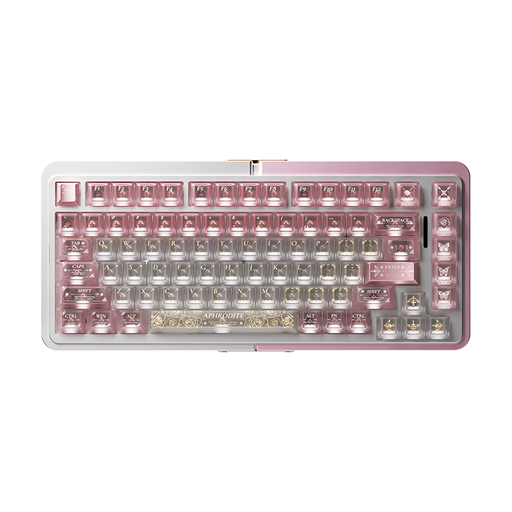 Image unavailable
Royalaxe E75 Custom 75% with TTC Magnetic HE switches
For typing and keyboard shortcuts on your computer; check that the 75% layout includes the keys you use frequently.
Wired mechanical keyboard with TTC Magnetic HE switches.
View at Joybuy
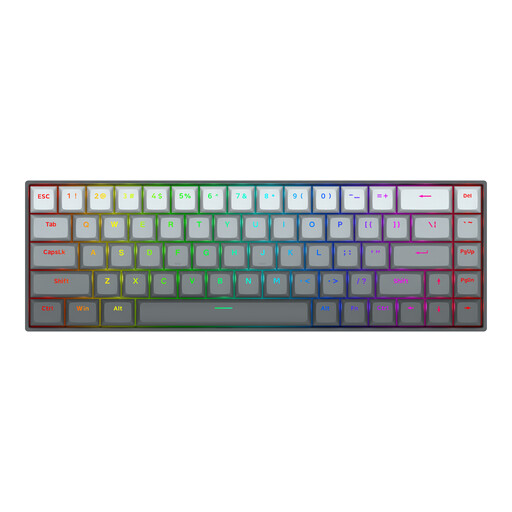 Image unavailable
Redragon M68 with magnetic switches, US layout
A compact computer keyboard for typing; check in advance that the US layout suits the way you work.
68 keys; magnetic switches and a metal top plate.
View at Joybuy
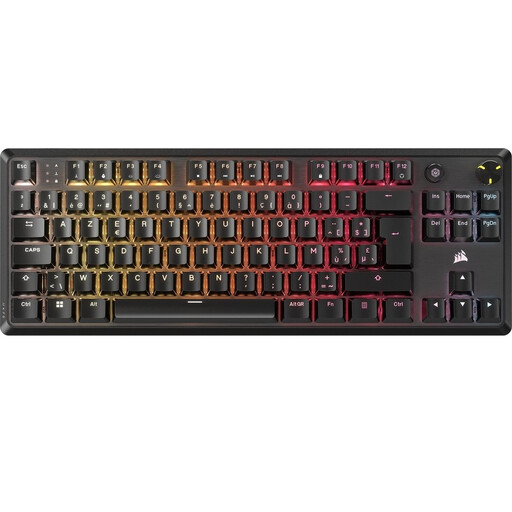 Image unavailable
Corsair K70 CORE TKL, BE AZERTY, MLX Red
A TKL keyboard for typing if you can manage without a separate number pad; check that the BE AZERTY layout suits you.
Wired, with MLX Red switches. The product description mentions sound-dampening foam layers; this isn’t an independent noise measurement.
View at Joybuy
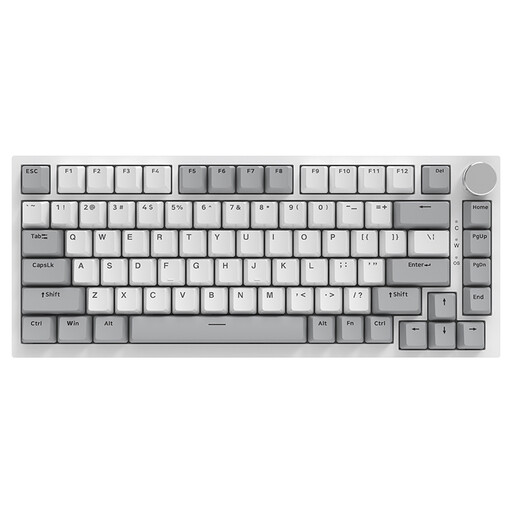 Image unavailable
AJAZZ AK820 75%, wired, US QWERTY
For typing and keyboard shortcuts on your computer; check that the 75% layout and US key positions suit the way you work.
Wired keyboard with linear switches.
View at Joybuy
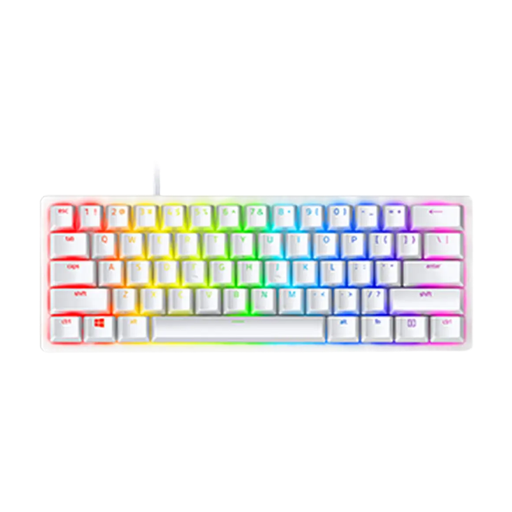 Image unavailable
Razer Huntsman Mini, Linear Optical Switch, US, Mercury
A Mini model for typing on your computer; check that the US version suits your preferred keyboard layout.
Fitted with linear optical switches.
View at Joybuy
Frequently asked questions
Do I need a MIDI keyboard to add notes to a worksheet?
No, you don’t. MuseScore Studio supports note entry using a computer keyboard, mouse, MIDI keyboard and the virtual piano keyboard in the app. Choose MIDI if you’d rather play notes in, and check the input mode in your software.
How can I check whether my keyboard or MIDI keyboard suits the way I work?
Test the layout and keyboard shortcuts in your own software, and check that it supports MIDI input if you’re using a MIDI keyboard. Also make sure the device’s connection works with your computer and that the number and size of the keys suit what you want to play.
What return and warranty rights apply to an online purchase in the Netherlands?
For online consumer purchases, there is generally a statutory cooling-off period that ends 14 days after delivery; ACM ConsuWijzer notes that exceptions may apply. The statutory guarantee is separate: if a product doesn’t perform as you could reasonably expect under normal use, the seller is responsible for providing an appropriate solution. This is different from a voluntary manufacturer’s warranty.
Can I freely share existing music in worksheets?
Not necessarily. The Dutch government states that you need the creator’s permission to distribute music protected by copyright. You can’t distribute a private copy made for your own use, so check the rights for the specific material before sharing worksheets.


